EasyManua.ls Logo

Sony TRINITRON KV-M2140B - Page 26

Sony TRINITRON KV-M2140B
48 pages
Print Icon
To Next Page IconTo Next Page
To Previous Page IconTo Previous Page
Loading...
KV-M2140K/M2141K
|
RM-694
3-3.
FOCUS
Adjust
FOCUS
so
that
the
whole
screen
is
in
best
focus.
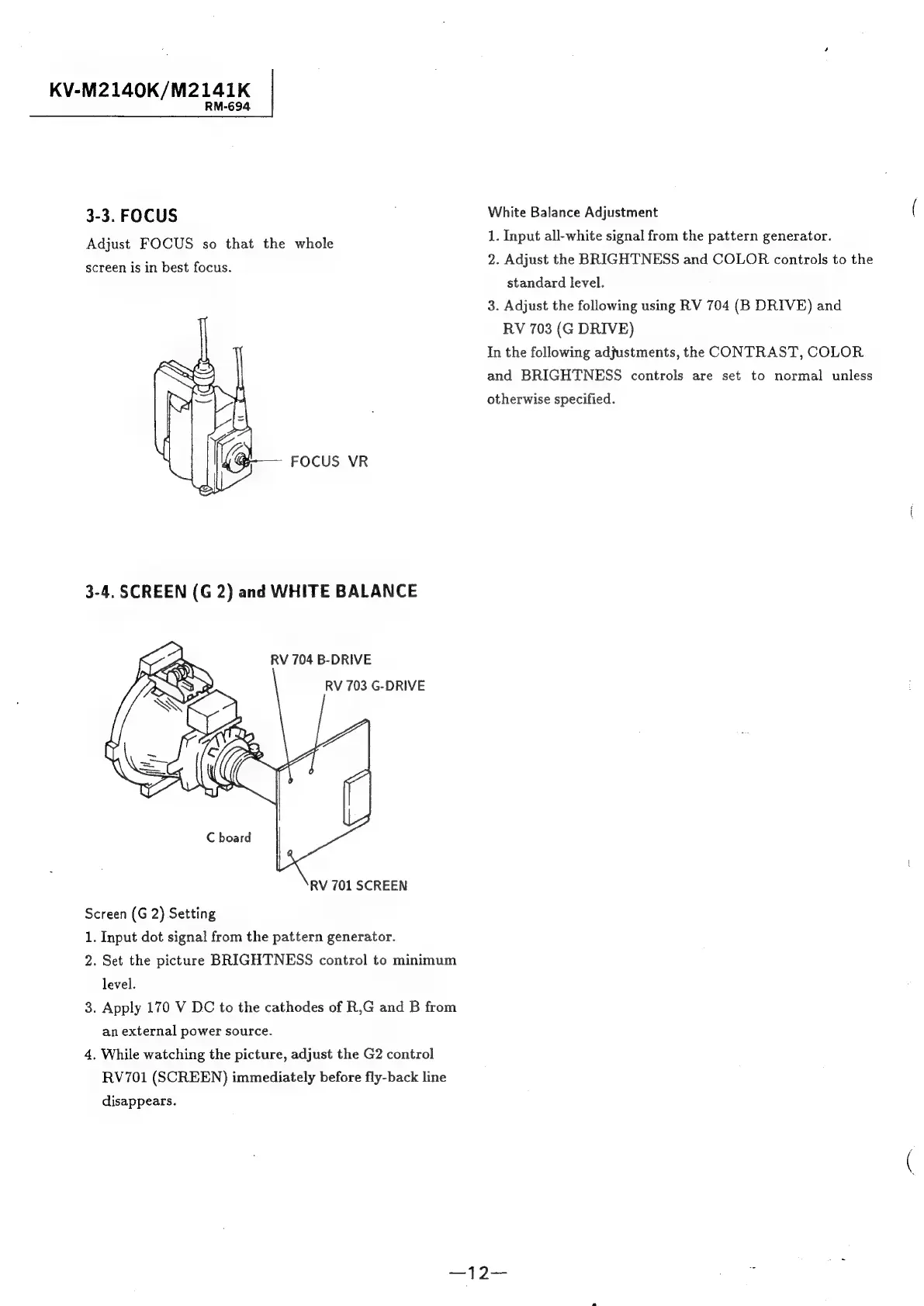
FOCUS
VR
White
Balance
Adjustment
1.
Input
all-white
signal
from
the
pattern
generator.
2.
Adjust
the
BRIGHTNESS
and
COLOR
controls
to
the
standard
level.
3.
Adjust
the
following
using
RV
704
(B
DRIVE)
and
RV
703
(G
DRIVE)
In
the
following
adfustments,
the
CONTRAST,
COLOR
and
BRIGHTNESS
controls
are
set
to
normal
unless
otherwise
specified.
RV
704
B-DRIVE
RV
703
G-DRIVE
RV
701
SCREEN
Screen
(G
2)
Setting
1.
Input
dot
signal
from
the
pattern
generator.
2.
Set
the
picture
BRIGHTNESS
control
to
minimum
level.
.
Apply
170
V
DC
to
the
cathodes
of
R,G
and
B
from
an
external
power
source.
4,
While
watching
the
picture,
adjust
the
G2
control
RV701
(SCREEN)
immediately
before
fly-back
line
disappears.
w

Related product manuals