– 10 –
KV-PG21P40/PG21M70/PG21P70
RM-952
TV
1
2
3
4
6
7
8
9
-
0
5
JUMP
SOUND
MODE
FAVORITE
PROGR
2
MAIN
(Main sound)
SUB
(Sub sound)
t
t
A/B
NICAM
(Stereo sound)
MONO
(Regular sound)
t
t
NICAM MAIN
(Main sound)
NICAM SUB
(Sub sound)
MONO
(Regular sound)
tt
t
NICAM MAIN
(Main sound)
MONO
(Regular sound)
t
t
MONO
(Regular sound)
STEREO
(Stereo sound)
t
t
M
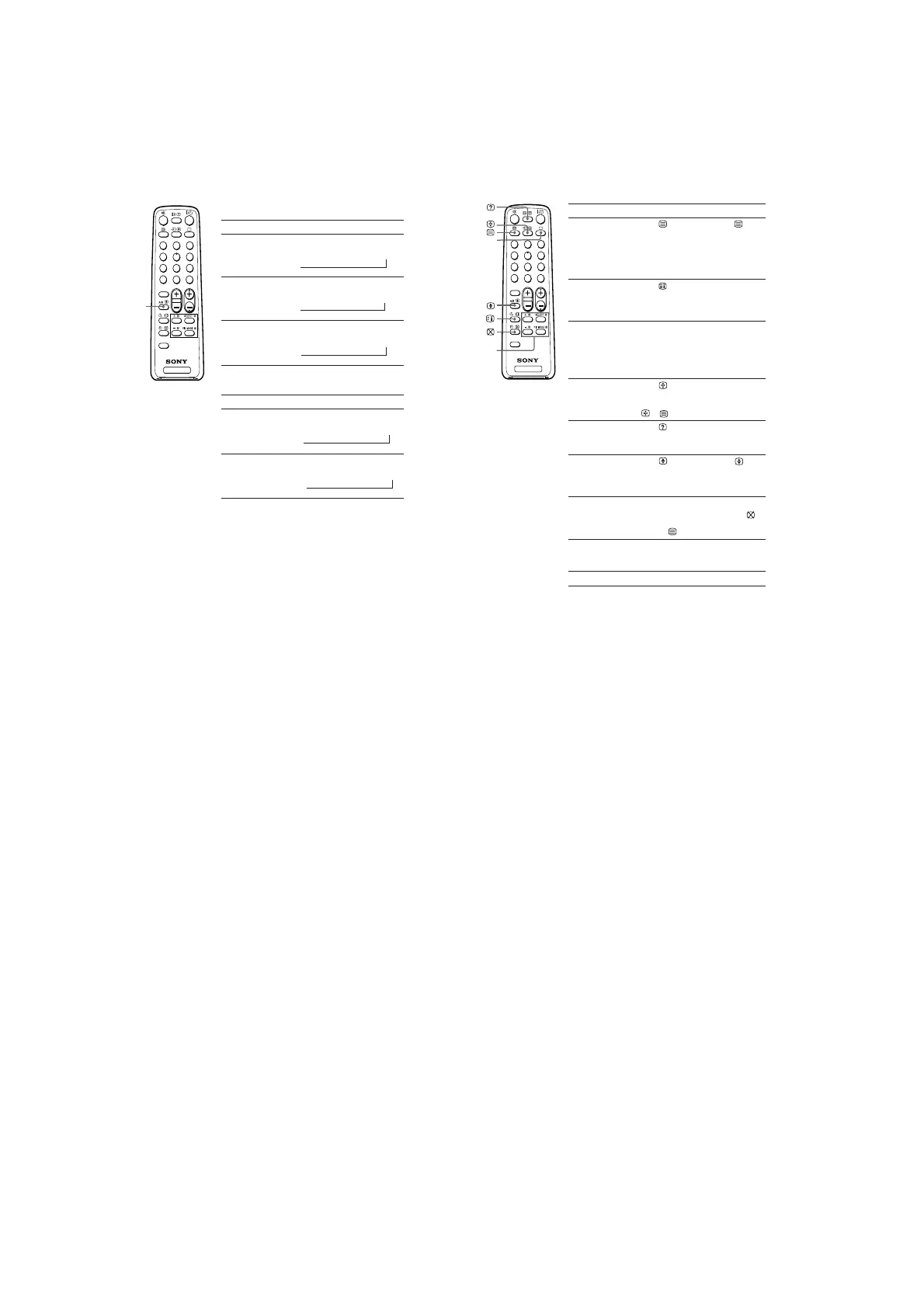
Enjoying stereo or bilingual
programs
B KV-TG21M61 only
You can enjoy stereo sound or bilingual programs of NICAM and A2 stereo
systems by using the A/B button.
Notes
• If the stereo sound is noisy when receiving a stereo program, select “MONO”. The sound
becomes monaural, but the noise is reduced.
• If the sound is distorted when receiving a monaural program through the 8 (antenna)
terminal, press A/B repeatedly until “MONO” appears on the screen. To cancel the monaural
sound setting, press A/B again until “AUTO” appears on the screen.
When receiving a NICAM program
Broadcasting On-screen display (Selected sound)
NICAM
stereo
NICAM
bilingual
NICAM
monaural
When receiving an A2 program
Broadcasting On-screen display (Selected sound)
A2
stereo
A2
bilingual
N Viewing Teletext
B
KV-TG21M61 only
Some TV stations broadcast an information service called Teletext which
allows you to receive various information, such as stock market reports and
news.
You can use the buttons on the remote to view Teletext.
To Do this
display a Teletext Press . Each time you press , the
page on the screen changes as follows:
TV picture Teletext t Teletext and TV t TV.
If there is no Teletext broadcast, “100” is
displayed at the top left corner of the
screen.
check the contents Press .
of a Teletext service An overview of the Teletext contents,
including page numbers, appears on the
screen.
select a Teletext page Press the number buttons to enter the
three-digit page number of the desired
Teletext page. If you make a mistake,
reenter the correct page number. To
access the next or previous page, press
PROGR +/–.
hold (pause) a Press to display the symbol “z” at
Teletext display the top left corner of the screen. To
resume normal Teletext viewing, press
or .
reveal concealed Press .
information (e.g., To conceal the information, press the
an answer to a quiz) button again.
enlarge the Teletext Press . Each time you press , the
display Teletext display changes as follows:
Enlarge upper half t Enlarge lower half
t Normal size.
stand by for a Teletext 1 Enter the Teletext page number that
page while watching you want to refer to, then press
.
a TV program 2 When the page number is displayed,
press
to show the text.
select a FASTEXT Press x (red, green, yellow and blue)
menu or the colored that corresponds to the desired menu or
boxes page number.
turn off Teletext Press a.
Note
• The FASTEXT feature can be used only when the FASTEXT broadcast is available.
TV
1
2
3
4
6
7
8
9
-
0
5
JUMP
SOUND
MODE
FAVORITE
PROGR
2
x (red,
green,
yellow,
blue)
a







 To Next Page