10
Supplied Accessories / Connections
Preparation
Preparation
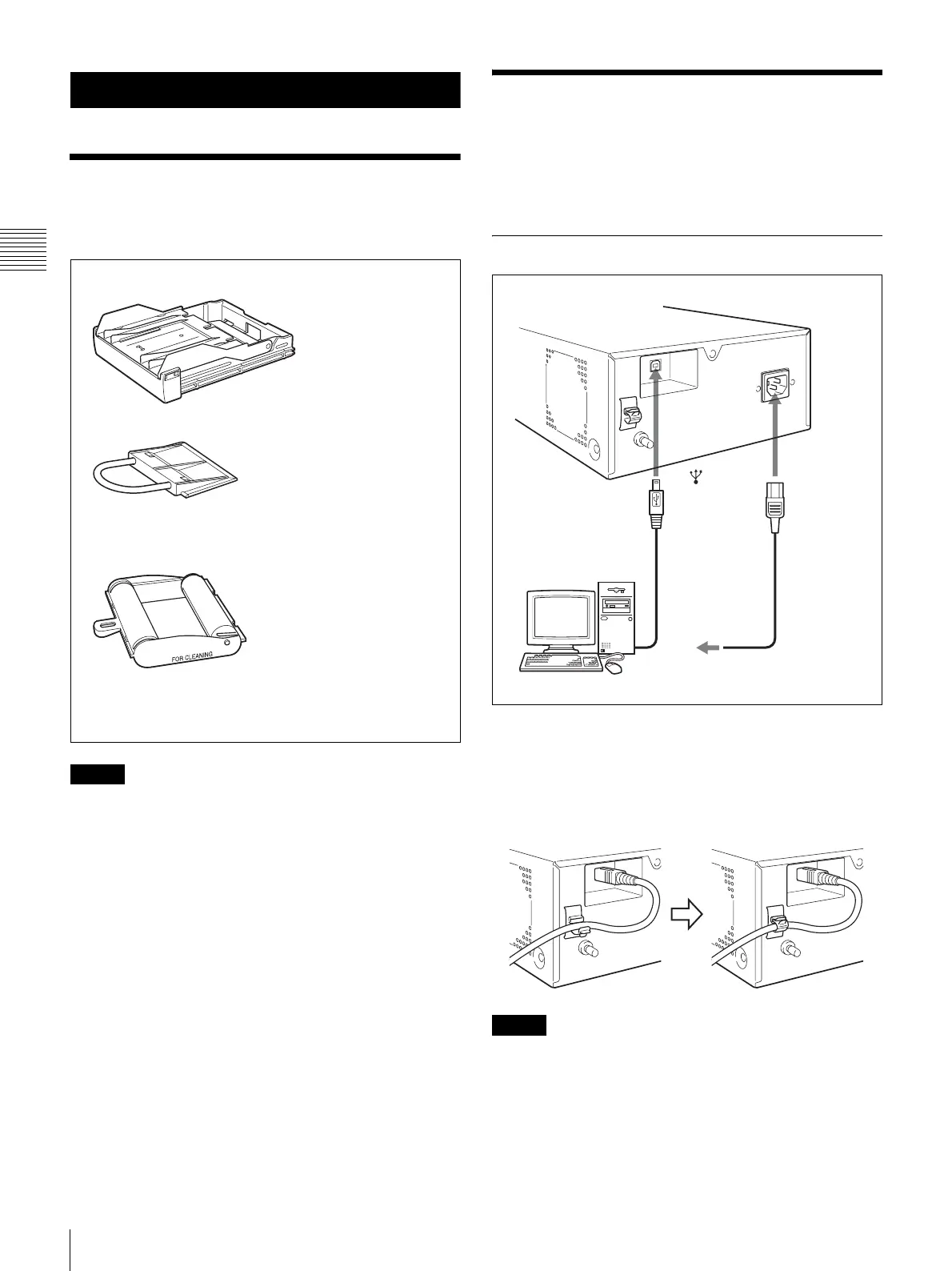
Supplied Accessories
This printer is packed with the following accessories.
Check that nothing is missing from your package.
Notes
• Retain the original carton and packing materials in case
you have to transport this unit in the future.
• When transporting the printer, remove the ink ribbon and
paper feed tray, and lock the internal thermal head. For
details, see “Transportation” on page 21.
Connections
After connecting the supplied USB cable to the printer and
the computer, connect the power cord. For details about the
printer connection, refer to the manuals for the computer or
other peripheral devices.
USB Port Connection
Securing the USB cable
After you connect the USB cable to the printer, it is
recommended that you use the cable stopper to secure the
USB cable to prevent it from being accidentally
disconnected.
Notes
• Follow the connection procedures described in the
computer manual.
• Make sure that the USB cable is connected securely at
both ends.
• The supplied printer driver does not support network
printing.
USB cable 1-824-211-41 (SONY) (1)
Before Using This Printer (1)
Thermal head cleaning cartridge (1)
Paper feed tray (1)
Stopper (1)
CD-ROM (printer driver/Instructions for use) (1)
Software License Agreement (1)
Service Contact List (1)
to (USB)
connector
USB cable
(supplied)
UP-D25MD
Power cord
to - AC IN
connector
to wall outlet
Computer



 To Next Page