23
nN
Getting Started
Connecting a Power Source
You can use either an AC adapter or a rechargeable battery pack as a power source for your computer.
Using the AC Adapter
✍
Use your computer only with the supplied AC adapter.
To use the AC adapter
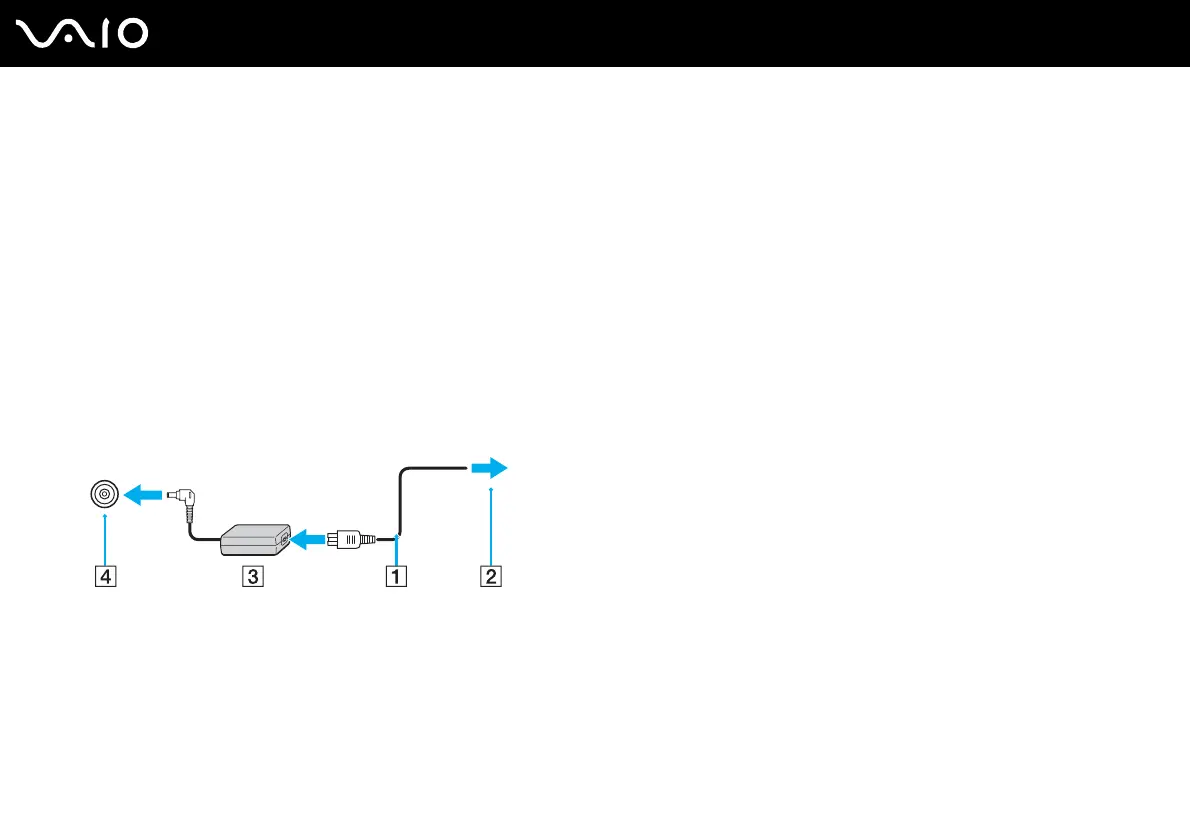
1 Plug one end of the power cord (1) into the AC adapter (3).
2 Plug the other end of the power cord into an AC outlet (2).
3 Plug the cable attached to the AC adapter (3) into the DC IN port (4) on the computer.
!
The shape of the DC In plug varies depending on the AC adapter.
✍
To disconnect your computer completely from AC power, unplug the AC adapter.
Make sure that the AC outlet is easily accessible.
If you do not use your computer for a long period of time, place the computer into Hibernate mode. See Using Hibernate Mode (page 112). This power
saving mode saves the time of shutting down or resuming.



 To Next Page