97
nN
Using Peripheral Devices
Connecting a Universal Serial Bus (USB) Device
To prevent your computer and/or USB devices from damage, observe the following:
❑ When moving the computer with USB devices connected, avoid any shock or force to the USB ports.
❑ Do not put the computer into a bag or carrying case when it has USB devices connected.
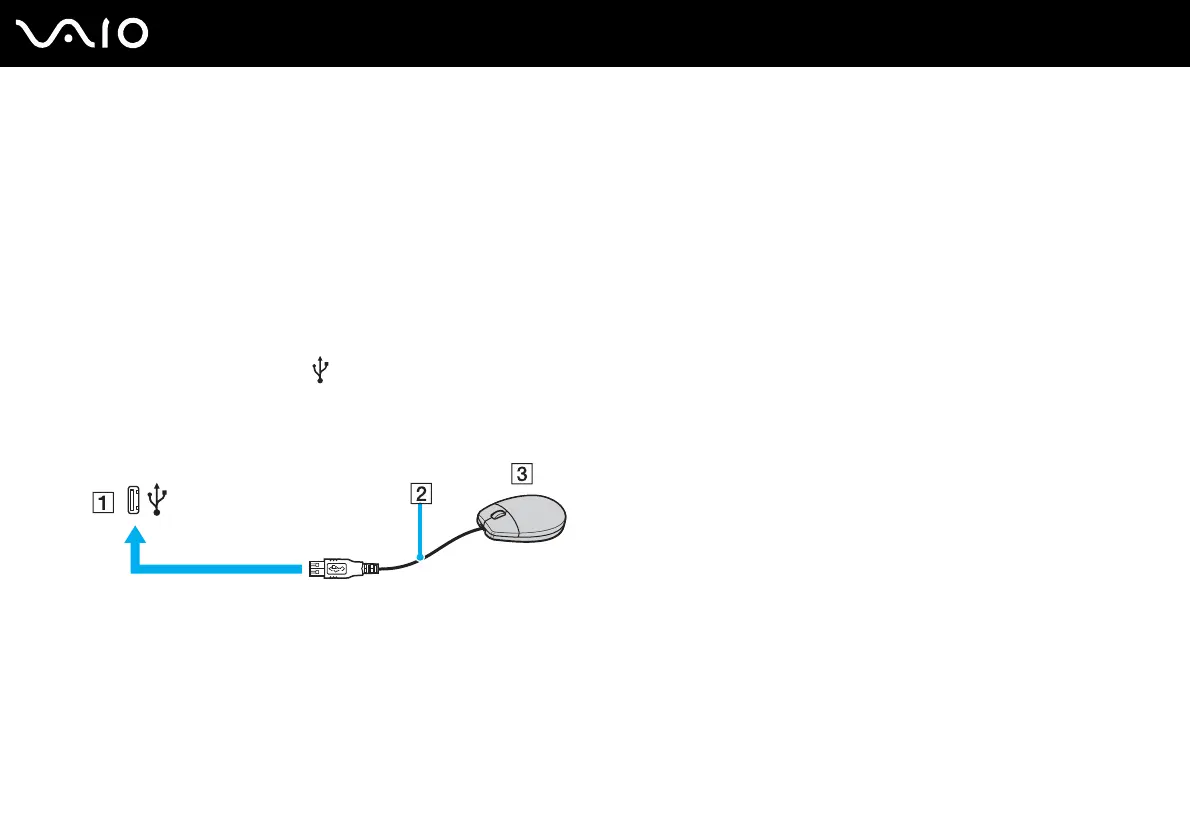
Connecting a USB Mouse
To connect a USB mouse
1 Choose the USB port (1) you prefer to use.
2 Plug the USB mouse cable (2) into the USB port.
You can now use your USB mouse (not supplied) (3).



 To Next Page