GB
22
Step 3: Adjusting the Picture Position
Project an image on the screen and adjust the picture position.
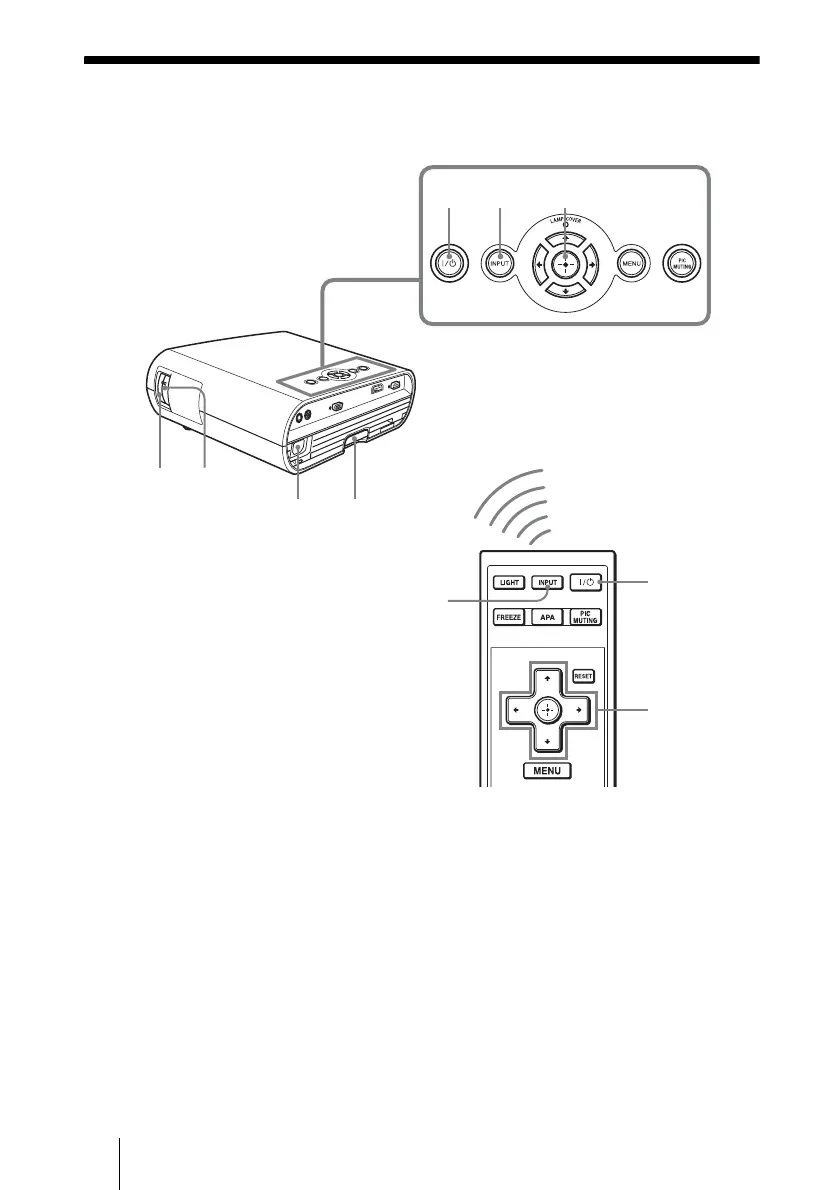
1 After connecting the AC cord to
the projector, plug the AC cord
into a wall outlet, connect all
equipment, and remove the lens
cover.
The ?/1 (On/standby) switch lights in
red and the projector goes into standby
mode.
2 Press the ?/1 (On/standby)
switch to turn on the projector.
The ?/1 (On/standby) switch flashes in
green, then lights in green.
3 Turn on the equipment
connected to the projector.
Refer to the operating instructions of the
connected equipment.
4 Press INPUT to project the
picture on the screen.
Each time you press the button, the input
indication and equipment to be projected
change. (1 page 27)
1,2 4
78
2
4
15
6
6



 To Next Page