GB
28
Selecting the Wide Screen Mode
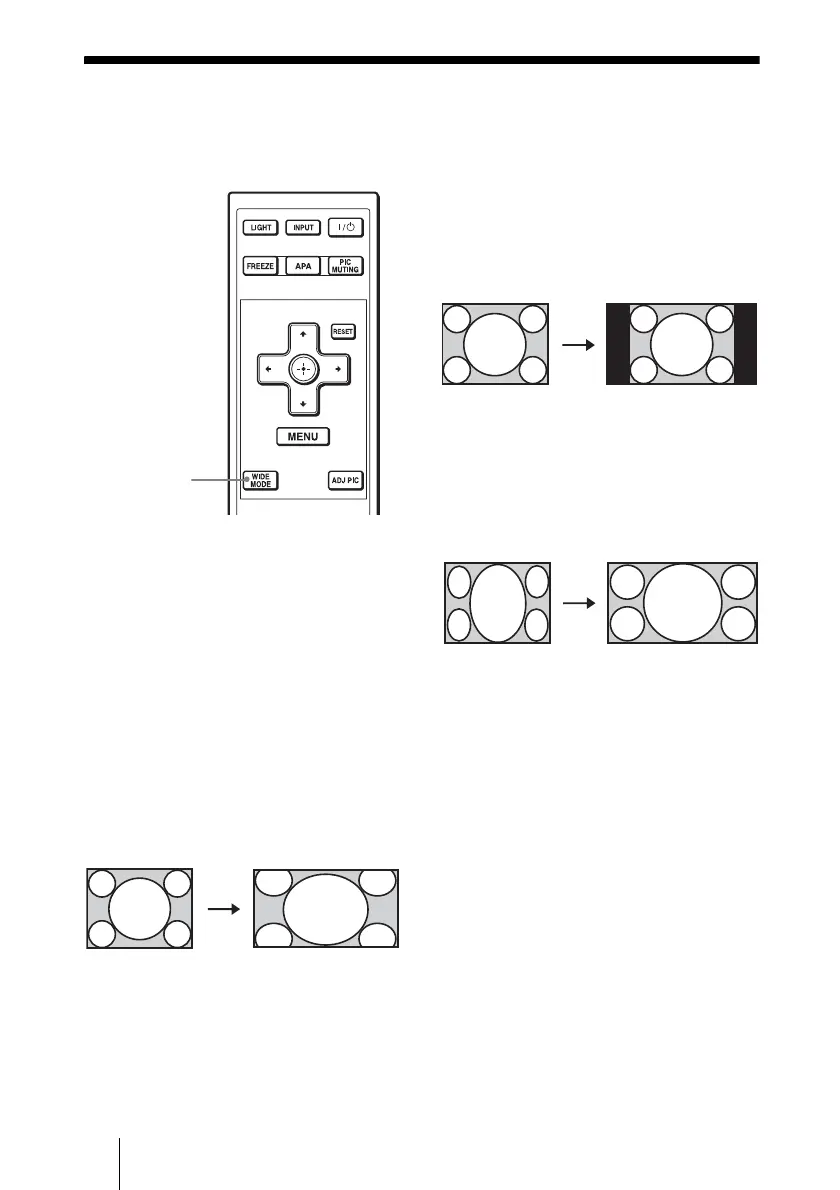
You can enjoy various wide screen modes according to the video signal received.
Press WIDE MODE.
Each time you press the button, you can
change the “Wide Mode” setting in turn.
You can also select it using the menu. (1
page 37)
Wide Zoom (When the SD signal is
input)
A 4:3 aspect ratio picture is enlarged over
the entire screen properly. The upper and
lower portions of the screen are slightly cut
off.
Normal
A picture with normal 4:3 aspect ratio is
displayed in the center of the screen to fill
the vertical screen size.
Full
A picture squeezed to 4:3 is displayed with
the correct aspect ratio. A 4:3 picture is
enlarged horizontally to fit the 16:9 screen.
Tip
Squeezed: An original 16:9 aspect ratio picture
is recorded horizontally compressed to a 4:3
picture.
WIDE MODE
button
Original image When the Wide
Mode is operated
Original image When the Wide
Mode is operated
Original image When the Wide
Mode is operated
Squeezed



 To Next Page