25
GB
Connections and Preparations
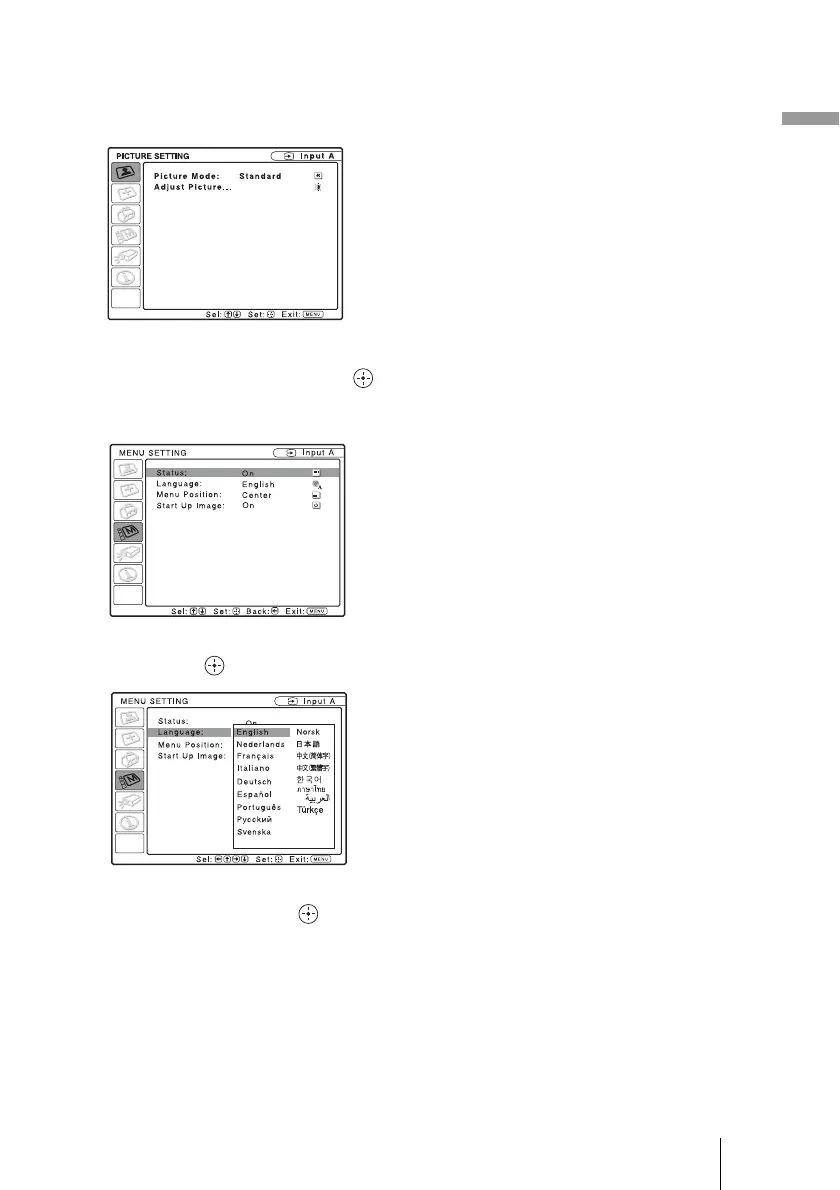
1 Press MENU.
The menu appears.
The menu currently selected is shown as
a yellow button.
2 Press M/m to select the MENU
SETTING menu, and press .
The setting items of the selected menu
appears.
3 Press M/m to select “Language,”
and press .
4 Press M/m/</, to select a
language, and press .
The menu changes to the selected
language.
To clear the menu
Press MENU.
The menu disappears automatically if a
button is not pressed for one minute.



 To Next Page