GB
40
• Press APA when the full image is displayed on the screen. If the projected image includes a black
portion around it, the APA function will not work properly and some parts of the image may not
be displayed on the screen.
- You can cancel the adjustment by pressing APA again while “Adjusting” appears on the screen.
- The picture may not be adjusted properly depending on the type of input signal.
- Adjust the “Dot Phase,” “H Size,” and “Shift” items in the INPUT SETTING menu when you
adjust the picture manually.
• If the input signal is not displayed correctly when “Input-A Signal Sel.” is set to “Auto,” set it to
conform the input signal.
• Closed Captioning is not displayed in the following cases:
- while you are operating on-screen menus
- while “Please replace the Lamp” is displayed on the screen
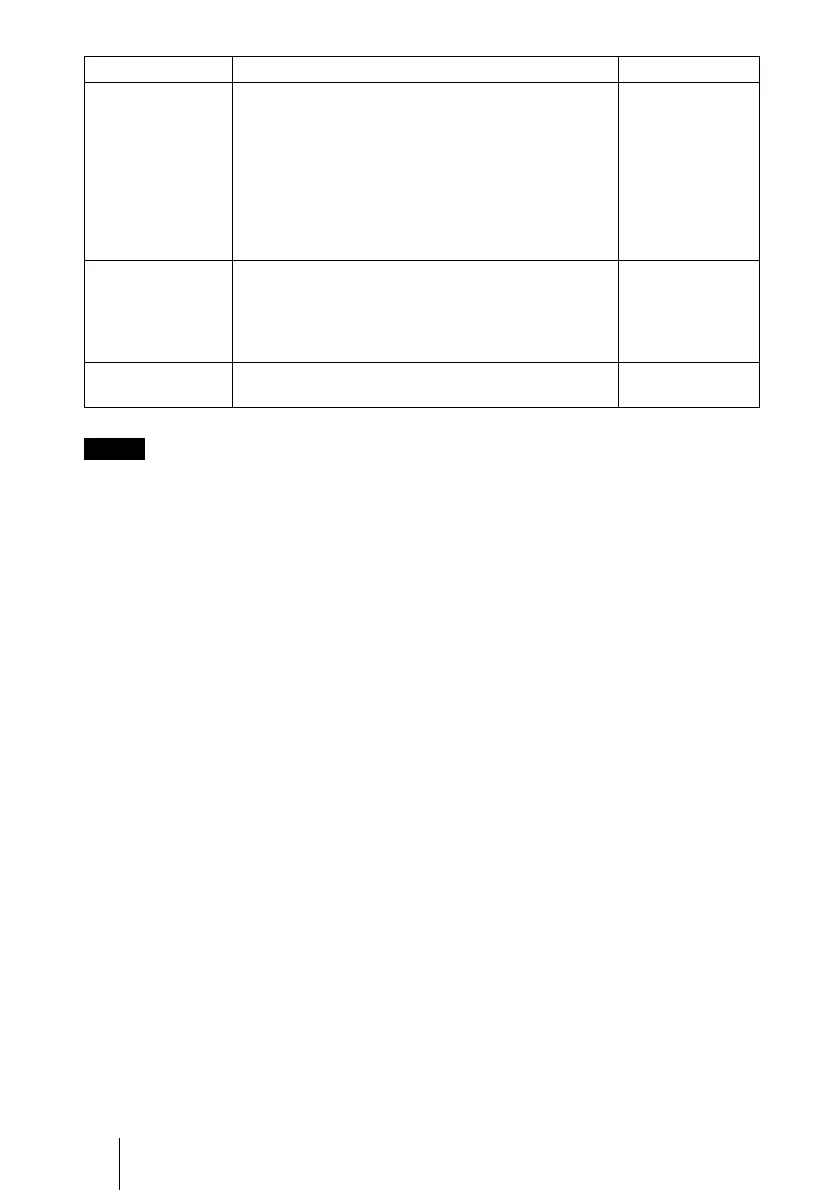
Power Saving Selects the Power Saving mode.
Lamp off: The lamp goes off if no signal is input for
10 minutes. The lamp lights again when a signal is
input or any button is pressed.
Standby: The projector goes into Standby mode if
no signal is input for 10 minutes. To use it, turn on
the power again.
Off: The projector does not go into Power Saving
mode.
Off
CC Display
Turns the Closed Captions (CC) function on or off.
Off: Turns off the Closed Captions (CC) function.
CC1/CC2/CC3/CC4/TEXT1/TEXT2/TEXT3/
TEXT4: Selects a caption channel for the Closed
Captions (CC) function.
Off
Lamp Timer
Reset
When replacing the lamps, reset the lamp timer. –
Notes
Setting items Functions Initial setting



 To Next Page