15
GB
Connecting the Projector
Setting Up and Projecting
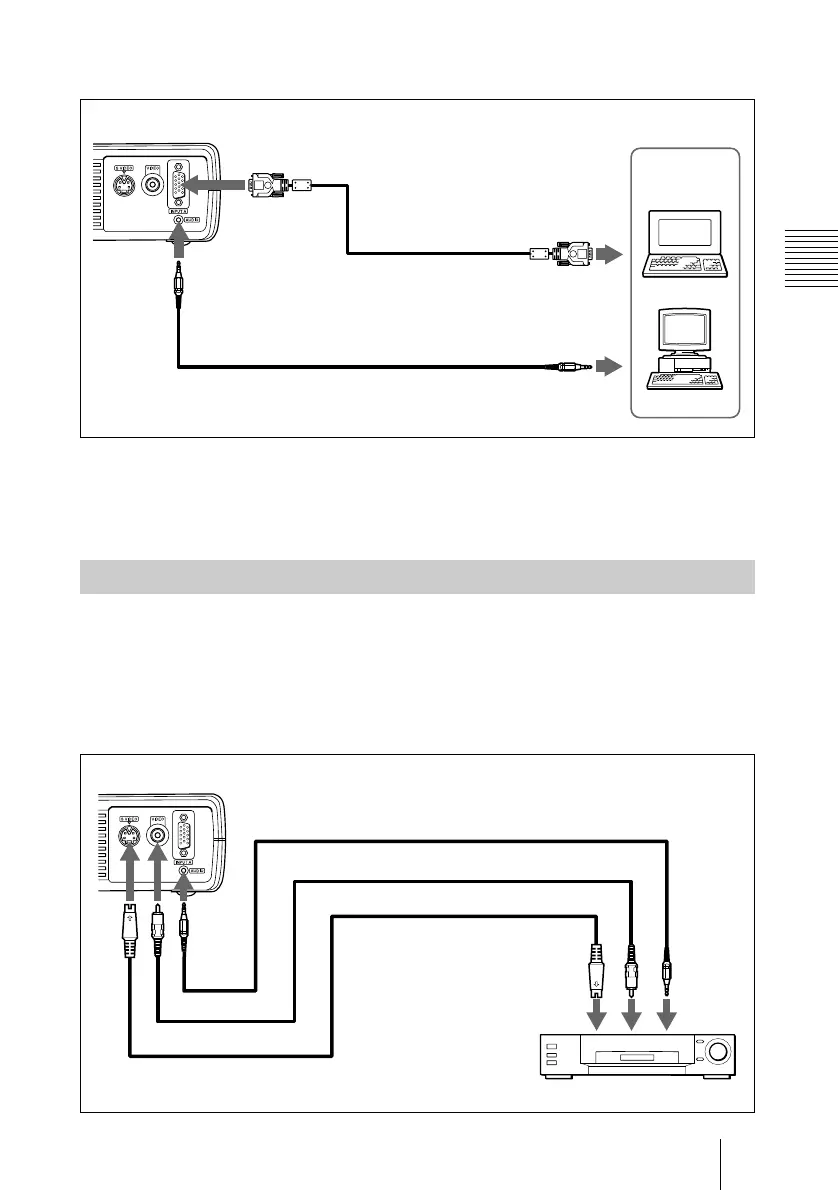
To connect an IBM PC/AT compatible computer
To connect a Macintosh computer
To connect a Macintosh computer equipped with video output connector of a
type having two rows of pins, use a commercially available plug adaptor.
This section describes how to connect the projector to a VCR and 15k RGB/
component equipment.
For more information, refer to the instruction manuals of the equipment you
are connecting.
To connect a VCR
Connecting with a VCR or 15k RGB/Component Equipment
to audio output
Left side
HD D-sub
15-pin cable
(supplied)
Stereo audio connecting cable (not supplied)
to monitor output
Computer
Stereo audio connecting cable (not supplied)
S-Video cable (not supplied)
VCR
to S video
output
Left side
to audio
output
Video cable (not supplied)
to video output



 To Next Page