GB
22 Selecting the Menu Language
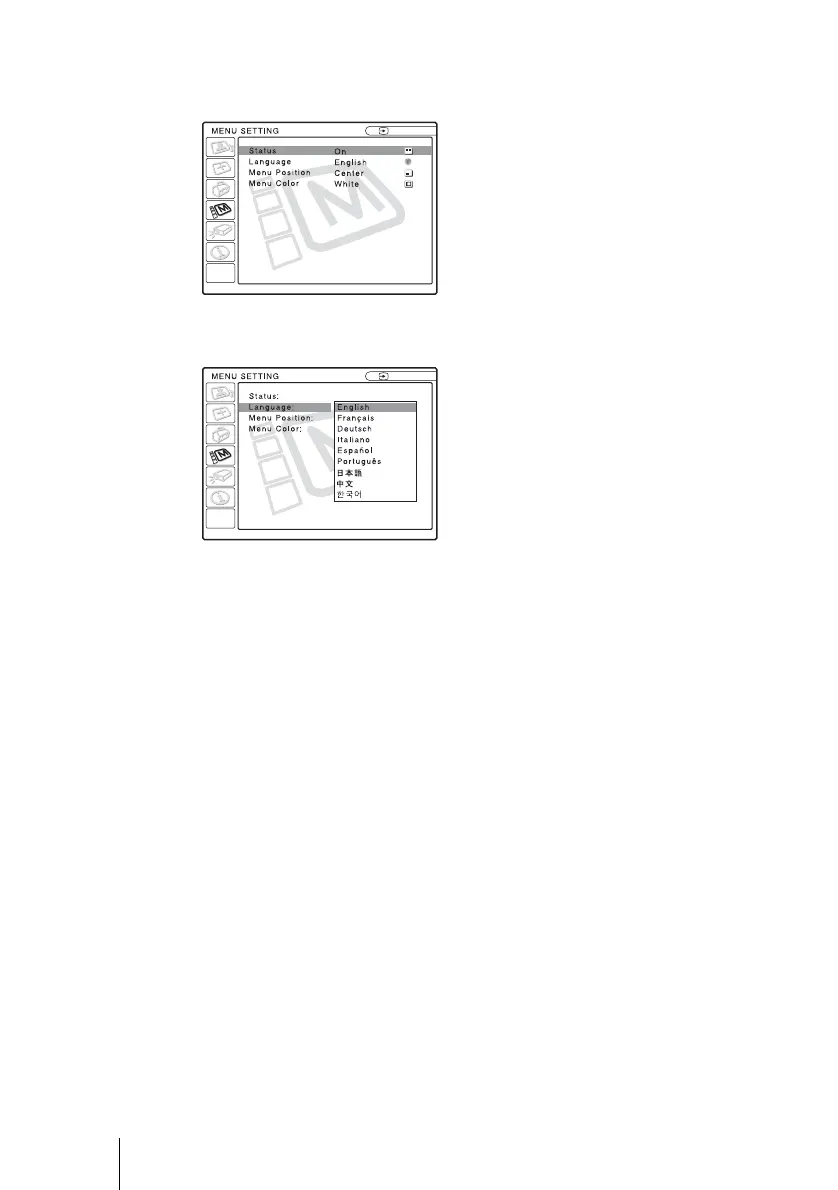
4 Press the M or m key to select the MENU SETTING menu, then press the
, or ENTER key.
The selected menu appears.
5 Press the M or m key to select “Language,” then press the , or ENTER
key.
6 Press the M or m key to select a language, then press the < or ENTER
key.
The menu changes to the selected language.
To clear the menu
Press the MENU key.
The menu disappears automatically if a key is not pressed for one minute.
Input A
:
:
:
:
A
Input A



 To Next Page