EasyManua.ls Logo

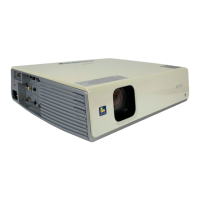
Sony VPL-CX11 - User Manual

Sony VPL-CX11
136 pages
Print Icon
To Next Page IconTo Next Page
Loading...
Operating Instructions
Mode d’emploi
Manual de instrucciones
© 2001 Sony Corporation
4-085-521-12 (2)
Data Projector
GB
FR
ES
VPL-CX11

Table of Contents

Other manuals for Sony VPL-CX11

Questions and Answers

  • S
    sarahmendozaAug 21, 2025
    What to do if my Sony VPL-CX11 Projector power is not turned on?
    • M
      Michael EdwardsAug 21, 2025
      If your Sony Projector isn't turning on: * Wait about 60 seconds before attempting to turn the power on again if it was recently turned off and on. * Make sure the lamp cover is securely closed. * Ensure the air filter cover is also securely closed.
  • C
    cynthia47Sep 3, 2025
    What does 'Please check INPUT-A setting' mean on my Sony VPL-CX11 Projector?
    • V
      Vanessa GuzmanSep 3, 2025
      This message on your Sony Projector indicates that the INPUT-A setting in the SET SETTING menu is incorrect. Set INPUT-A correctly.
  • C
    Crystal ChandlerSep 1, 2025
    Why does my Sony VPL-CX11 Remote Commander not work?
    • J
      Joseph SuarezSep 1, 2025
      If your Sony Projector's Remote Commander is not working: * Replace the batteries with new ones. * If the front/rear remote control detector is near a fluorescent lamp, change the setting of SIRCS RECEIVER in the SET SETTING menu.
  • M
    melissa16Aug 31, 2025
    Why is my Sony VPL-CX11 picture not clear?
    • F
      fhaynesAug 31, 2025
      If the picture on your Sony Projector is not clear: * Adjust the focus. * If condensation has occurred on the lens, leave the projector on for about two hours.
  • T
    Theresa VazquezAug 29, 2025
    What does 'Please replace the lamp' mean on my Sony Projector?
    • M
      Megan SandovalAug 29, 2025
      This message on your Sony Projector means that you need to replace the lamp.
  • C
    Chris RamirezAug 27, 2025
    Why does 'High temp.! Lamp off in 1 min.' appear on my Sony VPL-CX11?
    • W
      william84Aug 28, 2025
      This message on your Sony Projector indicates that the internal temperature is too high. Turn off the power and check to see if anything is blocking the ventilation holes.
  • W
    Willie KaufmanAug 26, 2025
    Why does the FAN/TEMP indicator light up on my Sony VPL-CX11?
    • R
      Richard StewartAug 26, 2025
      If the FAN/TEMP indicator lights up on your Sony Projector, the internal temperature is unusually high. Check to see if anything is blocking the ventilation holes.
  • T
    Tony AguilarAug 25, 2025
    Why is the picture from INPUT A connector colored strange on my Sony VPL-CX11 Projector?
    • T
      Teresa DunlapAug 25, 2025
      If the picture from the INPUT A connector is strangely colored on your Sony Projector, select RGB or COMPONENT for INPUT-A in the SET SETTING menu according to the input signal.
  • J
    Jesse RamirezAug 23, 2025
    Why is the LAMP/COVER indicator flashing on my Sony Projector?
    • E
      Eric RussellAug 23, 2025
      If the LAMP/COVER indicator is flashing on your Sony Projector, the lamp cover or the air filter cover might be detached. Attach the cover securely.

Summary

Overview

Precautions

Key safety and operational advice to prevent damage or hazards.

Location and Function of Controls

Control Panel

Details buttons, keys, and indicators on the projector's control panel.

Remote Commander

Explains functions of all remote control keys and components.

Setting Up and Projecting

Installing the Projector

Guidance and measurements for physically installing the projector.

Connecting with a Computer

Instructions for connecting the projector to a computer.

Connecting with a VCR or 15 k RGB;Component Equipment

Details connecting VCRs and RGB/component sources.

Adjustments and Settings Using the Menu

Maintenance

Replacing the Lamp

Step-by-step guide for safe projector lamp replacement.

Cleaning the Air Filter

Instructions for cleaning/replacing the air filter for optimal performance.

Troubleshooting

Warning Messages

Explanation of on-screen warning messages and recommended actions.

Caution Messages

Explanation of on-screen caution messages and how to resolve them.

Specifications

Sony VPL-CX11 Specifications

General IconGeneral
ResolutionXGA (1024 x 768)
Contrast Ratio400:1
Lamp Life2000 hours
Display Technology3LCD
Aspect Ratio4:3
Projection Size30 to 300 inches
Lamp TypeUHP
Weight2.9 kg
Zoom1.3x
Input PortsS-Video, Composite

Related product manuals