EasyManua.ls Logo

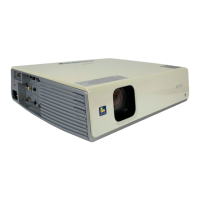
Sony VPL-CX76 - User Manual

Sony VPL-CX76
33 pages
Print Icon
To Next Page IconTo Next Page
Loading...
C:\data\Projector\AirShot\AirShot_FMData\2634400112_VPL-
CX8676_AirShot\2634400112_VPL-
CX8676_AirShot\2634400112\2634400112VPLCX8676WW\01COV.fm
masterpage: Right
VPL-CX86/CX76
2-634-400-11 (2)
2-634-400-11 (2)
Data Projector
Operating Instructions for Air Shot Version 2
© 2005 Sony Corporation
VPL-CX86
VPL-CX76

Other manuals for Sony VPL-CX76

Questions and Answers

  • M
    Mrs. Melanie PaceAug 31, 2025
    Why can't I delete files on my Sony VPL-CX76 Projector?
    • A
      Alexander MooreAug 31, 2025
      If you can't delete a file on your Sony Projector, it could be because the write-protect tab on the “Memory Stick” is set to LOCK. Cancel the lock. Another reason might be that the file is protected; if so, release the protection in the Index screen.
  • K
    Kathy KaneAug 30, 2025
    Why can't I save files to my Sony VPL-CX76 Projector's Memory Stick?
    • I
      Ian ChavezAug 31, 2025
      If you cannot save a file on your Sony Projector, it could be because the “Memory Stick” is full. Try deleting unwanted files. Alternatively, the write-protect tab on the “Memory Stick” may be set to LOCK; if so, cancel the lock.
  • T
    Tony KellyAug 29, 2025
    What to do if my Sony VPL-CX76 says “Memory Stick locked”?
    • E
      Erica GreenAug 29, 2025
      If your Sony Projector says “Memory Stick locked,” release the lock to continue.
  • M
    Mr. Dustin Hall DDSAug 28, 2025
    What to do if image cannot be projected on Sony VPL-CX76?
    • A
      agarciaAug 28, 2025
      If your computer and Sony Projector are connected in Projector Station for Air Shot Version 2, but no image appears, check these items: * The projector might be set to picture muting. Press the PIC MUTING key on the remote to release it. * Ensure the correct input is selected. Press the AIR SHOT key or use the INPUT button to select INPUT C (VPL-CX86) or INPUT B (VPL-CX76). * If [Memory Stick] is selected in INPUT C (VPL-CX86) or INPUT B (VPL-CX76), press the AIR SHOT key on the remote commander.
  • A
    Amanda RossAug 27, 2025
    Why picture is not projected on Sony VPL-CX76 Projector?
    • M
      Mrs. Alexandria ZhangAug 27, 2025
      If the picture is not projected or appears on your Sony Projector, the file may not be DCF-compatible. Create the presentation material using the Projector Station for Presentation.
  • J
    jonesamberAug 27, 2025
    Why MPEG1 files not displaying on Sony VPL-CX76 Projector?
    • B
      bensongabrielleAug 27, 2025
      If the movie picture files in the MPEG1 format stored in a “Memory Stick” cannot be displayed on your Sony Projector, a “Filter” might be set in the “Option” menu. Set “Filter” to “Movie” or “Off.”
  • K
    kylehoffmanAug 25, 2025
    Why JPEG files not displaying on Sony VPL-CX76?
    • L
      Leah JenkinsAug 26, 2025
      If the still picture files in the JPEG format stored in a “Memory Stick” cannot be displayed on your Sony Projector, a “Filter” might be set in the “Option” menu. Set “Filter” to “Still” or “Off.”

Sony VPL-CX76 Specifications

General IconGeneral
Resolution1024 x 768 (XGA)
Display Technology3LCD
Projection Size40 - 300 inches
Lamp Life2000 hours (standard mode), 3000 hours (low mode)
Zoom1.2x
Lamp TypeUHP
Input ConnectorsS-Video, Composite Video

Related product manuals