9
Location and Function of Controls
Overview
Location and
Function of Controls
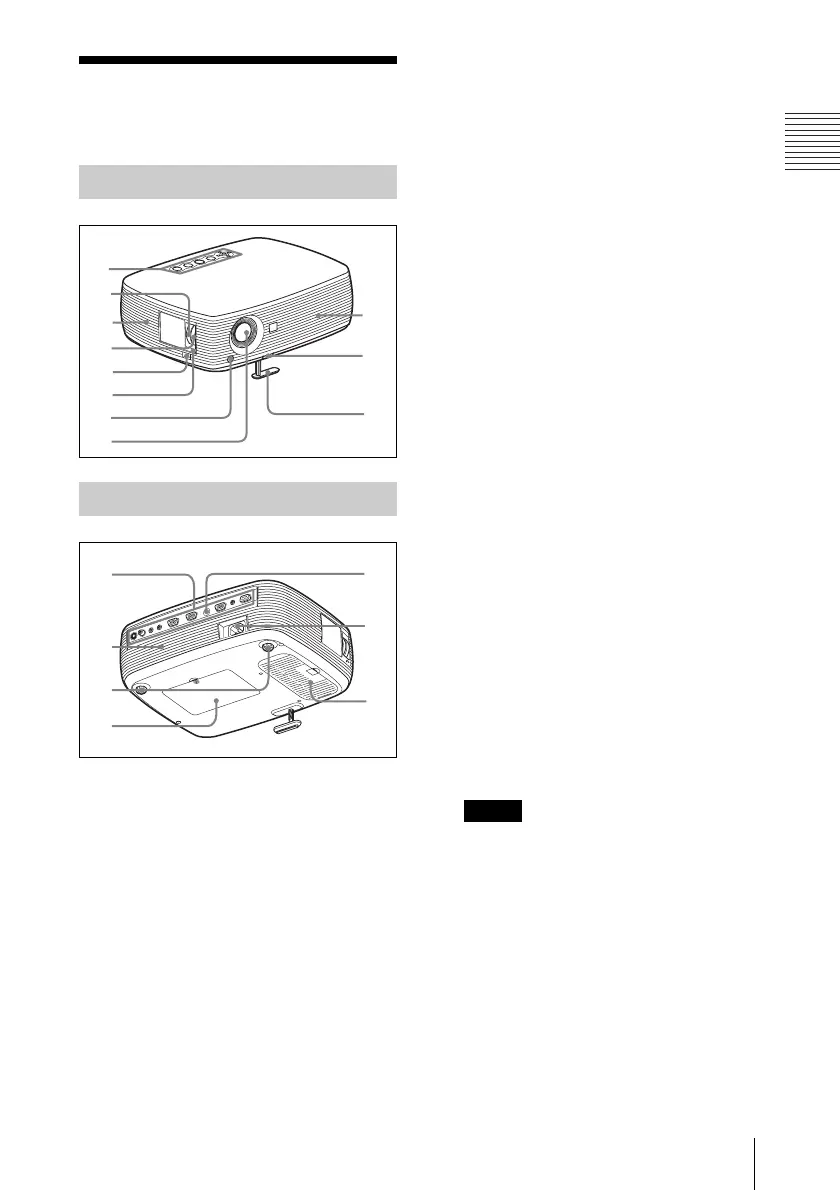
a Control panel
For details, see “Control Panel” on
page 10.
b Zoom ring
Adjusts the picture size.
c Ventilation holes (intake)
d Focus ring
Adjusts the picture focus.
e Security bar
An anti-theft chain or wire
(commercially available) can be
connected to it.Refer to “Dimensions”
(page 51) for the shapes.
f Security lock
Connects to an optional security cable
(from Kensington).
Web page address:
http://www.kensington.com/
g Front remote control detector
h Lens
Remove the lens cover before
projection.
i Ventilation holes (exhaust)
j Adjuster adjustment button
For details, see “Using the adjuster” on
page 17.
k Adjuster
l Connector Panel
For details, see “Connector Panel” on
page 11.
m Speaker
n Adjusters (hind pad)
o Lamp cover
p Rear remote control detector
q AC IN socket
Connects the supplied AC power cord.
r Ventilation holes (intake)/Air
filter cover
• Do not place anything near the
ventilation holes as this may cause
internal heat build-up.
• Do not place your hand near the
ventilation holes as this may cause
injury.
• To maintain optimal performance, clean
the air filter every 500 hours.
For details, see “Cleaning the Air
Filter” on page 37.
Top/Right Side/Front
Rear/Bottom
1
2
4
6
7
9
0
qa
5
3
qs
qf
qg
qh
qk
qj
qd
Notes



 To Next Page