9
• The HDMI terminal of this projector is not compatible with DSD (Direct Stream Digital) Signal or CEC (Consumer Electronics
Control) Signal.
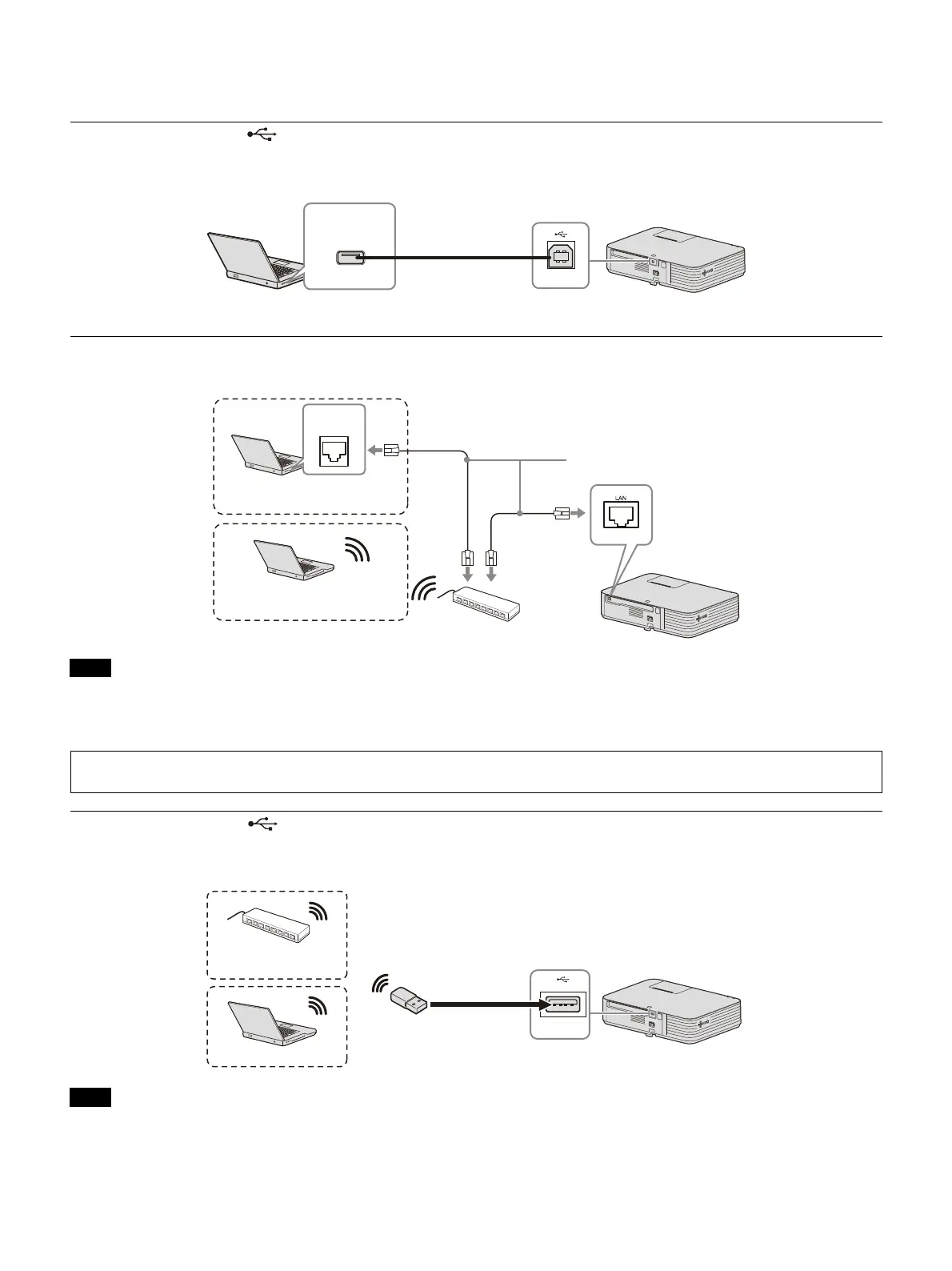
USB terminal (Type B) ( )
For connecting to a computer with a USB terminal (“Playing Video and Audio using USB Connection”
(page 43)).
LAN terminal
For connecting to a computer via a hub or router (“Presentation Function via Network” (page 38)).
When using network features via the LAN terminal, be sure to check if “LAN Setting” is set to “LAN Port” (page 25).
Connect the projector to the network that is constructed to control the access from the internet, such as LAN. If the
projector is connected directly to the internet, the security risk is increased.
USB terminal (Type A) ( )
For connecting a USB wireless LAN module IFU-WLM3 (not supplied) (“Presentation Function via Network”
(page 38)).
• Undesignated USB wireless LAN modules do not work.
• When connecting/disconnecting the USB wireless LAN module, make sure that the projector is in Standby mode (Standby
Mode
: “Low”), or the AC power cord is unplugged from the wall outlet.
Notes
Notes
USB A-B cable
(not supplied)
Computer
USB terminal
(Type A)
LAN cable (straight type)
(not supplied)
Computer
LAN
terminal
Wired connection
Computer
Wireless connection
When you monitor and control the projector via the network, access the Setup page of the projector (page 34) via a Web
browser and enable the desired control protocol.
USB wireless LAN module
IFU-WLM3 (not supplied)
Computer
Wireless router,
access point



 To Next Page