21 (GB)
Effective tools for your presentation
To enlarge the image (Digital Zoom
function)
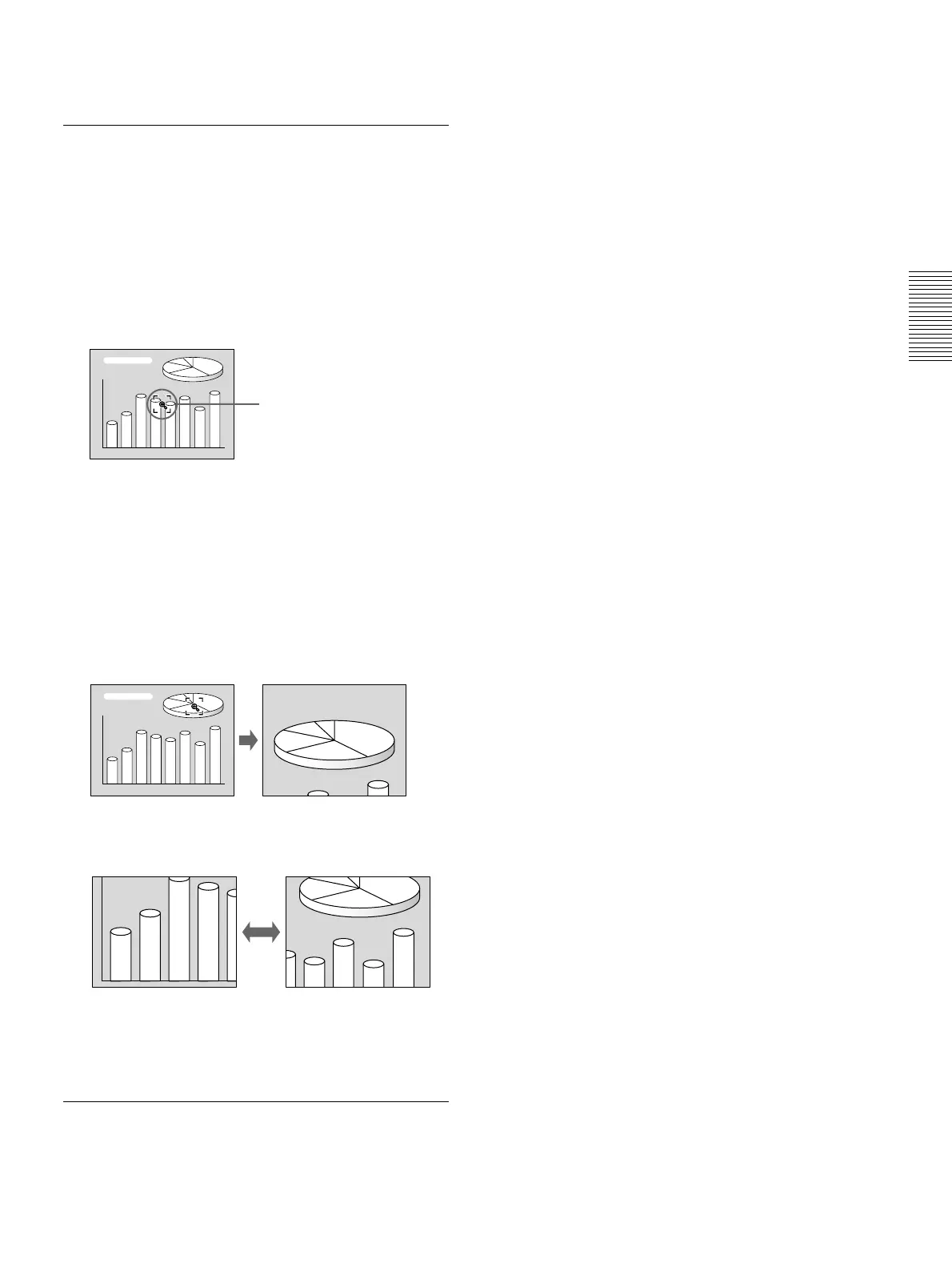
You can select a point in the image to enlarge.
1 Press the D ZOOM + key on the Remote
Commander.
The Digital Zoom icon appears at the center of the
image.
2 Move the icon to the point on the image you want
to enlarge. Use the arrow keys (M/m/</,) to
move the icon.
3 Press the D ZOOM + key again.
The image where the icon is located is enlarged.
By pressing the + key repeatedly, the image size
increases. (ratio of enlargement: max. 4 times)
Use the arrow keys(M/m/</,) to scroll the
enlarged image.
To return the image back to its original size
Press the D ZOOM – key on the Remote Commander.
To use the Laser Pointer function
Press the LASER key on the Remote Commander.
The laser pointer appears. The pointer is helpful in
indicating a particular point on the screen.
Projecting
Digital Zoom icon



 To Next Page