44
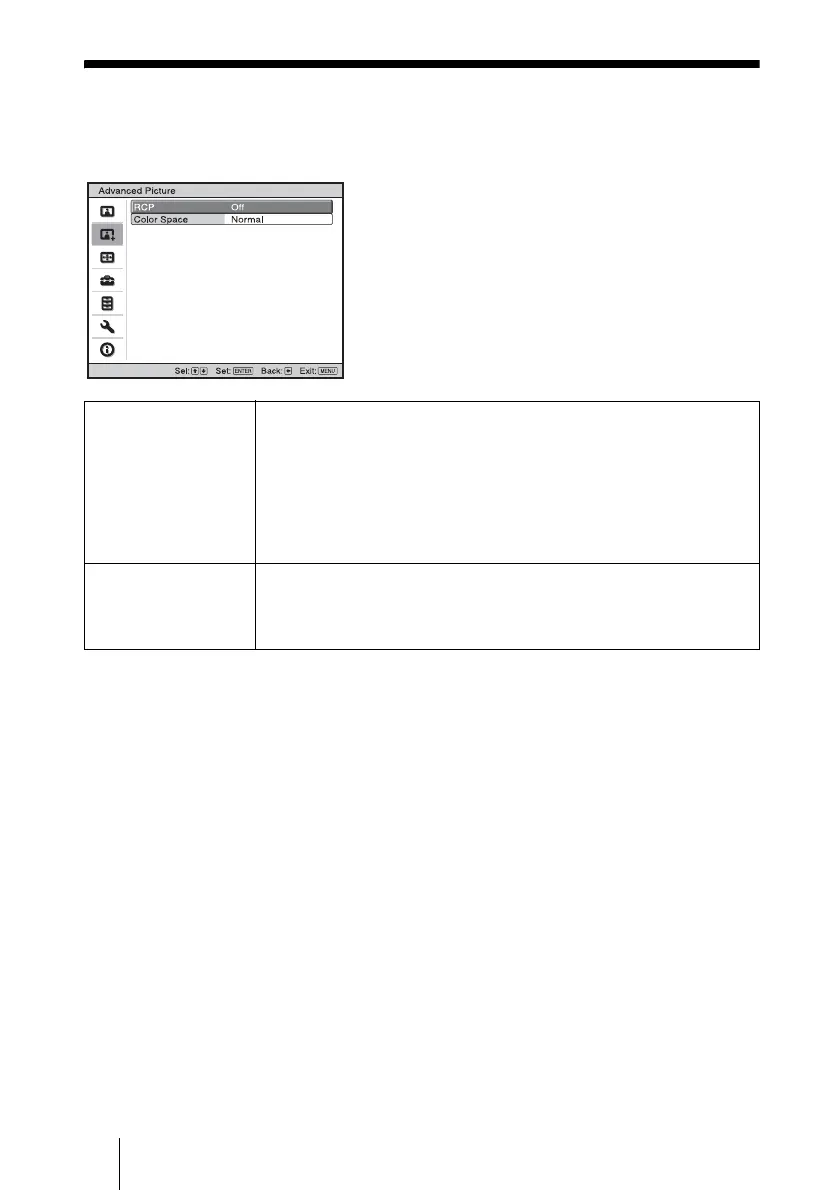
Advanced Picture Menu
The Advanced Picture is used for adjusting the picture more.
RCP (Real Color
Processing)
You can adjust the color and hue of each selected portion of the
picture independently.
User 1, User 2, User 3: You can adjust the picture using Real Color
Processing and store the settings. Once the settings are stored, you can
view the picture with the adjusted picture quality.
Off: Cancels this feature.
For details, see “Adjusting the Picture Using Real Color Processing”.
(1 page 35)
Color Space You can convert the range of color reproduction.
Normal: Converts the color to Hi-Vision color.
Wide: Reproduces more natural color tones in a wider range of color
reproduction, compared to “Normal”.



 To Next Page