55
Others
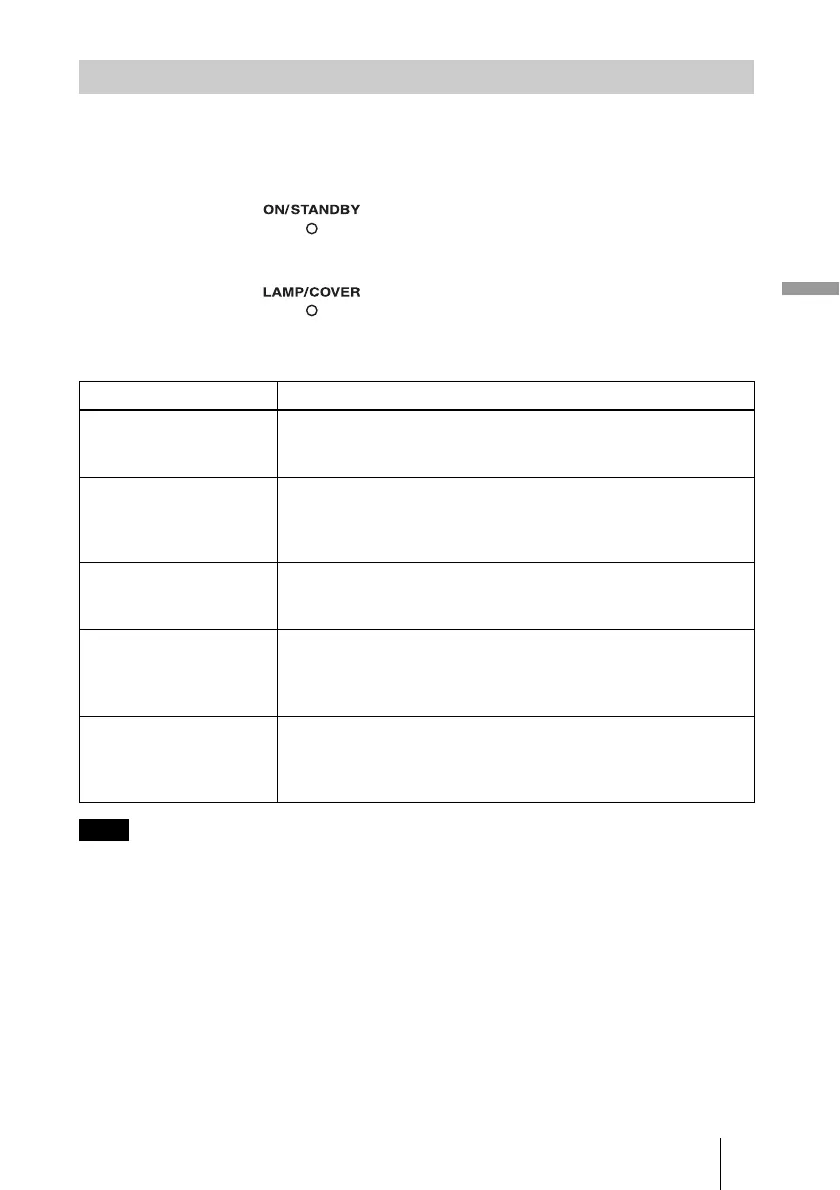
The ON/STANDBY or LAMP/COVER indicator lights up or flashes if there is any
trouble with your projector.
When a warning indicator other than the above starts flashing, consult with Sony Customer
Information Service Center.
Warning Indicators
Symptom Cause and Remedy
LAMP/COVER flashes in
red. (A repetition rate of 2
flashes)
c Close the lamp cover securely, then tighten the screws securely.
(1 page 57)
c Close the filter holder securely. (1 page 59)
LAMP/COVER flashes in
red. (A repetition rate of 3
flashes)
c The lamp has reached the end of its useful lifespan. Replace the
lamp. (1 page 57)
c The lamp has reached a high temperature. Wait until the lamp
cools, and then turn on the power again.
ON/STANDBY flashes in
red. (A repetition rate of 4
flashes)
c The fan is broken. Consult with qualified Sony personnel.
ON/STANDBY flashes in
red. (A repetition rate of 2
flashes)
c The internal temperature is unusually high. Check to ensure that
if nothing is blocking the ventilation holes or whether or not the
projector is being used at high altitudes.
ON/STANDBY flashes in
red. (A repetition rate of 6
flashes)
c Disconnect the AC power cord, then confirm the ON/STANDBY
lamp is turned off. Turn on the power again after re-connecting it.
If the indicators still light up, the electrical system has a problem.
Consult with qualified Sony personnel.
Note
LAMP/COVER indicator
ON/STANDBY indicator


 To Next Page