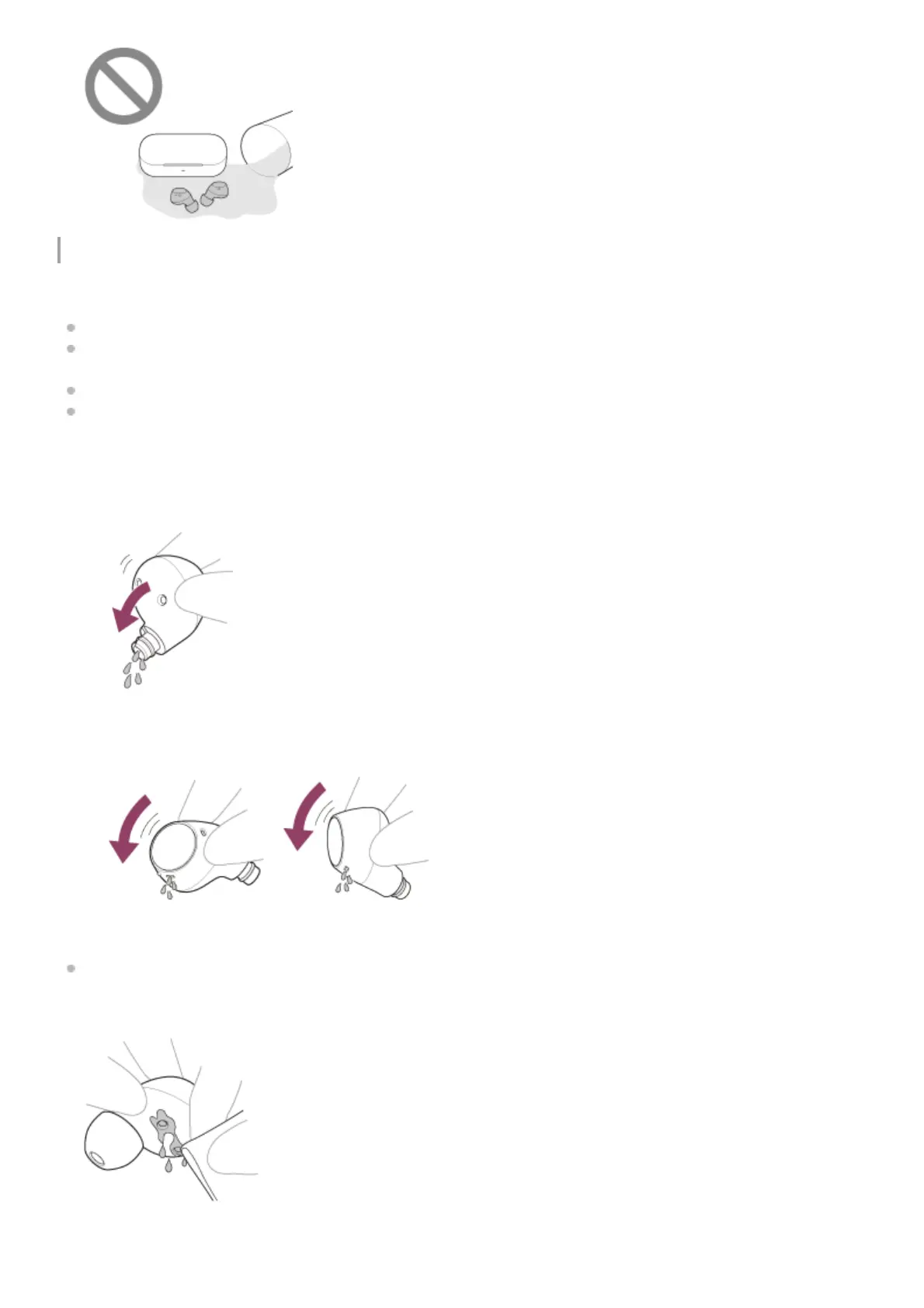
To protect the headset units and charging case from damage
Carefully note the precautions below to ensure proper use of the headset.
Do not splash water forcibly into the sound output parts, air holes, or microphone parts of the headset units.
Do not allow the headset units or charging case to remain wet in a cold environment, as the water may freeze. To
prevent malfunction, make sure to wipe off any water after use.
Do not place the headset in water or use it in a humid place such as a bathroom.
When the headset units get wet,
If the headset units and charging case are charged while they are wet with sweat, etc., the charging ports will
corrode. Before charging, wipe off any moisture with a soft dry cloth and leave to dry at room temperature.
Repairs in the case of malfunction due to negligence are not covered by the free warranty.
Use a soft dry cloth to wipe off any water that gets on the headset units.1.
Remove the earbud tips, turn the sound conduits (sound output tubes) downward, and shake several times to get
the water out.
2.
Turn the microphone part or air hole part downward and gently tap it about 20 times on a dry cloth, etc. to remove
any water collected inside.
3.
Leave the headset to dry at room temperature.4.



 To Next Page