Help Guide
Wireless Stereo Headset
WF-C510
Pairing and connecting with an Android smartphone
The operation to register the device that you wish to connect to is called “pairing”. First, pair a device to use it with the
headset for the first time.
Before starting the operation, make sure of the following:
The Android smartphone is placed within 1 m (3.2 ft) of the headset.
The headset is charged sufficiently.
The operating instructions for the Android smartphone is in hand.
Check the status of the headset.
When you pair the headset with a device for the first time after purchase or after initializing the headset (when there
is no pairing information on the headset): Proceed to step 2.
When you pair a second or subsequent device (the headset has pairing information for other devices): Proceed to
step 3.
1
(If you selected “when there is no pairing information on the headset” in step 1)
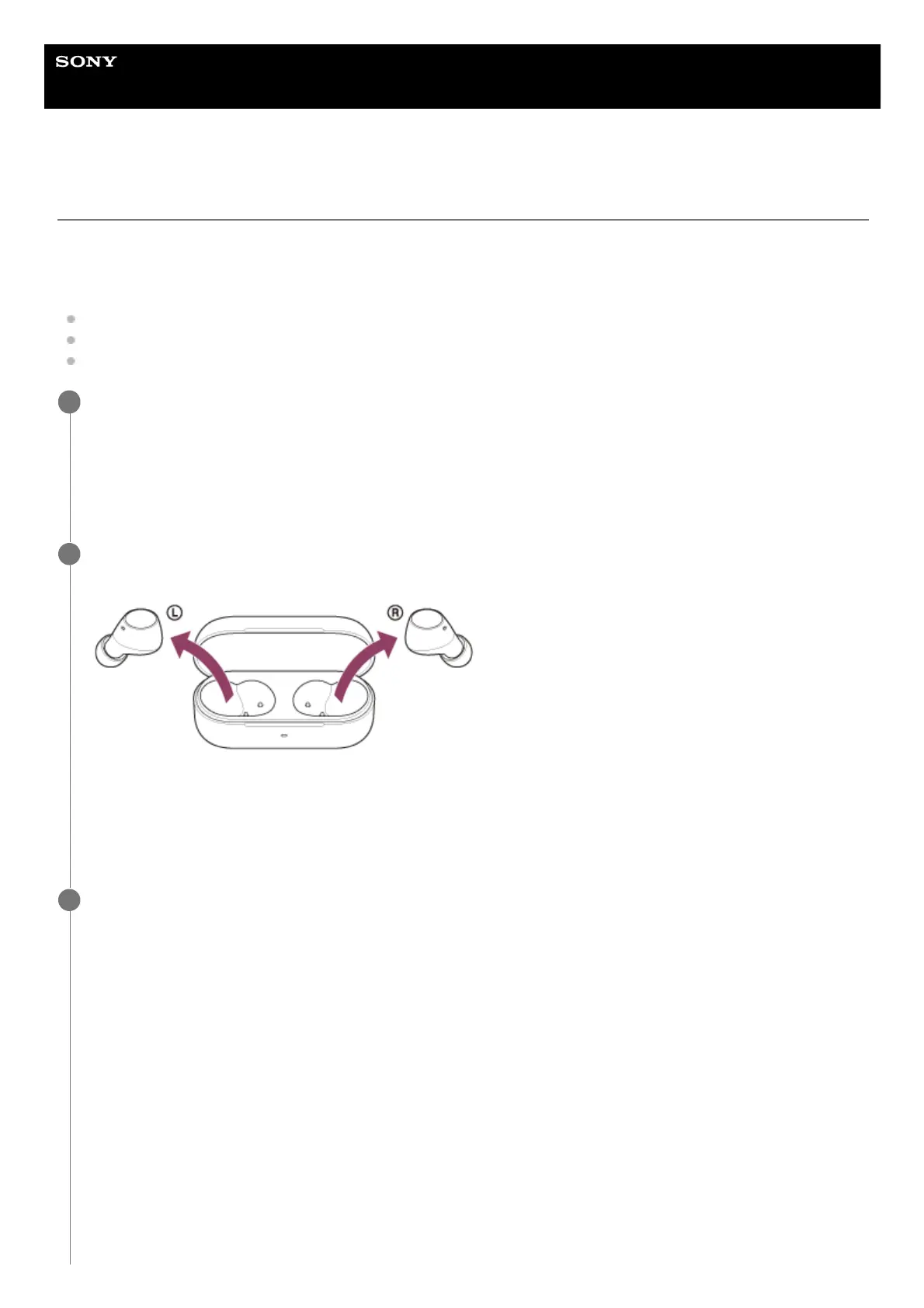
Remove both headset units from the charging case.
The headset turns on automatically.
The headset enters pairing mode automatically.
You will hear a notification sound and the voice guidance say “Pairing” from both headset units at the same time.
Proceed to step 4.
2
(If you selected “the headset has pairing information for other devices” in step 1)
Set the headset into the charging case, leave the charging case lid open, and press and hold the pairing
button on the back of the charging case for about 5 seconds or more.
3



 To Next Page