Help Guide
Wireless Stereo Headset
WF-C510
Wearing the headset
Hint
When you put the headset unit into your ear or adjust the positioning of the headset unit, see the illustration in step 2 for how to
hold the headset unit.
For the proper sound quality, volume, call sound quality, etc. to be effective
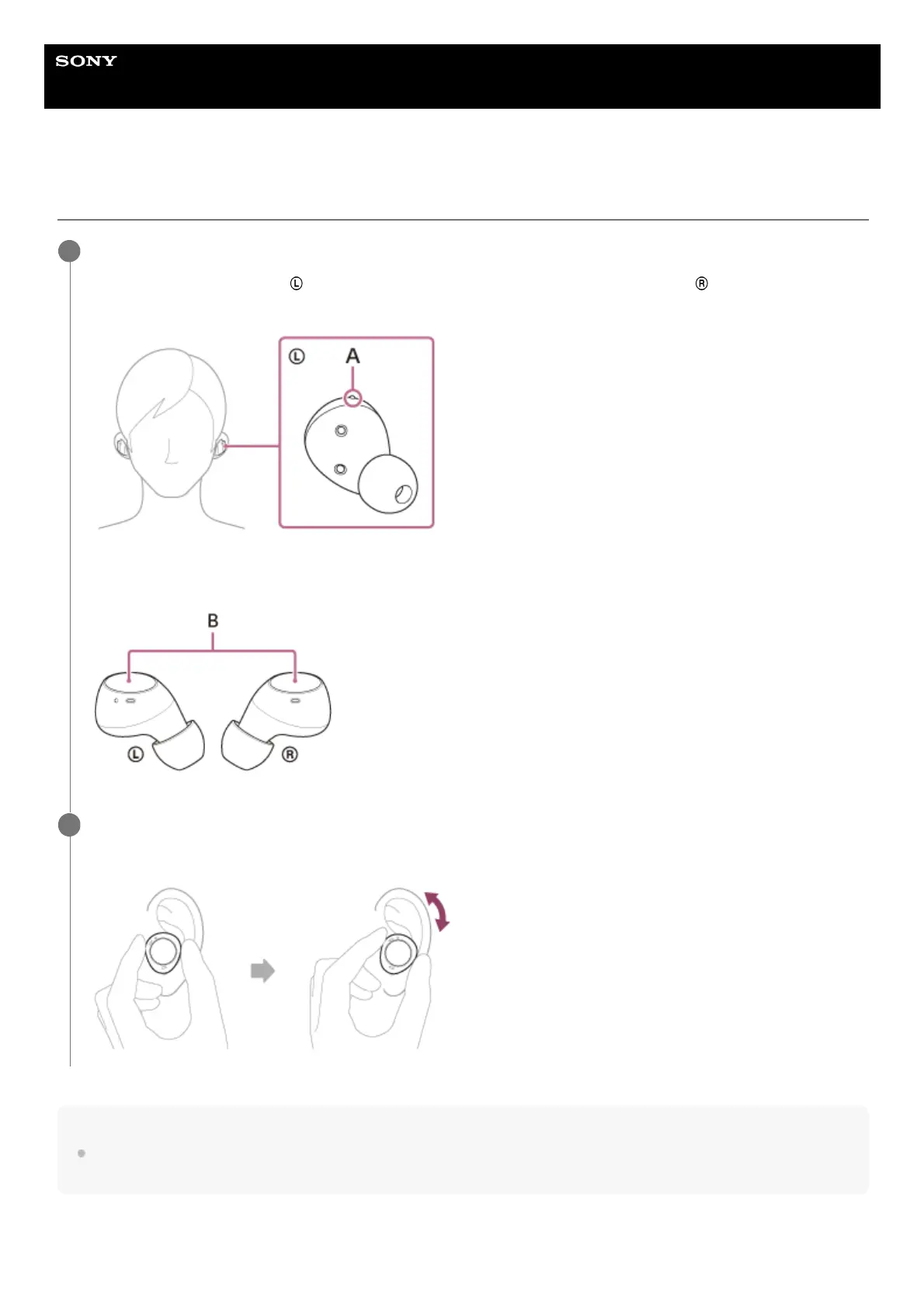
Put the headset units into your ears.
Put the headset unit with the (left) mark into your left ear and the headset unit with the (right) mark into your
right ear. The left headset unit has a tactile dot (A).
Be careful not to push the button (B) when you put the headset units into both ears.
1
Adjust the fit of the headset units to your ears.
Twist the headset unit to slide the earbud tip deep into your ear canal.
2



 To Next Page