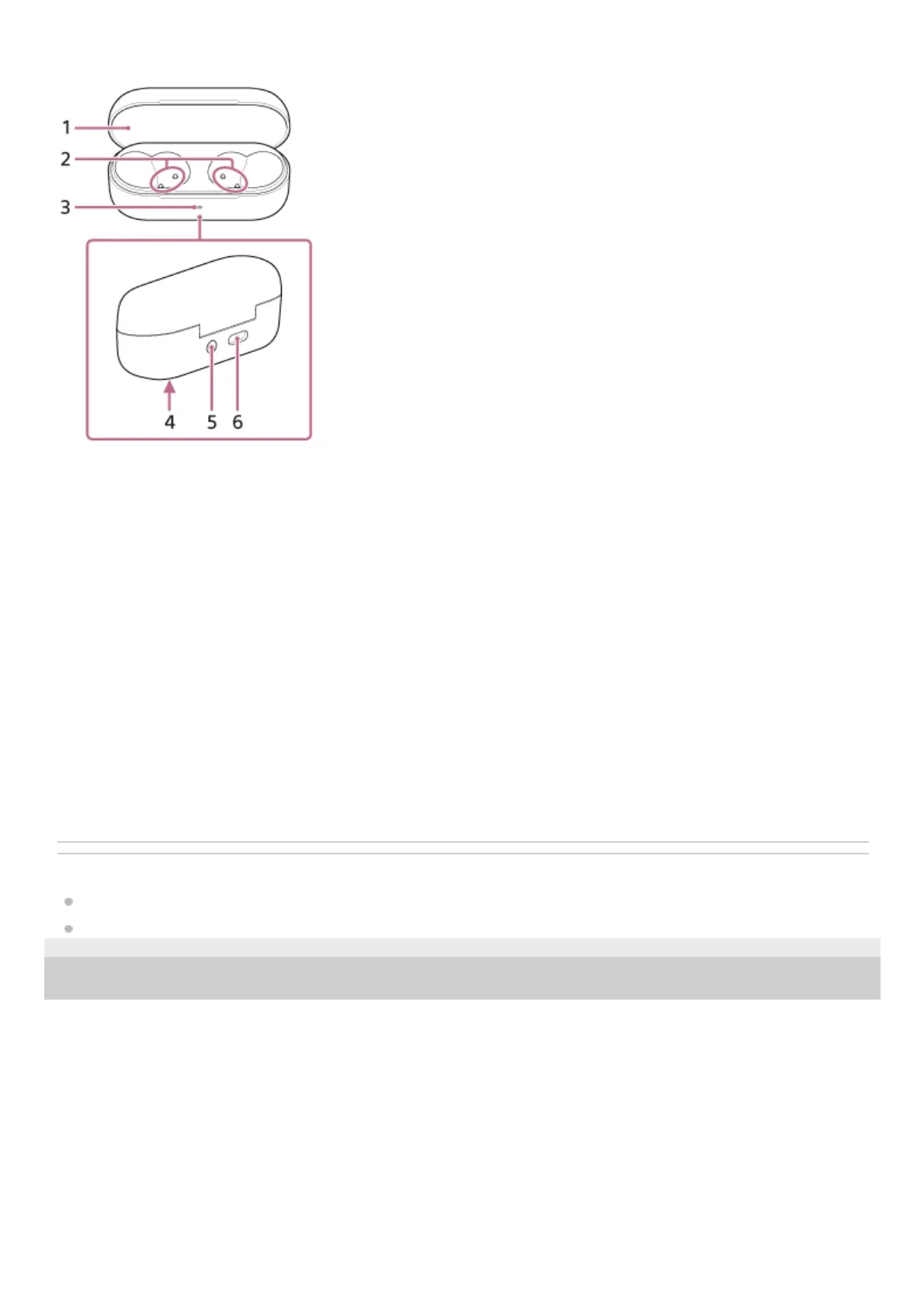
Charging case
Related Topic
About the indicator
Checking the remaining battery charge
5-060-551-11(5) Copyright 2024 Sony Corporation
Lid1.
Charging ports2.
Indicator (blue/orange/green)
Indicates the remaining battery life of the headset units and charging case, the charging status, or the status of the
pairing mode.
3.
Serial number
Located on the bottom of the charging case.
4.
Pairing/reset/initialize button
Used when entering pairing mode, resetting or initializing the headset.
5.
USB Type-C® port
Using a commercially available USB Type-C cable, connect the charging case to a computer or to an AC outlet via a
commercially available USB AC adaptor to simultaneously charge both the headset and the charging case.
6.



 To Next Page