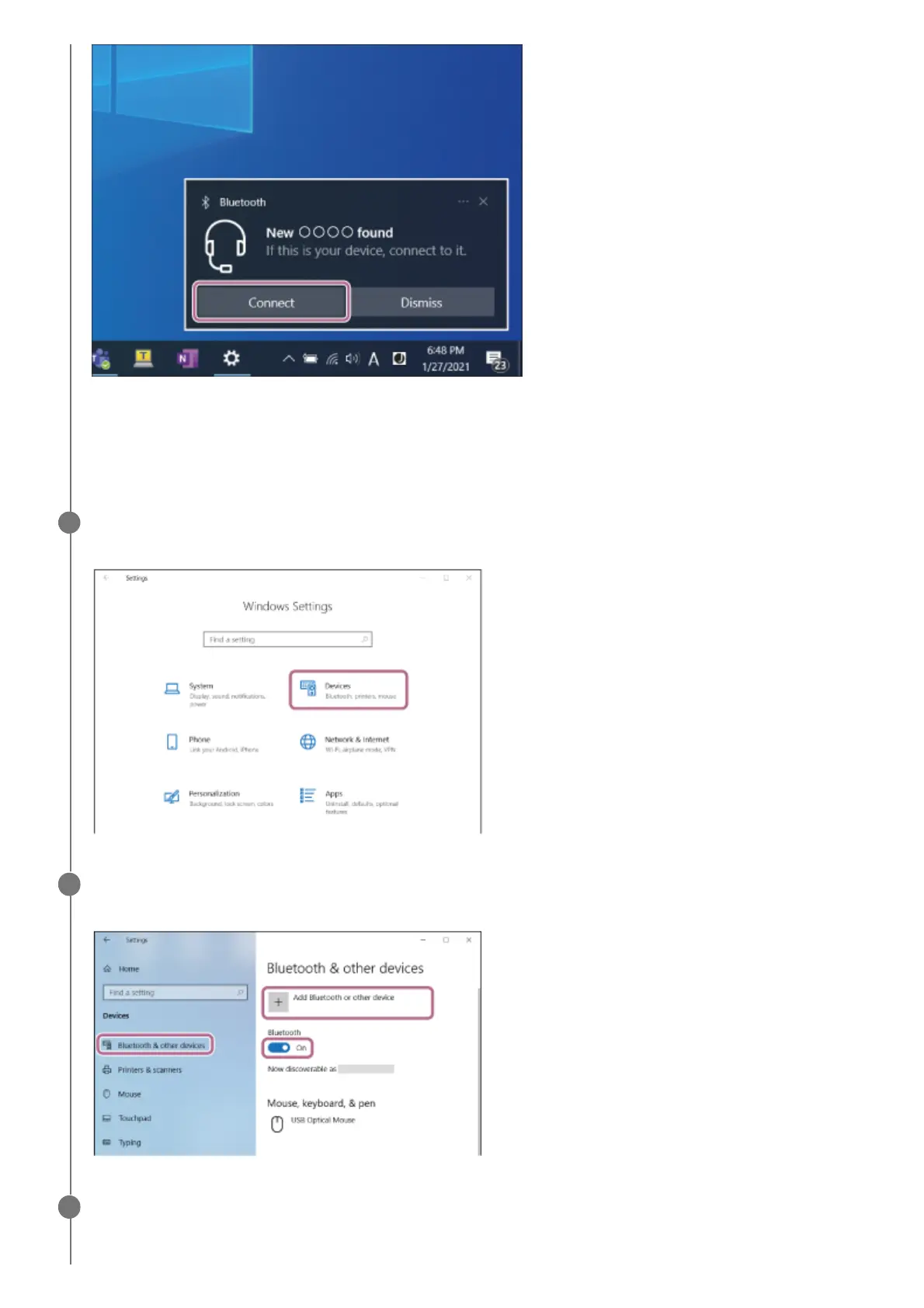
The headset and computer are paired and connected with each other.
When the headset is being removed from the charging case, you will hear a notification sound indicating that the
connection is established from both headset units (or from the headset unit removed from the charging case when
only one headset unit is removed) at the same time.
(If you selected “To connect without using the Swift Pair function” in step 4)
On your computer screen, click the [Start] button, then click [Settings] - [Devices].
6
Click the [Bluetooth & other devices] tab, click the [Bluetooth] switch to turn on the Bluetooth function,
then click [Add Bluetooth or other device].
7
Click [Bluetooth].
8



 To Next Page