EasyManua.ls Logo

Sony XM-C2000 - Output Adjustments

Sony XM-C2000
9 pages
Print Icon
To Next Page IconTo Next Page
To Previous Page IconTo Previous Page
Loading...
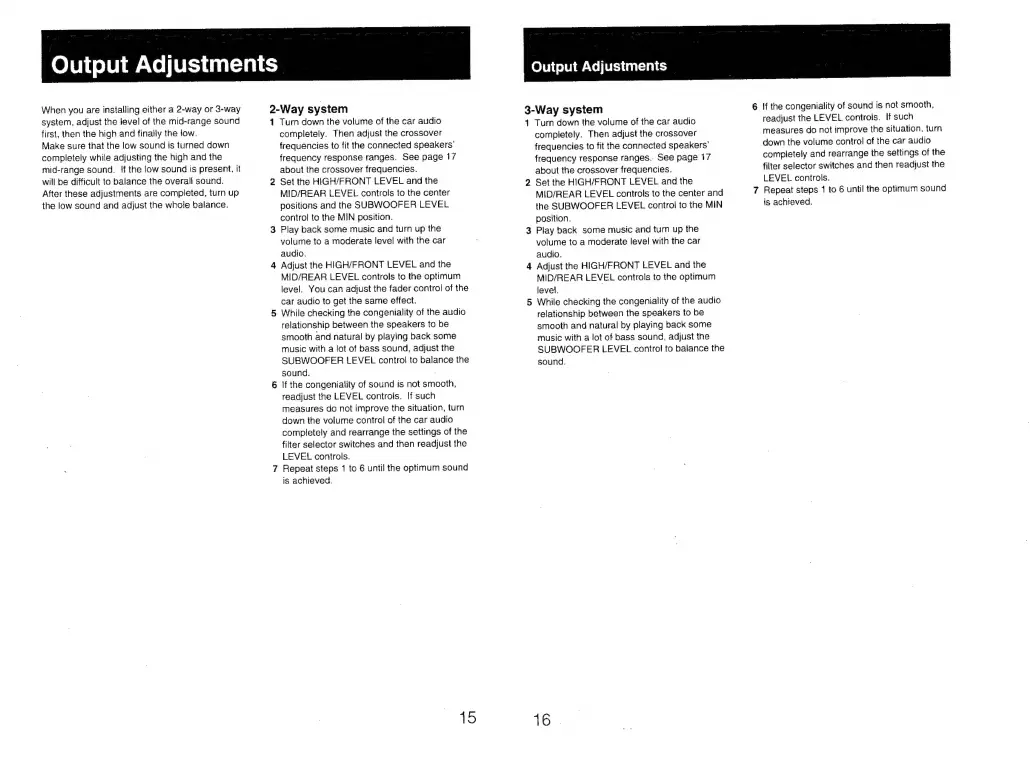
Output
Adjustments
When
you
are
installing
either
a
2-way
or
3-way
system,
adjust
the
level
of
the
mid-range
sound
first,
then
the
high
and
finally
the
iow.
Make
sure
that
the
low
sound
is
turned
down
completely
while
adjusting
the
high
and
the
mid-range
sound.
If
the
low
sound
is
present,
it
will
be
difficult
to
balance
the
overall
sound.
After
these
adjustments
are
completed,
turn
up
the
low
sound
and
adjust
the
whole
balance.
2-Way
system
Turn
down
the
volume
of
the
car
audio
completely.
Then
adjust
the
crossover
frequencies
to
fit
the
connected
speakers’
frequency
response
ranges.
See
page
17
about
the
crossover
frequencies.
Set
the
HIGH/FRONT
LEVEL
and
the
MID/REAR
LEVEL
controls
to
the
center
positions
and
the
SUBWOOFER
LEVEL
control
to
the
MIN
position.
3
Play
back
some
music
and
turn
up
the
volume
to
a
moderate
level
with
the
car
audio.
4
Adjust
the
HIGH/FRONT
LEVEL
and
the
MID/REAR
LEVEL
controls
to
the
optimum
level.
You
can
adjust
the
fader
control
of
the
car
audio
to
get
the
same
effect.
5
While
checking
the
congeniality
of
the
audio
relationship
between
the
speakers
to
be
smooth
and
natural
by
playing
back
some
music
with
a
lot
of
bass
sound,
adjust
the
SUBWOOFER
LEVEL
control
to
balance
the
sound.
6
If
the
congeniality
of
sound
is
not
smooth,
readjust
the
LEVEL
controls.
If
such
measures
do
not
improve
the
situation,
turn
down
the
volume
control
of
the
car
audio
completely
and
rearrange
the
settings
of
the
filter
selector
switches
and
then
readjust
the
LEVEL
controls.
Repeat
steps
1
to
6
until
the
optimum
sound
is
achieved.
ok
nN
=~
15
Quiput
Adjustments
3-Way
system
41
Turn
down
the
volume
of
the
car
audio
completely.
Then
adjust
the
crossover
frequencies
to
fit
the
connected
speakers’
frequency
response
ranges..
See
page
17
about
the
crossover
frequencies.
Set
the
HIGH/FRONT
LEVEL
and
the
MID/REAR
LEVEL
controls
to
the
center
and
the
SUBWOOFER
LEVEL
control
to
the
MIN
position.
3
Play
back
some
music
and
turn
up
the
volume
to
a
moderate
level
with
the
car
audio.
4
Adjust
the
HIGH/FRONT
LEVEL
and
the
MID/REAR
LEVEL
controis
to
the
optimum
level.
5
While
checking
the
congeniality
of
the
audio
relationship
between
the
speakers
to
be
smooth
and
natural
by
playing
back
some
music
with
a
lot
of
bass
sound,
adjust
the
SUBWOOFER
LEVEL
contra!
to
balance
the
sound.
Ld
16
6
!f
the
congeniality
of
sound
is
not
smooth,
readjust
the
LEVEL
controls.
If
such
measures
do
not
improve
the
situation,
turn
down
the
volume
control
of
the
car
audio
completely
and rearrange
the
settings
of
the
filter
selector
switches
and
then
readjust
the
LEVEL
controls.
7
Repeat
steps
1
to
6
until
the
optimum
sound
is
achieved.

Related product manuals