12 Speaker
13 Strap hole
Assembly
A protective plastic sheet is attached to the screen. You should peel off this sheet before
using the touchscreen. Otherwise, the touchscreen might not function properly.
•
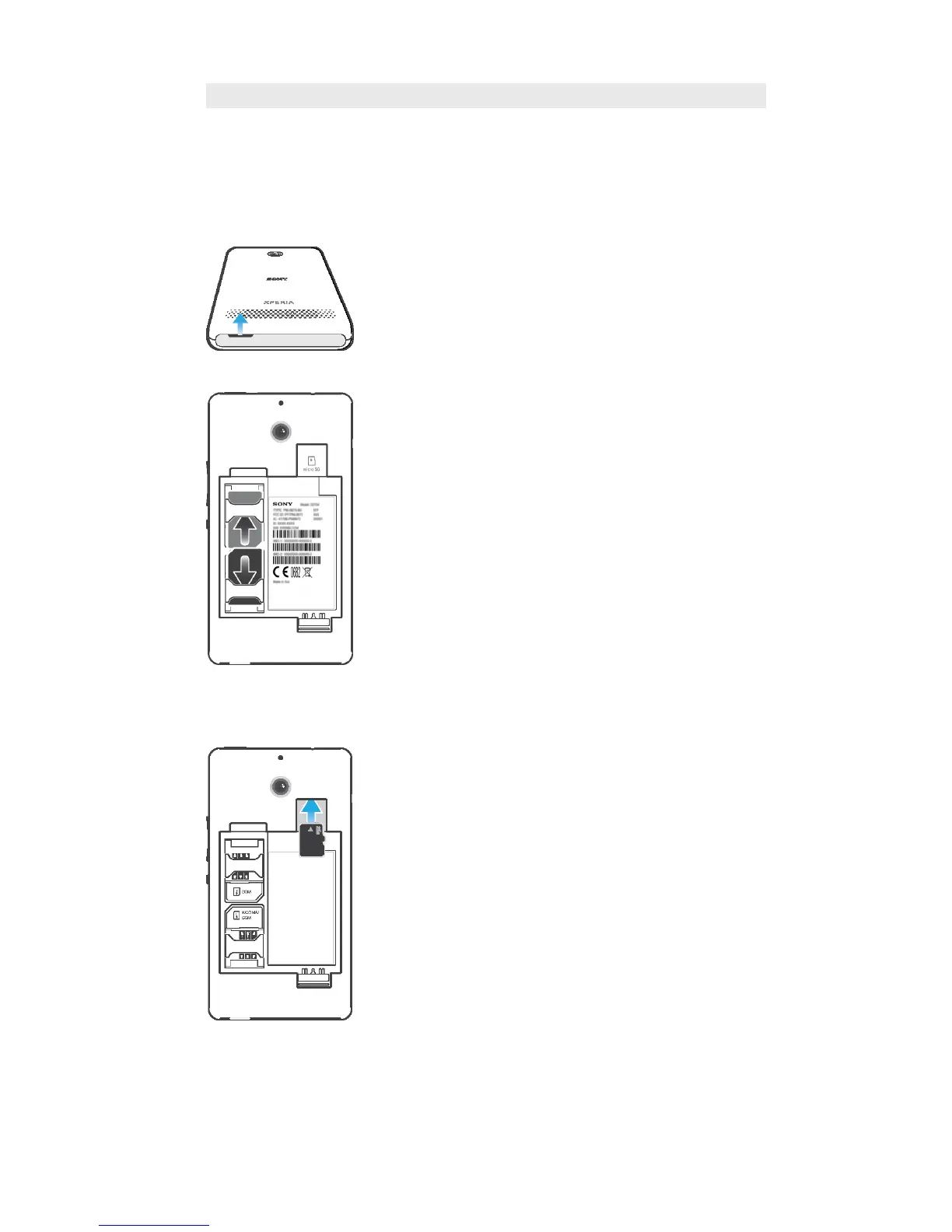
Using your thumbs, slide off the cover on the top of the device.
•
Remove the battery cover and the battery, then insert the SIM cards into the
corresponding slots with the gold-colored contacts facing down.
To insert a memory card
1
Remove the back cover and the battery.
2
Insert the memory card into the memory card slot, with the gold-colored contacts
facing down.
7
This is an Internet version of this publication. © Print only for private use.









 To Next Page