To download and install application updates
1
From your Homescreen, tap .
2
Find and tap Update Center > System.
3
To download a particular application update, select the update, then tap . To
download all available application updates, tap . Updates install automatically
after download.
Updating your device using a computer
You can download and install software updates on your device using a computer with an
Internet connection. You need a USB cable and a PC or an Apple
®
Mac
®
computer
running the Xperia™ Companion software.
If you don’t have the Xperia™ Companion software installed on the relevant computer,
connect your device to the computer using a USB cable and follow the on-screen installation
instructions.
To Update Your Device Using a Computer
1
Make sure you have the Xperia™ Companion software installed on your PC or
Apple
®
Mac
®
computer.
2
Using a USB cable, connect your device to the computer.
3
Open Xperia™ Companion if it is not automatically launched.
4
Computer: If a new software update is detected, a popup window appears.
Follow the on-screen instructions to run the relevant software updates.
When you connect the device to the computer via a USB cable, you are prompted to install the
Xperia™ Companion software, or cancel, unless you previously selected Do not show again.
IMEI number
Every device has a unique IMEI (International Mobile Equipment Identity) number. You
should keep a copy of this number. If your device is stolen, your network provider can
use your IMEI number to stop the device from accessing the network in your country.
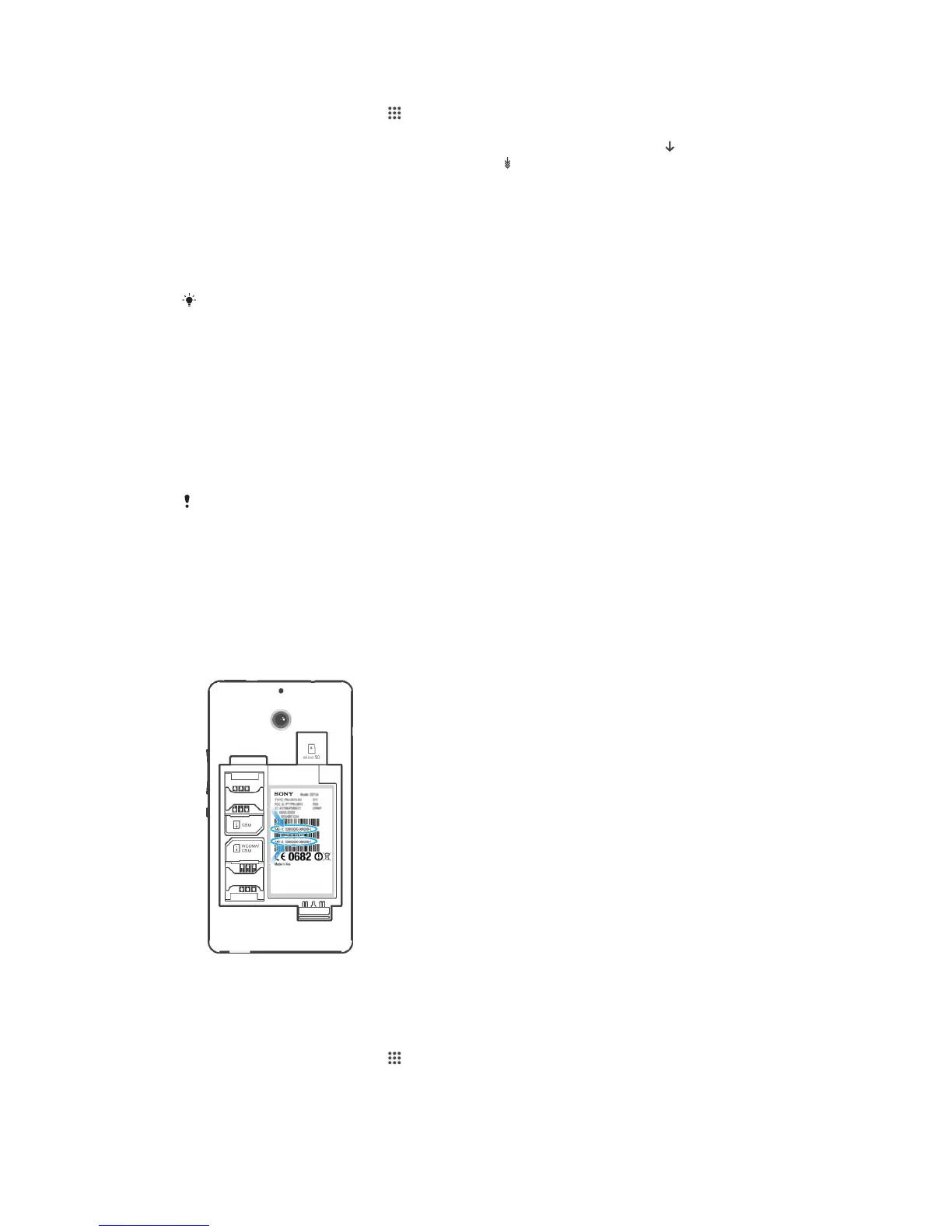
To view your IMEI number
•
Turn off your device, then remove the battery cover and battery to view your IMEI
number.
•
Open the phone dialer on your device and enter *#06#.
To view your IMEI number in the device
1
From your Homescreen, tap .
2
Find and tap Settings > About phone > Status.
3
Scroll to IMEI to view the IMEI number.
98
This is an Internet version of this publication. © Print only for private use.









 To Next Page