Headset jack1.
Front camera2.
Ear speaker/Second loudspeaker3.
Proximity/Light sensor4.
Second microphone5.
Charging/Notification light6.
Volume/Zoom key7.
Power key/Fingerprint sensor8.
Shortcut key9.
Camera key10.
Main microphone11.
Main loudspeaker12.
Micro HDMI input port
You can use your Xperia as a camera monitor or sub-monitor by connecting a video device that supports HDMI
output to your Xperia with a Micro HDMI cable.
Note
The Micro HDMI input port is for input only. No signals can be output from this port.
13.
USB port/Charger
You can view the screen of your device on a TV or other large display device using a USB Type-C cable.
You can also access the internet via an Ethernet LAN cable by using a commercially available USB-LAN adapter.
Note
When you connect your device to a TV or other large display using a USB Type-C cable, the cable must be compatible with
the display port standard. Note that some functions or content on your Xperia device may not be displayable on the TV or
display device.
Some USB-LAN adapters may not work properly.
14.
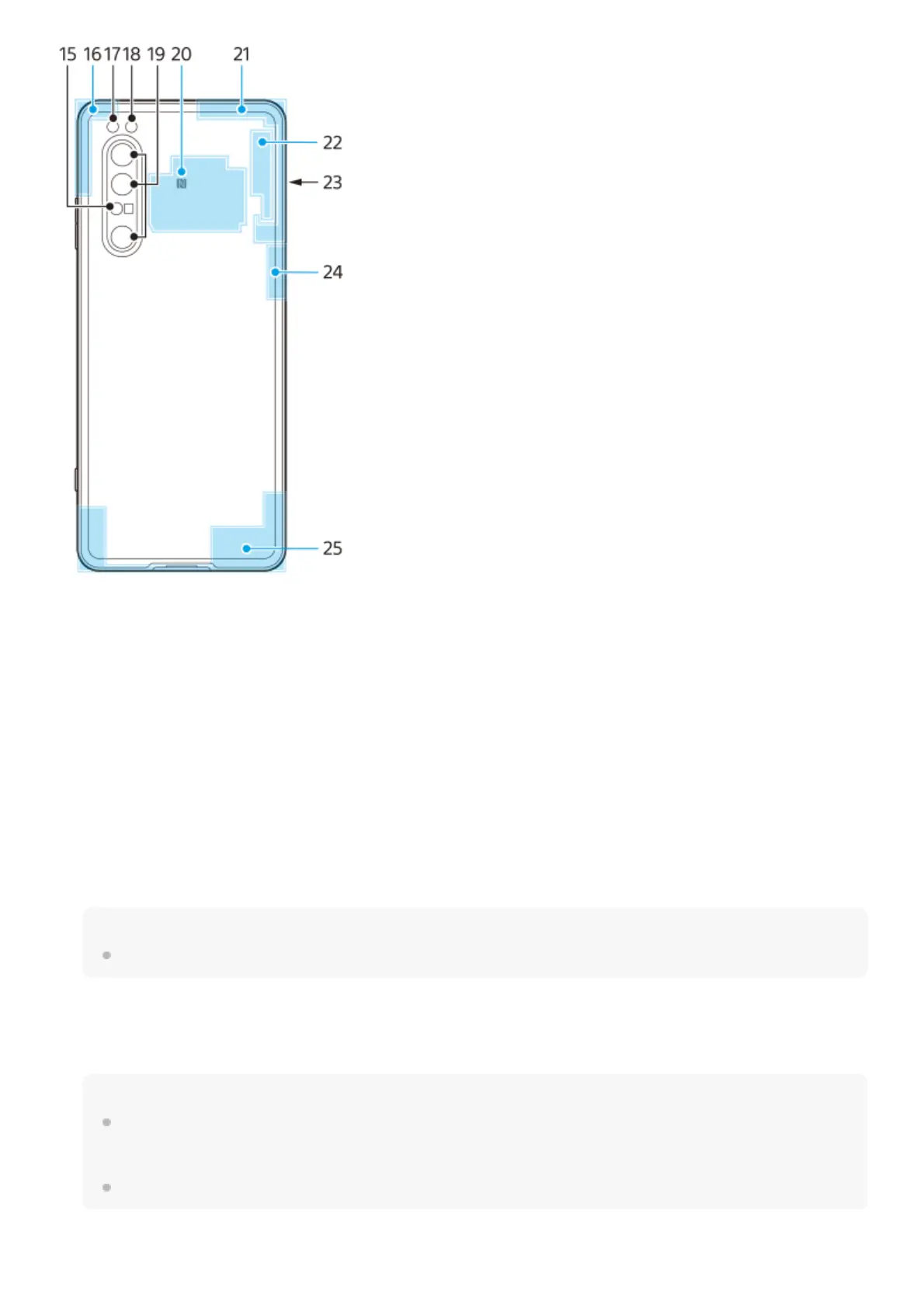
Laser AF sensor15.



 To Next Page