Help Guide
Smartphone
Xperia PRO XQ-AQ52/XQ-AQ62
Using the Network Visualizer app
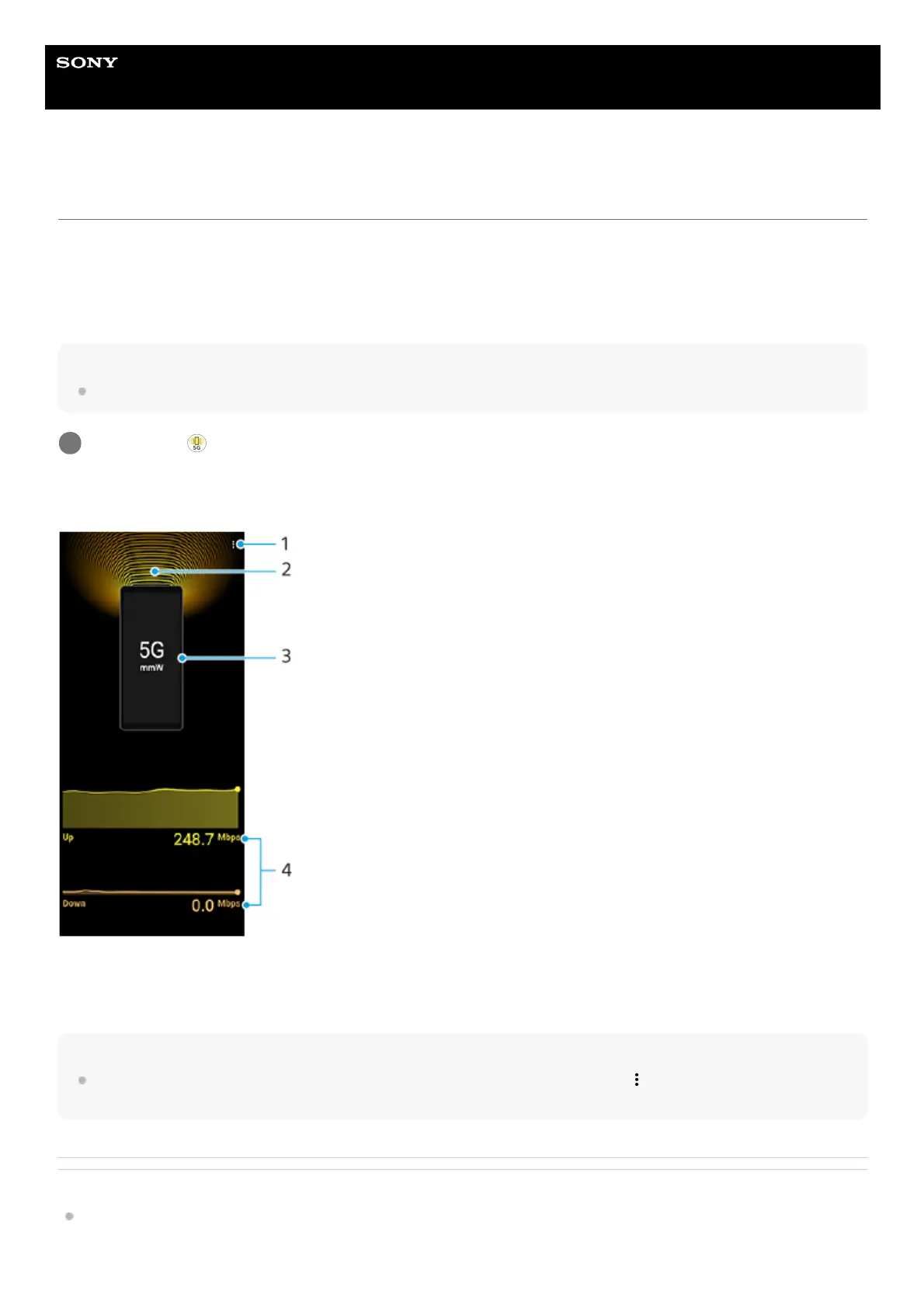
The Network Visualizer app provides information on the direction of a 5G mmWave connection, the communication
speed of data transmissions, and the communication method. You can visually check the communication status and see
whether or not data transmissions have been interrupted while uploading or downloading. Even when the 5G mmWave
connection is lost and the connection switches to the next available network, the Network Visualizer app continues to
display the communication status.
Note
Note that the XQ-AQ52 does not support 5G mmWave connections.
Screen overview
Hint
You can display the information in a small window even if you move to another screen. Tap
(More icon) > [Picture-in-picture
settings], and then select an option.
Related Topic
Overview
Find and tap
(Network Visualizer icon).
1
View more options1.
Antenna direction (Not supported by the XQ-AQ52)2.
Communication method3.
Communication speed4.



 To Next Page