Help Guide
Smartphone
Xperia PRO XQ-AQ52/XQ-AQ62
Finding the IMEI number(s) of your device
Your device has one or two unique identification numbers that are referred to as IMEI or Product ID. You should keep a
copy of this. You may require it if your device is stolen or when contacting support.
Viewing your IMEI number(s) using the dialpad
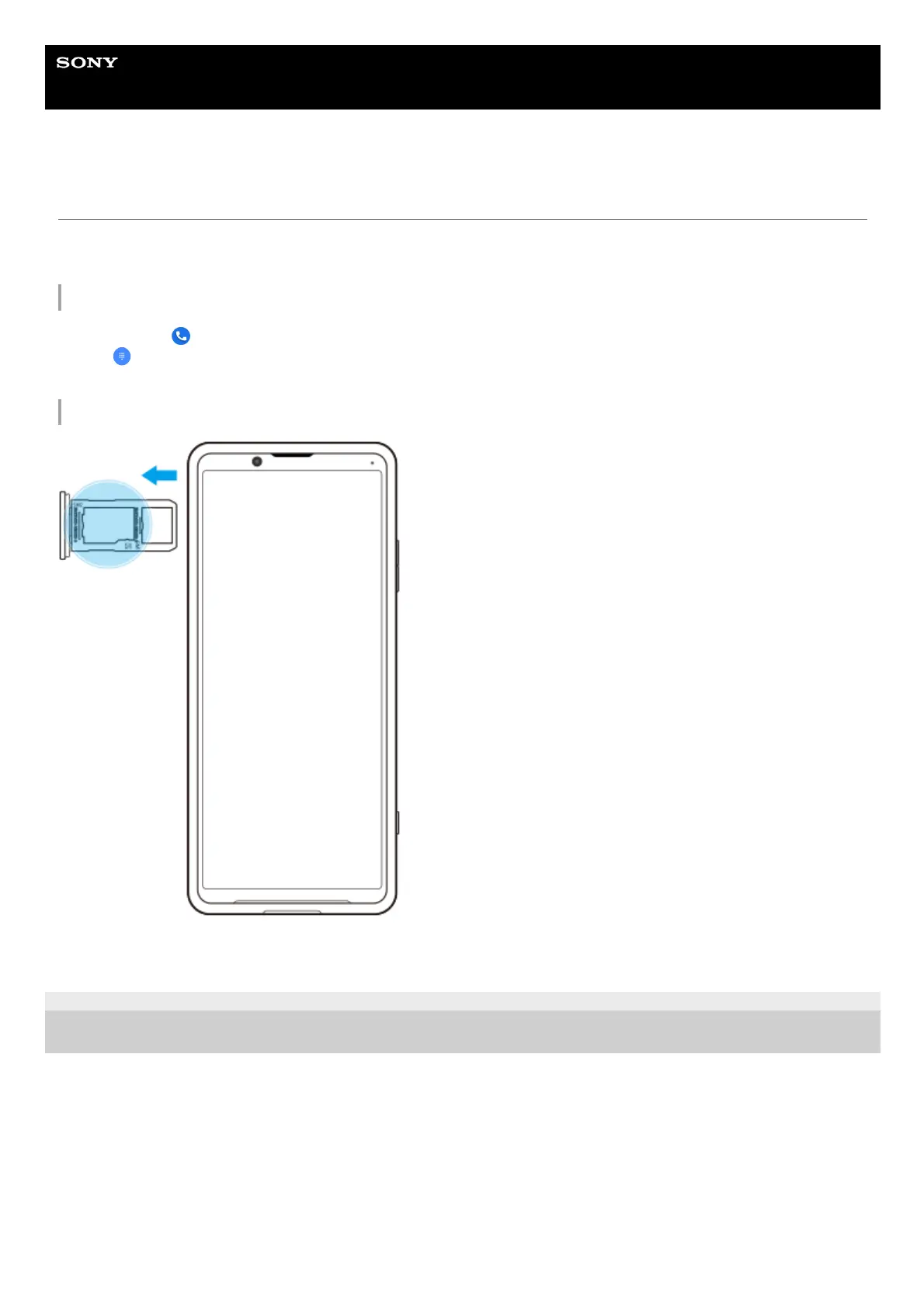
Viewing your IMEI number(s) on the tray
F-248-100-12 Copyright 2021 Sony Corporation
Find and tap
(Phone icon).1.
Tap
(Dialpad icon).2.
Enter *#06# into the dialpad. The IMEI number(s) are displayed automatically.3.
Drag out the SIM card tray. The IMEI number(s) is(are) displayed on the tray.1.



 To Next Page