Help Guide
Smartphone
Xperia PRO XQ-AQ52/XQ-AQ62
Status icons
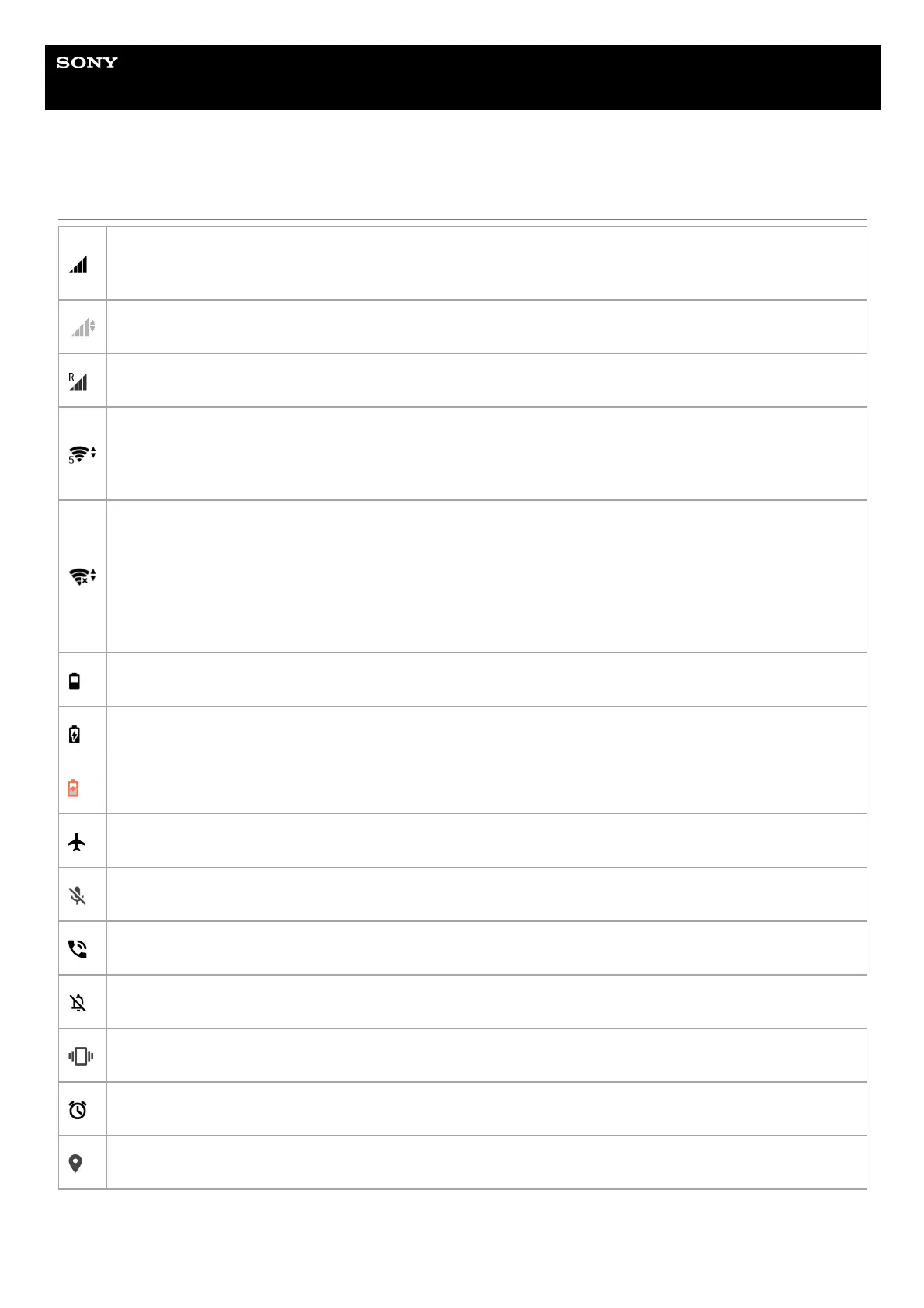
(Signal strength icon)
The mobile network mode is also displayed when sending and downloading mobile data.
(No signal icon)
(Data roaming icon)
(Wi-Fi signal icon)
A Wi-Fi connection is enabled and data is being transmitted.
The number displayed to the left of the icon differs according to the Wi-Fi standard of the current connection.
(Wi-Fi connection error icon)
A Wi-Fi connection is enabled but there is no internet connection.
This icon also appears when you are trying to connect to a captive portal network. After a successful login, the
cross mark disappears.
If Google is blocked in your area, the cross mark may appear even when the device is connected to a network
and there is a Wi-Fi working internet connection.
(Battery status icon)
(Charging battery icon)
(STAMINA mode icon)
(Airplane mode icon)
(Microphone muting icon)
(Speakerphone icon)
(Muting icon)
(Vibrate icon)
(Alarm icon)
(GPS icon)



 To Next Page