After 5 seconds of playback, tap the button to go back to the beginning of the current song, or double-tap it to go back to the
previous song.
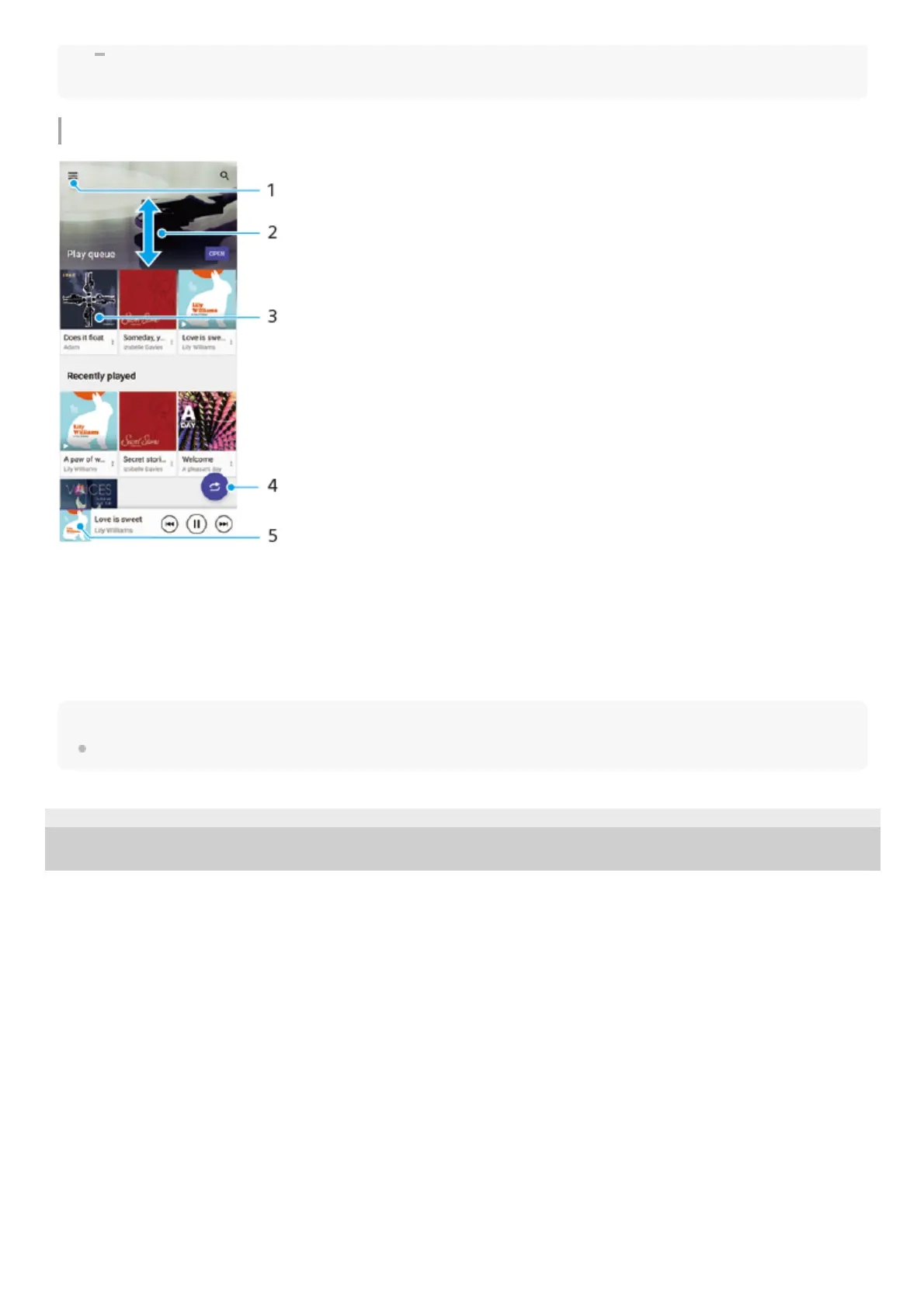
Music home screen
Note
You might not be able to play copyright-protected items.
F-248-100-12 Copyright 2021 Sony Corporation
Open the Music menu1.
Scroll up or down to view content2.
Tap to start playing a song in the play queue3.
Play all songs in shuffle mode4.
Go to the music player screen5.



 To Next Page