Help Guide
Smartphone
Xperia PRO XQ-AQ52/XQ-AQ62
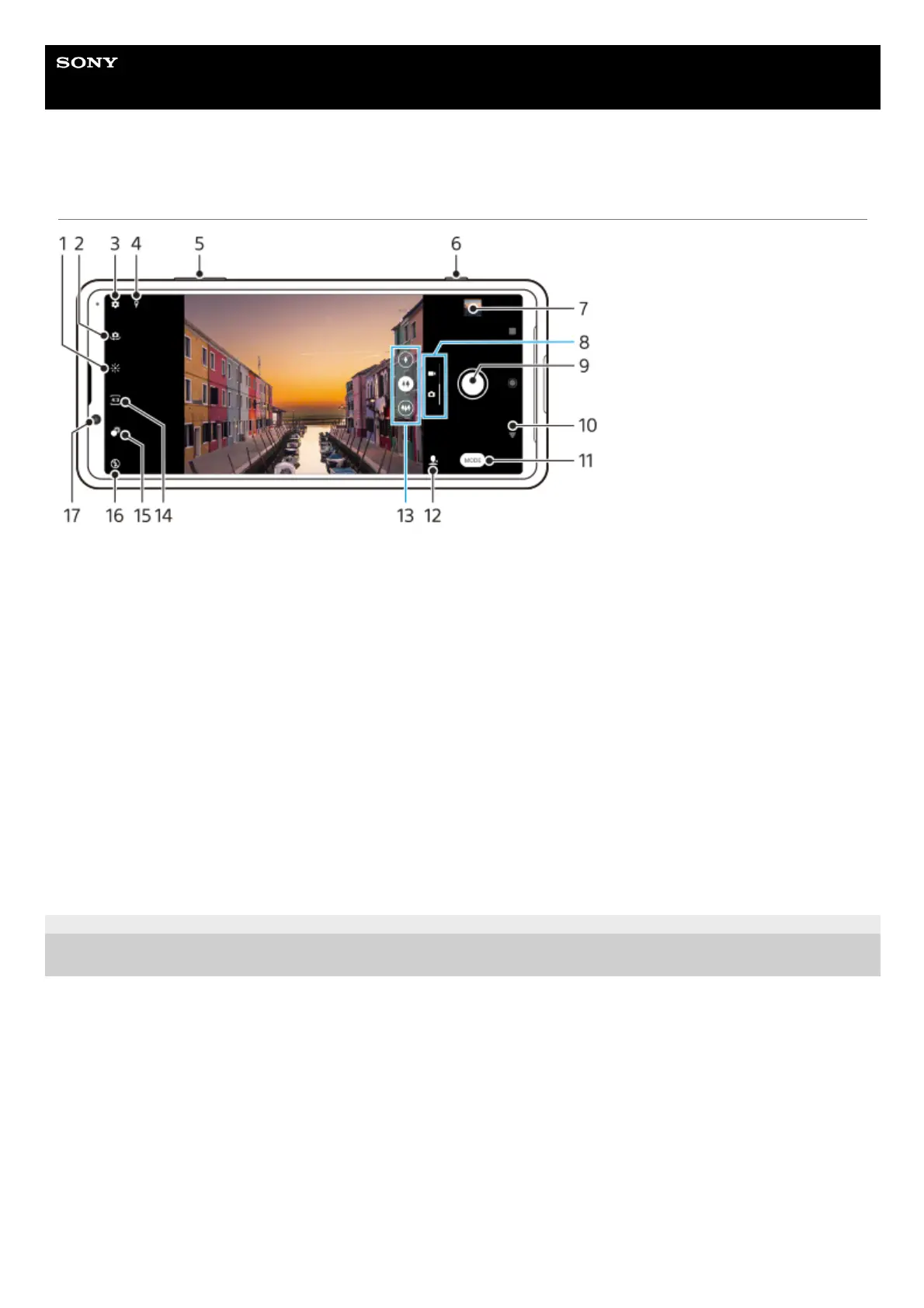
Camera overview
F-248-100-12 Copyright 2021 Sony Corporation
Tap to adjust color and brightness1.
Switch between the front and main camera2.
Camera settings3.
Geotagging status4.
Use the volume keys to zoom in or out5.
Use the camera key to activate the camera, take photos or record videos6.
Tap the thumbnail to view, share, or edit photos and videos7.
Switch between taking photos and videos8.
Use the shutter button to take photos or record videos9.
Go back or exit the camera10.
Select a capturing mode11.
Shortcut to the capturing mode last selected12.
Tap one of the angle buttons to switch lenses13.
Select an aspect ratio14.
Tap to adjust the Bokeh effect15.
Select a flash setting. The icon color changes when the flash or flashlight activates.16.
Front camera lens17.



 To Next Page