EasyManua.ls Logo

Sophos WS1100 - User Manual

Sophos WS1100
4 pages
Print Icon
To Next Page IconTo Next Page
Loading...
Copyright 2000-2018 Sophos Limited. All rights reserved.
Sophos is a registered trademark of Sophos Limited and Sophos Group. All other product and
company names mentioned are trademarks or registered trademarks of their respective owners.
FCC Notice: This device complies with part 15 of the FCC Rules. Operation is subject to the following two conditions: (1) This device may not cause harmful interference, and (2) this device must accept any interference received, including
interference that may cause undesired operation. No Telecommunications Network Voltage (TNV)-connected PCBs shall be installed. This class A digital apparatus complies with Canadian ICES-003. Cet appareil numérique de la classe A est
conforme à la norme NMB-003 du Canada. CE Mark Warning: This is a Class A product. In a domestic environment, this product may cause radio interference, in which case the user may be required to take adequate measures. VCCI Warning: This
is a product of VCCI Class A Compliance.
Environmental Warning
Perchlorate Material - special handling may apply. See www.dtsc.ca.gov/hazardouswaste/perchlorate
This notice is required by California Code of Regulations, Title 22, Division 4.5, Chapter 33: Best Management Practices for
Perchlorate Materials. This product/part includes a battery that contains Perchlorate material.
Ratings
V: 100 - 240 VAC (auto-range)
Hz: 50/60 A: 2.6 Max
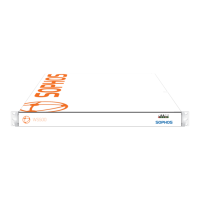
Sophos WS1100
Web Appliance
Setup Guide
Question and Answer IconNeed help?

Do you have a question about the Sophos WS1100 and is the answer not in the manual?

Sophos WS1100 Specifications

General IconGeneral
BrandSophos
ModelWS1100
CategoryFirewall
LanguageEnglish

Summary

Electrical and General Safety Guidelines

General Safety Precautions

Essential safety guidelines covering electrical shock, overheating, and static discharge prevention.

Site Preparation and Unpacking

Guidance on environmental preparation, airflow, and unpacking the appliance and its components.

Rack Installation Procedures

4-Post Rack Installation Steps

Detailed steps for preparing brackets, mounting rails, and installing the appliance in a 4-post rack.

2-Post Rack Installation Steps

Detailed steps for preparing brackets, mounting rails, and installing the appliance in a 2-post rack.

Connections and Software Setup

Rear Connections and Cabling

Illustrates rear panel ports and cabling for both bridge and non-bridge card configurations.

Front Panel Operation

Describes the function of front panel LEDs and the power button, including bezel removal.

Network Port Configuration

Lists required ports and services for appliance functionality and network integration.

Sophos Appliance Configuration

Outlines prerequisites and steps to launch the initial setup wizard for the appliance.
Related product manuals