Need help?
Do you have a question about the Sophos SG 210 and is the answer not in the manual?
Welcome message and overview of installation documents for Sophos SG appliances.
Explanation of the warning symbol and its implications for safety and appliance integrity.
Details the intended environments and appliance group for Sophos SG 210/230/310/330 models.
Information on the appliance's compliance with various international standards and regulations.
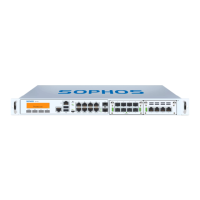
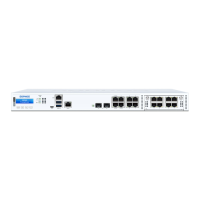
Diagrams illustrating the front and rear views of the appliance and its ports.
Details the status indicated by the power LED on the appliance.
Explains the meaning of ACT/LNK and Speed LEDs for each Ethernet port.
Describes how speed is indicated by LEDs on RJ45 ports (10/100/1000 Mbps).
Explains speed indication for SFP+ ports (1 Gbps and 10 Gbps).
Overview of the appliance's LCD screen and the four navigation keys.
Procedure to change the interface IP address and netmask using the appliance keys.
Function to restart the security appliance.
Function to safely turn off the appliance and stop all services.
Action to reset all configuration settings to their original factory state.
Option to disable One Time Password authentication for specific access methods.
Step-by-step instructions for rebooting the appliance via the control keys.
Step-by-step instructions for shutting down the appliance via the control keys.
Step-by-step instructions for performing a factory reset via the control keys.
Detailed steps for disabling OTP authentication on the appliance.
General caution regarding battery replacement during initial operation.
Information about the parts included with the appliance, referencing the Quick Start Guide.
General guidance for mounting the appliance, emphasizing rack usage and security.
General notes on safe operation and adherence to on-appliance instructions.
Safety measures for installing appliances in racks, including stability and leveling.
Safety advice for installing components within racks, including weight distribution and cooling.
Factors to consider for rack mounting, such as ambient temperature, airflow, and grounding.
Detailed steps for attaching rack-mount brackets and installing the appliance into a rack.
Guidance on connecting the appliance and initial setup procedures.
Introduction to SFP GBIC ports and their function for network module expansion.
Details on various SFP and SFP+ module types and their transmission capabilities.
Instructions for correctly inserting SFP GBIC modules into appliance ports.
Procedure for carefully removing SFP GBIC modules from appliance ports.
How to connect and configure a serial console for appliance management.
 General
| Storage | 64 GB SSD |
|---|---|
| Antivirus Throughput | 600 Mbps |
| Form Factor | 1U Rackmount |
| Ports | 8 x GE copper, 2 x GE SFP |
| Network Interfaces | 8 x GE copper, 2 x GE SFP |
| Power Supply | Internal |
| Maximum Licensed Users | Unlimited |


 To Next Page