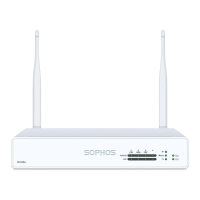
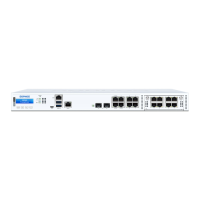
Controls
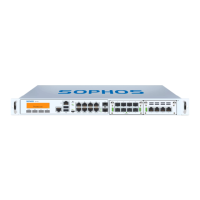
Power (LED Display)
Green Power on
Red HDD (Hard disk access)
LEDs on each Ethernet connector
ACT/LNK Green Constantly 1. The Ethernet port is receiving power.
2. Good connection between the
Ethernet port and hub.
Off 1. The adapter and switch are not receiving power.
2. No connection between both ends of network.
3. Network drivers have not been loaded
or do not function correctly.
Flashing The adapter is sending or receiving
network data. The frequency of the flashes
varies with the amount of traffic.
Speed
(RJ45 ports)
Orange On If ACT/LNK LED is on then this LED shows
operating speed at 1000 Mbps
Green On If ACT/LNK LED is on then this LED
shows operating speed at 100 Mbps
Off If ACT/LNK LED is on then this LED
shows operating speed at 10 Mbps
Speed
(SFP+ ports)
Blue On If ACT/LNK LED is on then this LED
shows operating speed at 10 Gbps
Orange On If ACT/LNK LED is on then this LED
shows operating speed at 1 Gbps
Off Ports not operational
LCD and Control Keys
The Sophos SG 210/230/310/330 units have an LCD and an operating unit with four
membrane keys. In the LCD, 16 characters per line can be displayed. The display
contains in three cycling views information on the hardware and specific system
states.
SOPHOS
Protection
UTM 9.xxx
10 days 01:43:17
CPU xx%
xx% yy% zz%
RAM x% y GB
SWAP x% y GB
all in x kbits/sec
out y kbits/sec
After the security appliance has booted this message is displayed.
Sophos UTM version
Appliance Uptime
CPU load information
Average Load in the last 1, 5 and 15 minutes
Memory usage
Traffic on interface



 To Next Page
 Loading...