*5
INSTALLATION
BSS-134
CHAP.- 6
6.5 Proper machine running direction check
Once the connection to the power mains and to the compressed air system is done, proceed as follows:
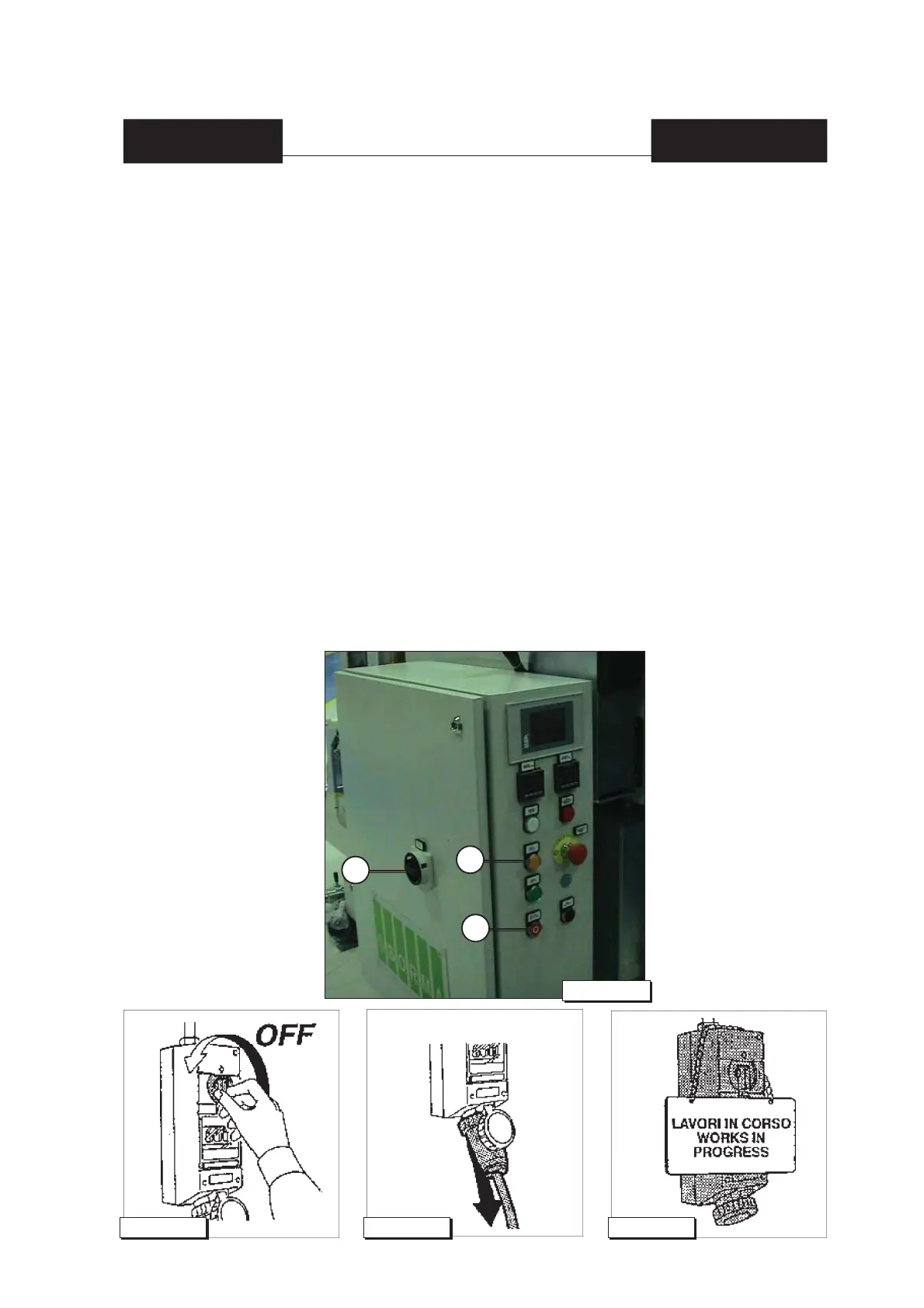
1) Set the [10] main switch (see fi g.4 chap.6) to [ON].
2) Press the [7] MANUAL RUNNING MODE orange light button (see fi g.4 chap.6).
3) Press the NET UNWINDING JOGGING STEP STOP IN PHASE [2] (see fi g.4 chap.6) button and
check whether the mesh/fi lm carrier tracks are moving in the right direction and carrying the fi lm
downwards or in the direction indicated by the arrows.
4) If the running direction is reversed, proceed as follows:
- Set the [10] main switch (see fi g.4 chap.6) placed on the electric panel to [OFF], disconnec-
ting the power supply line.
- Disconnect the line isolator from the power supply (see fi g.5 chap.6).
- Disconnect the power supply cable of the line isolator (see fi g.6 chap.6).
- Use the isolator to signal the current operation (see fi g.7 chap.6).
- Exchange with each other 2 clamps of the 3 phases (R S T) of the power supply cable (see
[A] fi g.2 chap.6).
Fig.5 chap.6 Fig.6 chap.6 Fig.7 chap.6
10
Fig.4 chap.6
7
2


 To Next Page