3
ELECTRIC PANEL
BSS-134
CHAP.- 8
- [10] MAIN SWITCH - Enables/disables the machine power supply.
[OFF] = no power supply to the panel.
[ON] = panel powered up.
- [11] BLACK BUTTON – SPLICE SEALING (on the side opposite the manual controls) this button
works only if the machine is in manual start mode;
- if it is pressed, it conducts a sealing cycle between the material that is about to fi nish
and the material of the new reel.
The duration of the sealing is displayed and can be changed at page 41 of the display
(fi eld T91 TIME MANUAL JUNCTIO).
N.B.: we recommend pressing it at least twice (at 5-second intervals) and wait for the
material to cool down (approx. 30 seconds) before restarting to work.
Pay special attention when the new seal will transit in the ferrule area.
- [12] MULTIPLE LIGHT + SIREN =
- GREEN -
when lit: the machine is in automatic run.
- RED - it corresponds to the [4] RED LIGHT (see fi g.1 chap.8).
- SIREN - emitting an acoustic signal of approximately:
- 0,5 second = whenever the machine goes into automatic mode.
- 1 second = whenever the machine stops due to a failure.
Periodically check that all the lights are properly operating; if necessary, have them
replaced by an expert electrician.
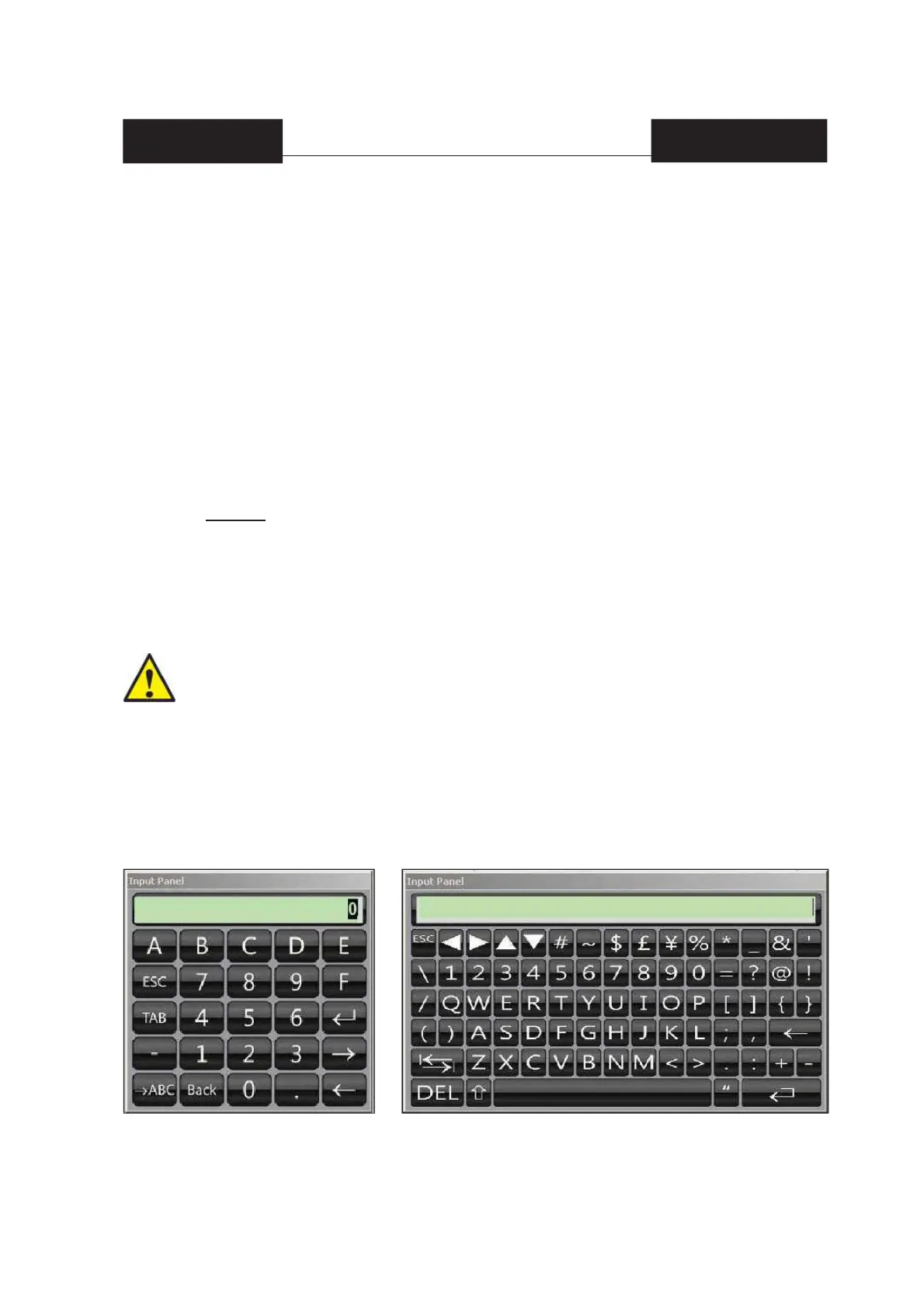
8.2 Keyboard to enter numerical and alphanumerical data
If the data that needs to be set is numerical or alphanumerical (e.g.: "name of the work program"),
the window below appears when the fi eld is pressed:
8.2.1 Symbolic fi eld
If the data that needs to be set is represented by an icon, a possible alternative is displayed with the
fi eld is pressed. To return to the fi rst icon, press the same symbol several times.


 To Next Page