ELECTRIC PANEL
BSS-134
CHAP.- 8
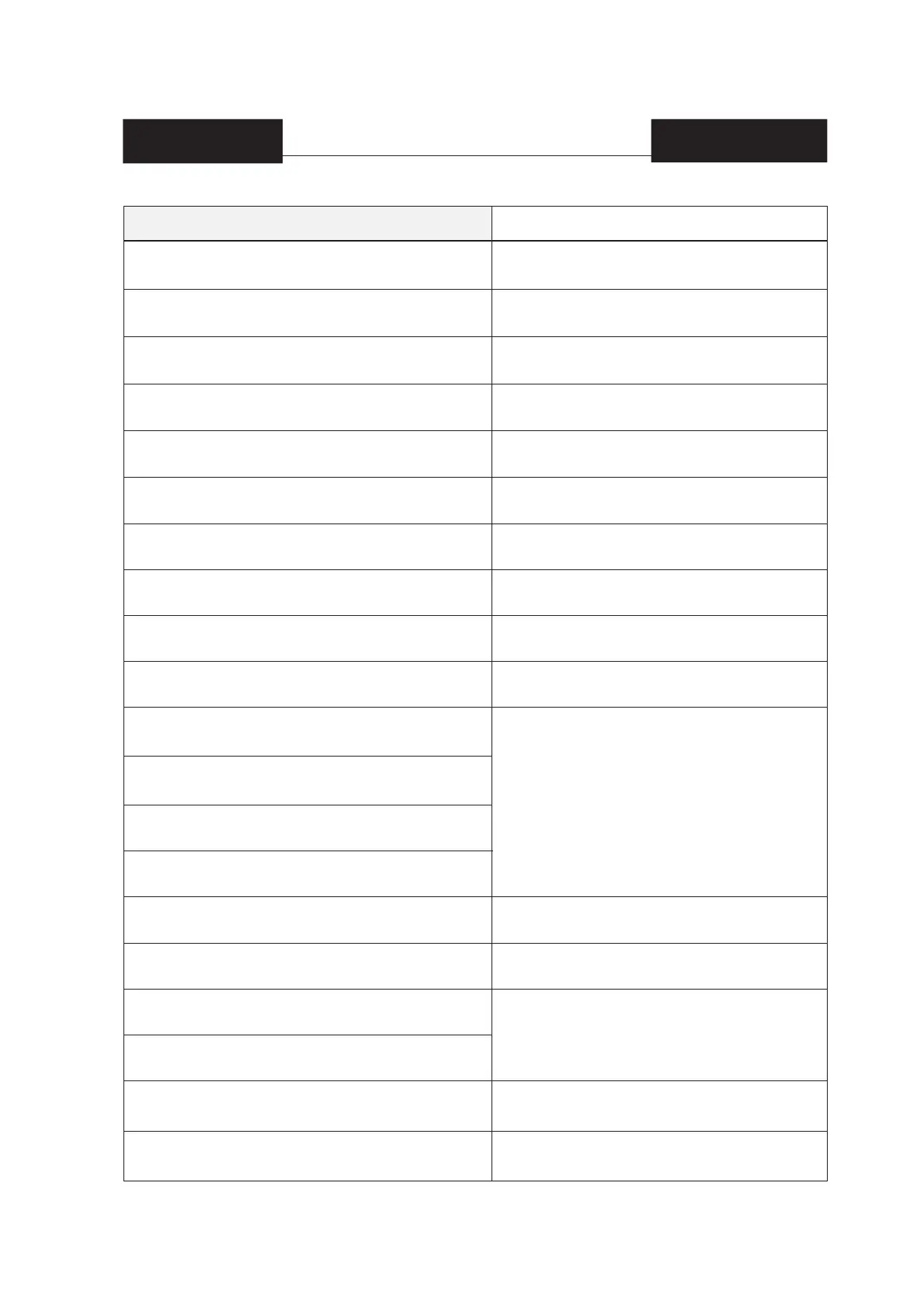
R05_INPUT_X5, MARKS READER FAULTY
R06_MACHINE IN EMERGENCY
R24_INPUT_X24, THE HORIZONTAL CLAMP HAS NOT COMPLE-
TED THE RACE
R25_INPUT_X25, FOTOCELLULA TRAMOGGIA IMPEDITA
R2D_INPUT_X2D, SALDANTE ORIZZONTALE E/O VERTICALE
NON IN TEMPERATURA
R2E_INPUT_X2E, CENTRATORE BOBINA TUTTO A Dx O A Sx
R40-FAULTY SOLENOID SWITCH
R41-AVARIA ENCODER1
R43-INPUT DOOR 1
R46-FAULTY BRUSHLESS DRIVER
R47-TEST MACHINE
R50-PHASE STOP
R51-IMMEDIATE STOP
R55-WAITING FOR DOWNLOAD REQUEST
R56-NO COMPRESSED AIR
R5A-MATERIAL END
R5B-COUNTING END
R5C-LABEL END
R5D-Search procedure of the correct position in course
MESSAGGI SUL DISPLAY NOTE
Tabella 1.1: Messagge FAULTY
Carry out the procedure to place the fi lm back into position
(see fi led F3 and F4 on page 9 of the display).
Unwind once or several times until the gripper is no longer ob-
structed. Press the Automatic Start button (see fi g.1 chap.8).
Make sure there is no product blocked on the hopper.
Wait for the temperature of the sealing units to reach the
set temperature.
Manually bring the reel back to the central position using F3
and F4 at page 6 of the display).
Open the electric control board and reactivate the thermo-
magnetic circuit breaker that tripped.
Make sure the encoder is operating correctly.
Close the doors.
Press the red mushroom button (STOP), turn the electric
control board off and then back on.
Set [OFF] n in fi eld F1 on page 31 of the display.
Check if there is any air inside the pneumatic circuit.
Replace the fi lm/mesh reel.
The number of packages indicated in fi eld B on page 23 of
the display was made. Reset the number of packages made
by pressing F2 on page 23 of the display.
Check and, if necessary, replace the label in the printer.


 To Next Page