User Guide and
Technical Information
page 18SOUND DEVICES, LLC
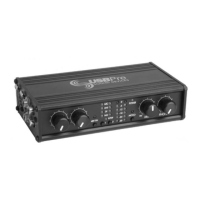
The USBPre can be used to transfer digital audio
into and out of a computer via its S/PDIF connec-
tions. Please read the following notes relating to
S/PDIF in Mac OS.
Input
The USBPre can accept S/PDIF input sources at
16, 20, and 24-bit and with sample rates of 32,
44.1, and 48 kHz. The input selection LED flashes
without S/PDIF connection and turns solid when a
valid S/PDIF source is connected. Mac OS Sound
Manager will truncate data higher than 16-bit to
16-bit.
Be certain to match the sample rate of the S/PDIF
input with the corresponding configuration file of
the same sample rate, otherwise objectionable
distortion will be present. For instance, select a 48
kHz sample rate configuration file (see Configuring
the USBPre) when accepting a 48 kHz S/PDIF signal.
Output
Macintosh Sound Manager is limited to a maxi-
mum of 16-bit output. Any audio file greater than
16-bit will be truncated to 16-bit.
The Macintosh Sound Manager continuously out-
puts S/PDIF clock data at 44.1 kHz, even when no
audio is present. Therefore, all audio played back
through the USBPre S/PDIF output is at 44.1 kHz.
This means that audio files different than 44.1 kHz
go through a sample rate conversion in the operat-
ing system before being sent to the USBPre. For
many applications, this is acceptable, however,
you may want to change this output sample rate to
transfer 32 kHz or 48 kHz files at their respective
rates.
Sound Control Panel, where the USB audio device
(USBPre) will show up as either a Mic source
or a Sound In source. The one advantage of a
Sound In configuration type is that the selection
“Play Through Hardware” is available in the Sound
Manager Control Panel. Playing through hardware
is not available with Mic In types.
Output Types
Two different output types, Speaker and Line are
available. With the Line configuration type the
USBPre shows up in the audio output selection
of the Sound Control Panel as a separate USB
audio output device. Because it is seen as sepa-
rate hardware, it can be selected as required.
With the Speaker output types, the USBPre is not
seen in the Sound Control Panel as a selection
- it becomes the “built-in” audio device, and sim-
ply takes over all playback audio functions of the
Macintosh. To revert to internal speakers, unplug
the USBPre with the Speaker type.
Record Sample Rate Selection
Three possible record sample rates are available,
32 kHz, 44.1 kHz, and 48 kHz. When using the
S/PDIF input on the USBPre it is very important
to select a Record Sample Rate that matches the
source material, otherwise objectionable audio will
occur.
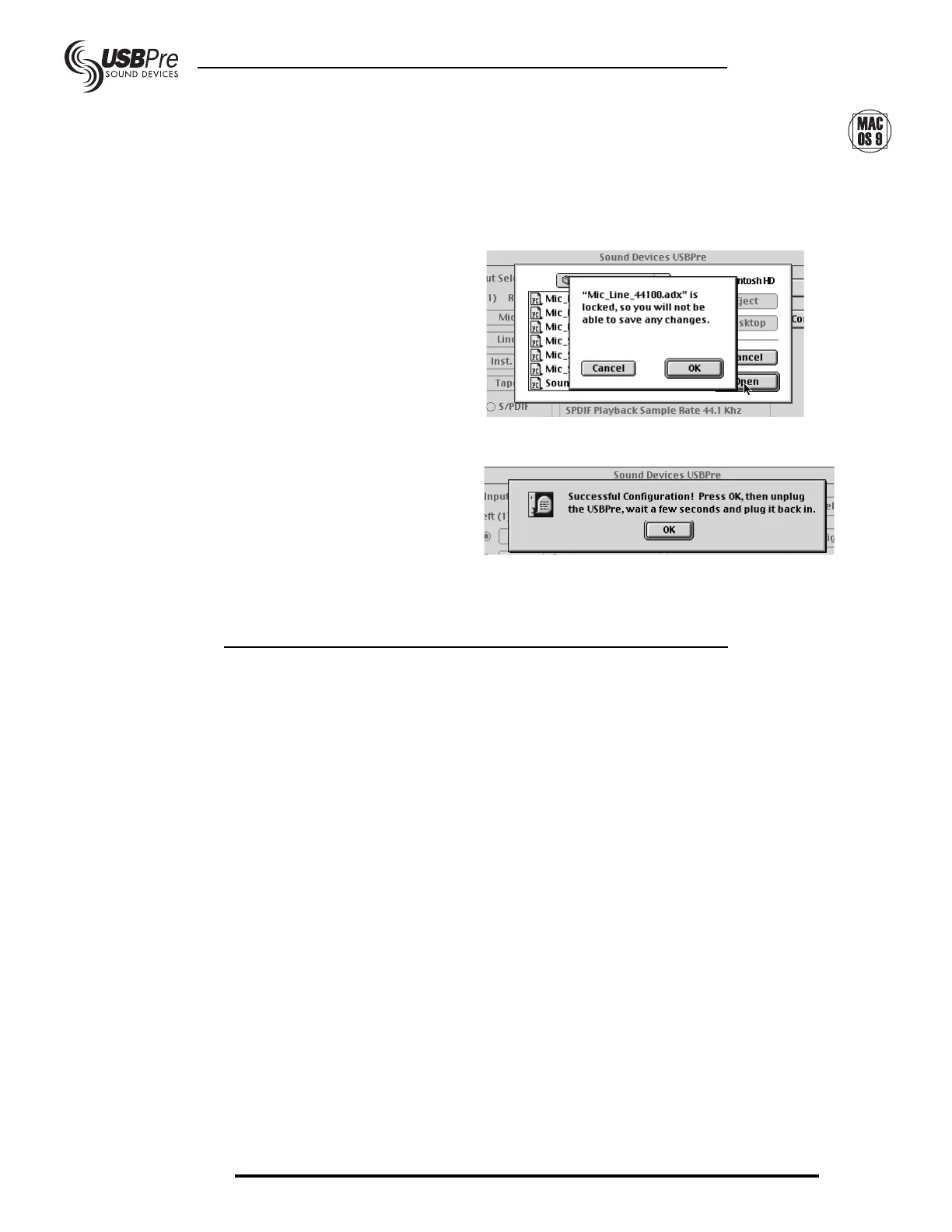
After selecting a configuration you will receive this
dialog box:
Disregard this message and hit OK. If you suc-
cessfully configured the box you will see:
Click OK, unplug the USBPre, wait a few seconds,
and reconnect. Verify the new sample rate in the
USBPre control panel.
S/PDIF Input and Output


 To Next Page