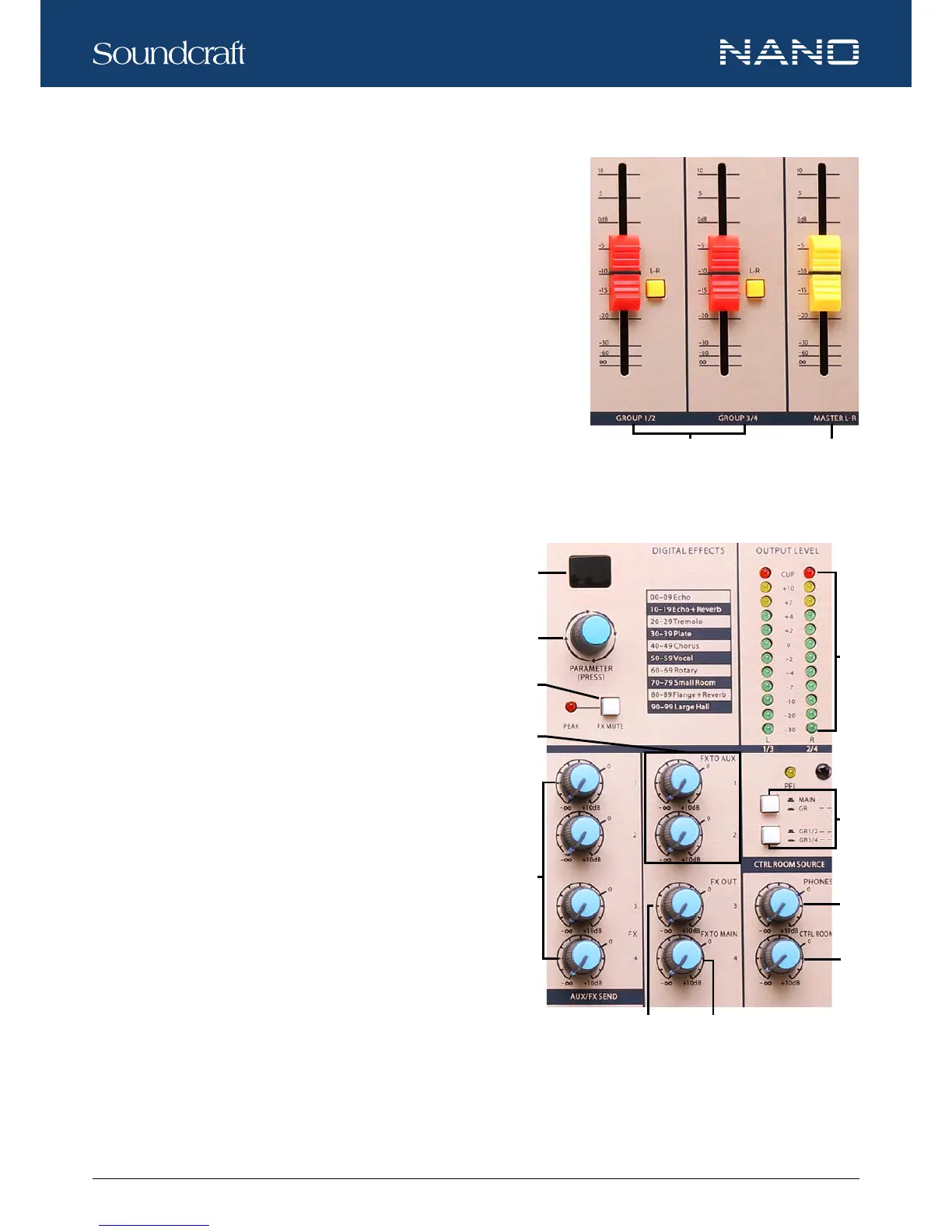
21. GROUPS LEVEL FADER
These 60mm faders are used to set the nal levels of signals sent to GROUP
OUT. The adjustable range is from -∞ to +10dB.
22. MAIN MIX LEVEL FADER
The 60mm fader sets the amount of signal sent to the MAIN MIX OUTPUT. The
adjustable range is from -∞ to +10dB.
23. DIGITAL EFFECTS
The LCD screen displays the effect preset selected.
24. PARAMETER (PRESS)
Rotate the knob to select the desired effect from the 100 preset options, which in-
clude Echo, Vocal, Plate and versatile dual-effect combinations. When you are satised with the selection, push the knob to conrm
the selection, then the LCD screen stops ashing.
25. FX / MUTE
Press down the button to disable the internal effect processor. In this
case the red PEAK LED will be on permanently.
26. FX TO AUX 1 / 2
The two knobs assign the FX signals to their respective AUX 1 or
AUX 2.
27. AUX SEND
These four controls are used to determine the master AUX SEND
levels. The adjustable range of each control is from -∞ to +10dB.
When external effect units which have no input gain control are con-
nected to the mixer, you will get an extra +10dB gain from these AUX
SEND outputs. As for AUX 4, it also provides level adjustment for the
internal effect signal.
28. FX OUT
This control is used to determine the internal DSP module levels and
FX SEND output. The adjustable range is from -∞ to +10dB.
29. FX TO MAIN
This control is used to assign the signal from FX to MAIN MIX output. The adjustable range is from -∞ to +10dB.
30. OUTPUT LEVEL METER
The 12-segment three-color LED meter are provided to monitor the overall output signal level. Aim to keep the signal within the
Controls and Features






 To Next Page