ICD2200 / English Instruction Manual
12
BLUETOOTH
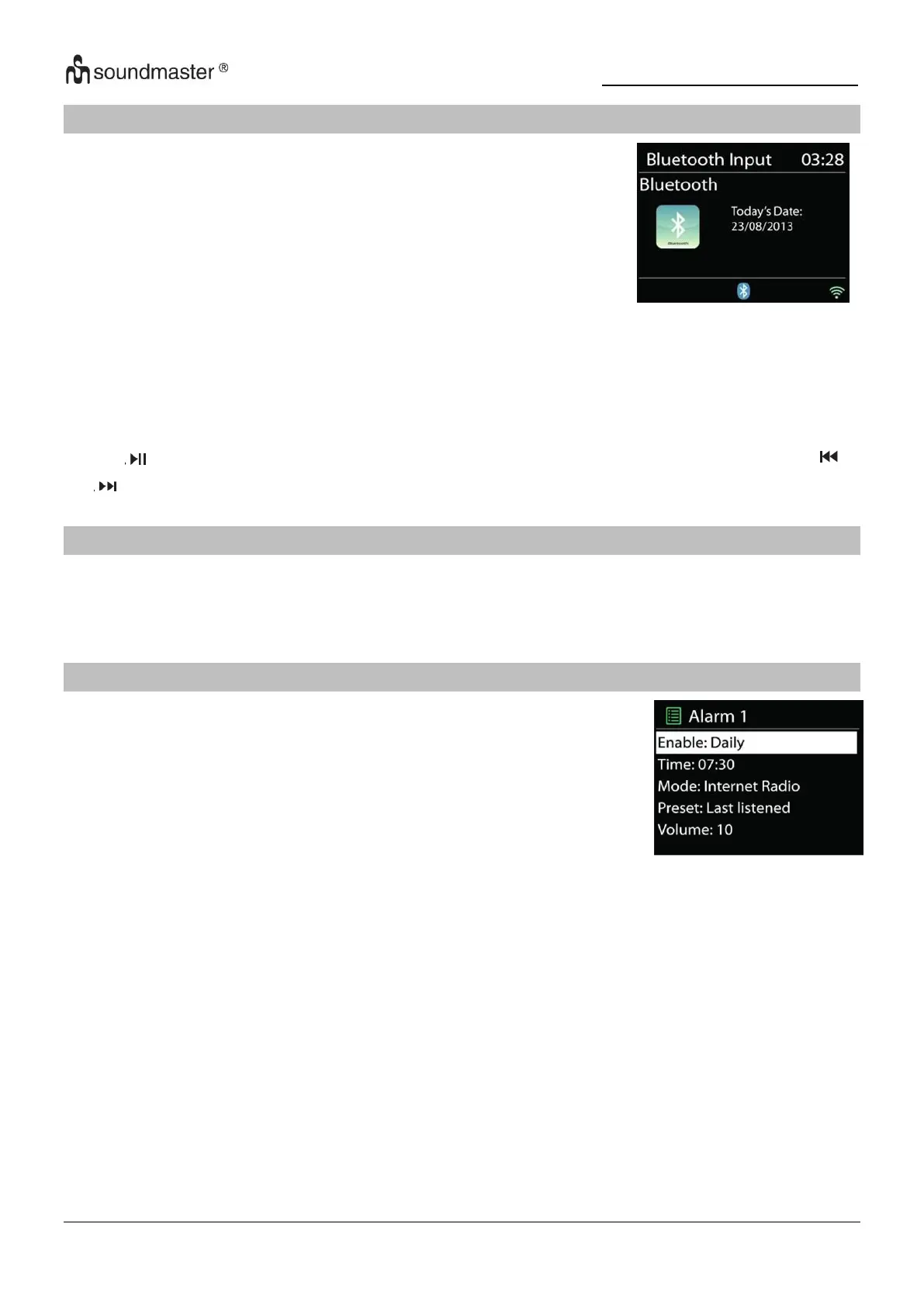
When you select the Bluetooth mode, the device is entering to
pairing and the BT icon at the bottom of the screen will flash.
Turn on your smartphone, tablet or other Bluetooth devices to
search for the device.
The Bluetooth pairing name is “ICD2200”.
When pairing is successful, the Bluetooth indicator will light up and stop flashing.
To release BT pairing, turn off or unpair your smartphone, table or other Bluetooth devices.
Press “ ” on the radio or Remote Control to start or pause the playback. You can press “ ”
or “ ” on the radio or Remote Control to play the previous or next track.
SLEEP
Select the function “Sleep” in the main menu. Choose from Sleep OFF, 15 mins, 30 mins,
45 mins or 60 mins.
The remaining time to switch off is shown at the bottom of the display.
ALARM
There are two versatile wake-up alarms with snooze facility, and a
sleep function to turn the system off after a set period. Each alarm
can be set to start in a particular mode.
Select “Alarm” in the Main menu to set or change an alarm.
Select the alarm number (1 or 2) then configure the following parameters:
• Enable: on/off, Frequency: Daily, Once, Weekends or Weekdays,
• Time
• Mode: Internet Radio, DAB, FM, CD, USB, Buzzer
• Preset: Last listened, 1 – 10 (only when DAB or FM is selected).
• Volume: 0 - 32
To activate the new settings, scroll down and select “Save”.
The screen shows active alarms with an icon at the bottom left.






 To Next Page