ICD2200 / English Instruction Manual
13
TIMER (KITCHEN TIMER)
This function will activate the kitchen timer. You can choose a time from 1 – 99 minutes.
1. press the “TIMER” button in the remote control or on the unit.
2. Set the time with the “ / “ button on the remote control or with the “NAVIGATE” button
on the unit and press “OK” to confirm the selection. The timer icon will be shown on the
bottom of the display.
Show remaining time
Press the “TIMER” button to show the remaining time.
Turn off the timer
Once the set time elapses, an alarm tone will sound. By pressing the "TIMER" button, it can be
switched off.
Cancel the timer
To cancel the timer, press the “TIMER” button and set with the “ / “ button or “NAVIGATE”
on the unit the time “00:00”. Press “OK” to confirm.
UNDOK
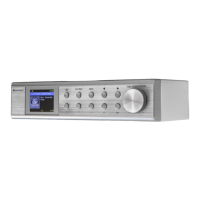
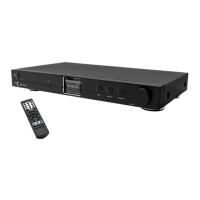
The ICD2200 supports remote control from Apple iPhone, iPad and Android using the UNDOK
app. The apps are available in Apple’s app store and Google’s android play.
The UNDOK app allows you to:
• Create a group
• Rename a group
• Edit a group - add or remove one or more products
• Delete a group
• Control a group - choose operating mode and browse for content
• Adjust volume for an entire group or for individual products within a group
• Control products which have not been assigned to any group
• Control all the modes of the ICD2200 (Internet Radio, Podcast, DAB, FM, CD, USB,
Bluetooth
®
) of the unit.
• Adjust the volume level of current playback
• Setting EQ for various audio presets
• Setting Sleep timer
• Editing the displayed name of the radio.
SYSTEM SETTINGS
1. EQUALIZER
Several preset EQ modes are available: Normal, Flat, Jazz, Rock, Movie, Classic, Pop,
News and My EQ.
In the My EQ settings, you can create your own EQ with custom bass and treble settings.
You can also select these functions by pressing the “EQ” button on the remote control.






 To Next Page