EasyManua.ls Logo

Soundstream Mobile Link Vision - Picture Settings; Picture Mode Configuration; Color Temperature Adjustment; Aspect Ratio Settings

Soundstream Mobile Link Vision
9 pages
Print Icon
To Next Page IconTo Next Page
To Previous Page IconTo Previous Page
Loading...
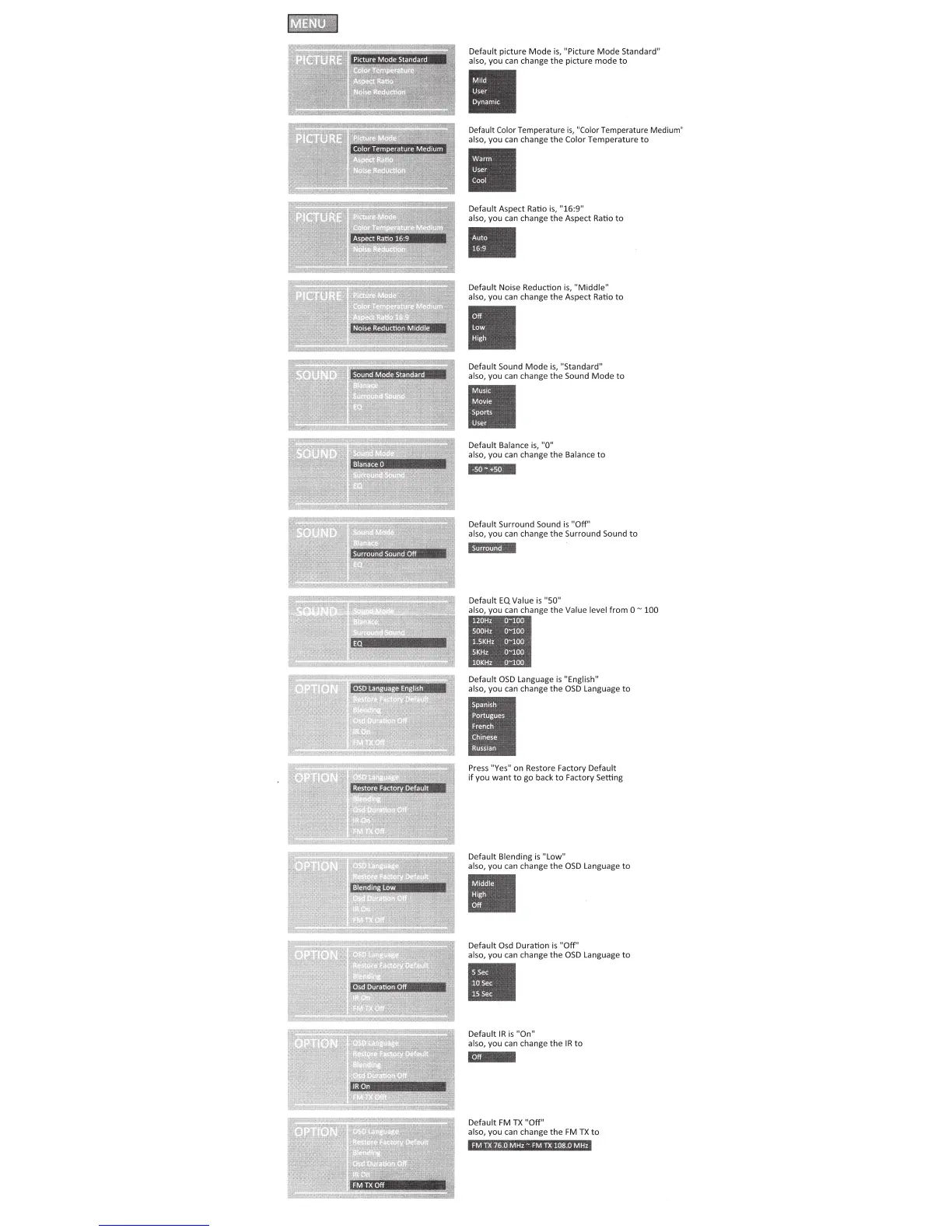
Default
picture
Mode
is,
"Picture
Mode
Standard"
also, you can change
the
picture
mode
to
Default Color Temperature
is,
"Color Temperature Medium"
also, you can change
the
Color Temperature
to
Default Aspect Ratio
is,
"16:9"
also, you
can
change
the
Aspect Ratio
to
Default Noise Reduction
is,
"Middle"
also, you can change the Aspect Ratio
to
Default Sound
Mode
is,
"Standard"
also, you can change
the
Sound
Mode
to
Default Balance
is,
"0"
also, you
can
change
the
Balance
to
~
Default Surround Sound
is
"Off''
also, you
can
change
the
Surround Sound
to
Default
EQ
Value
is
"50"
can
change
the
Value level
from
0"'
100
Default
050
Language
is
"English"
also, you
can
change
the
OSD
Language
to
Press "Yes"
on
Restore Factory Default
if
you
want
to
go back
to
Factory Setting
Default Blending
is
"Low"
also, you can change
the
OSD
Language
to
Default
Osd
Duration
is
"Off"
also, you can change
the
OSD
language
to
Default IRis
"On"
also, you can change
theIR
to
~
Default FM
TX
"Off"
also, you can change
the
FM
TX
to
FM
IX
76
OM
Hz-
FM
TX
108 OM
Hz

Related product manuals