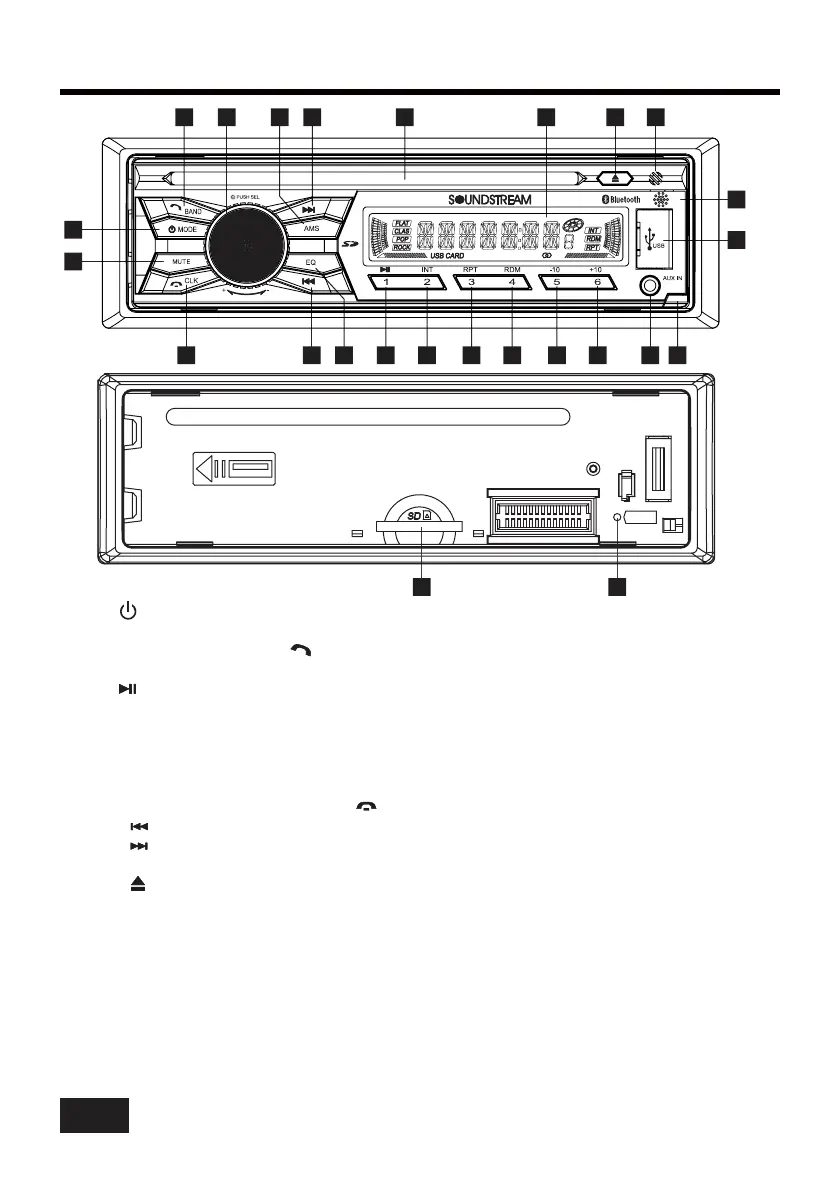
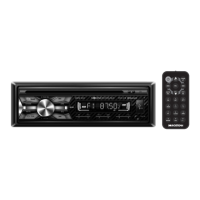
CONTROL PANEL BUTTON LOCATIONS
1. (power)/MODE (source) button
2. SEL (select/menu) button and VOL (volume) knob
3. BAND(band) button
5. (pause/play), Preset station1 button
6. INT (intro) 2 button
7. RPT (repeat) 3 button
8. RDM (random) 4 button
9. -10(previous 10 tracks) 5 button
10. +10(next 10 tracks) 6 button
11. CLK (clock setting) button, button
12. (tune down, seek down,track down, fast reverse) button
13. (tune up, seek up, track up, fast forward)button
14. MUTE button
15.
, button
4. AMS (automatic store / preset station scan, automatic music search) button
, Preset station
, Preset station
, Preset station
, Preset station
, Preset station
(eject) button
16. Disc slot
17. IR remote control sensor
18. LCD Display
19. EQ(Equalizer Preset) Button
20. USB port
21. SD Card Slot
22. MIC hole(built-in Microphone)
23. AUX IN (auxiliary input) jack
24. Release button
25. RESET button
4
RESET
3
5
67
4
89
11
16
21
23
1
15
12
13
18
19
20
22
24
25
14
2
17
10
300W 4CH
IR
VCD-21B









 To Next Page