Display
General
Radio
DVD
[1
].Subtitle Lang setting:
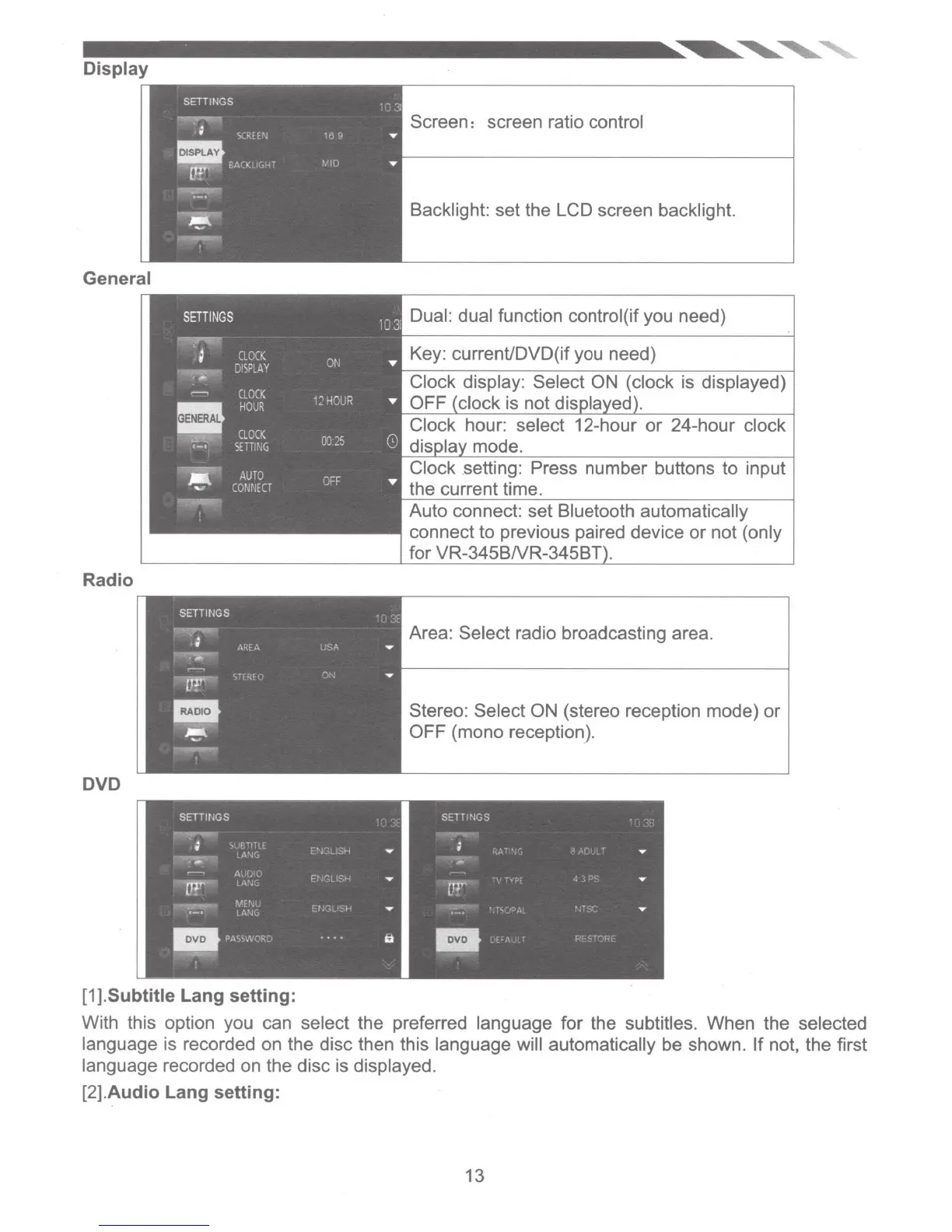
Screen: screen ratio control
Backlight: set the LCD screen backlight.
Dual: dual function control(if you need)
Key: current/DVD(if you need)
Clock setting: Press number buttons
to
input
the current time.
Auto connect: set Bluetooth automatically
connect to previous paired device
or
not (only
for
VR-345BN
,-
....
-p
....
LJ
Area: Select radio broadcasting area.
Stereo: Select ON (stereo reception mode)
or
OFF (mono reception).
With this option you can select the preferred language for the subtitles. When the selected
language is recorded on the disc then this language will automatically be shown. If not, the first
language recorded on the disc is displayed.
[2].Audio Lang setting:
13













 To Next Page