Operation
VERSION
RADIO OPERATION
DISC/USB/SD OPERATION
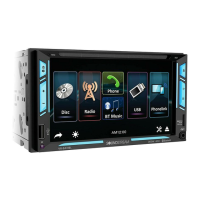
At MAIN MENU, touch on screen and shift to
Radio for radio operation.
At MAIN MENU, touch on screen and shift to disc
/ USB / SD input mode for media playback.
At media playback mode and depends on the
input device and playback media recorded, touch
on screen to show various PLAYBACK MENUS for
operation.
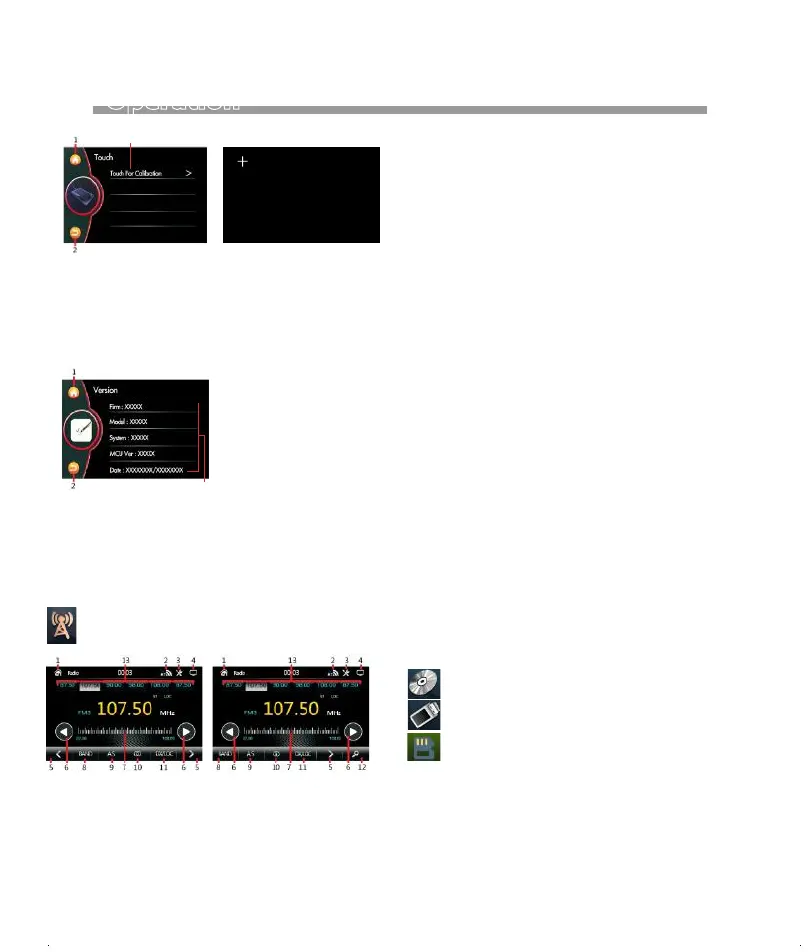
1. Touch to shift to MAIN MENU for operation
mode selection.
2. Touch to access to Bluetooth page quickly.
3. Touch access to Audio & Video settings quickly.
4. Touch to turn off the screen.
5. Press repeatedly to fine tune the radio frequency
upward or downward.
Due to the law of some countries and areas, watching
video is not allowed during driving. To allow video
playback, parking brake must be engaged (light green
wire - parking brake input must be connected).
6. Touch to turn the radio frequency upward or downward
and stop for broadcasting when a station received.
Press & hold shortly to activate manual tuning mode.
At this mode, press repeatedly to fine tune the radio
frequency upward or downward.
7. Touch, hold & slide the desired frequency, release for
broadcastiong.
8. Touch repeatedly to select radio band for broadcastiong.
9. Touch to start searching the radio frequency & storing the
strongest signal station into memory. After one cycle
searched, the unit starts intro broadcasting of the
preset memory stations for a few seconds.
10. Touch to select Stereo (ST) or MONO at FM radio.
When stero signal received, stereo indicator will
be appeared on screen and this is no indicator
for mono mode.
11. Touch to select Local(LOC) setting for reception
of strong signal stations and a distant(DX) setting for
reception of weak stations at FM radio band. When
Local setting is selected, LOC will be appeared on
screen and this is no indication for DX.
12. Touch to start into broadcasting of preset memory
stations for a few seconds. Touch again to stop
this intro broadcasting.
13. This shows the preset memory station.
Touch any one of the preset station to have broadcast-
ing of relative station.
Touch & hold shortly on any one of the preset station,
the current broadcasting station / frequency will be
stored in the respective preset memory station.
1. Touch to shift to MAIN MENU for operation
mode selection.
2. Touch to back to previous setting menu.
Brightness.Contrast,Hue, Saturation, Sharpness.
3. Show the version information.
TOUCH FOR CALIBRATION
3
3
1. Touch to shift to MAIN MENU for operation
mode selection.
2. Touch to back to previous setting menu.
3. Touch to calibration.
Note:
15


 To Next Page