Note: If there is no external video input, the TFT displays “NO SIGNAL”.
1. Press the △ / ▽ icon to adjust TFT angle.
2. Press the icon to be back to main menu. .
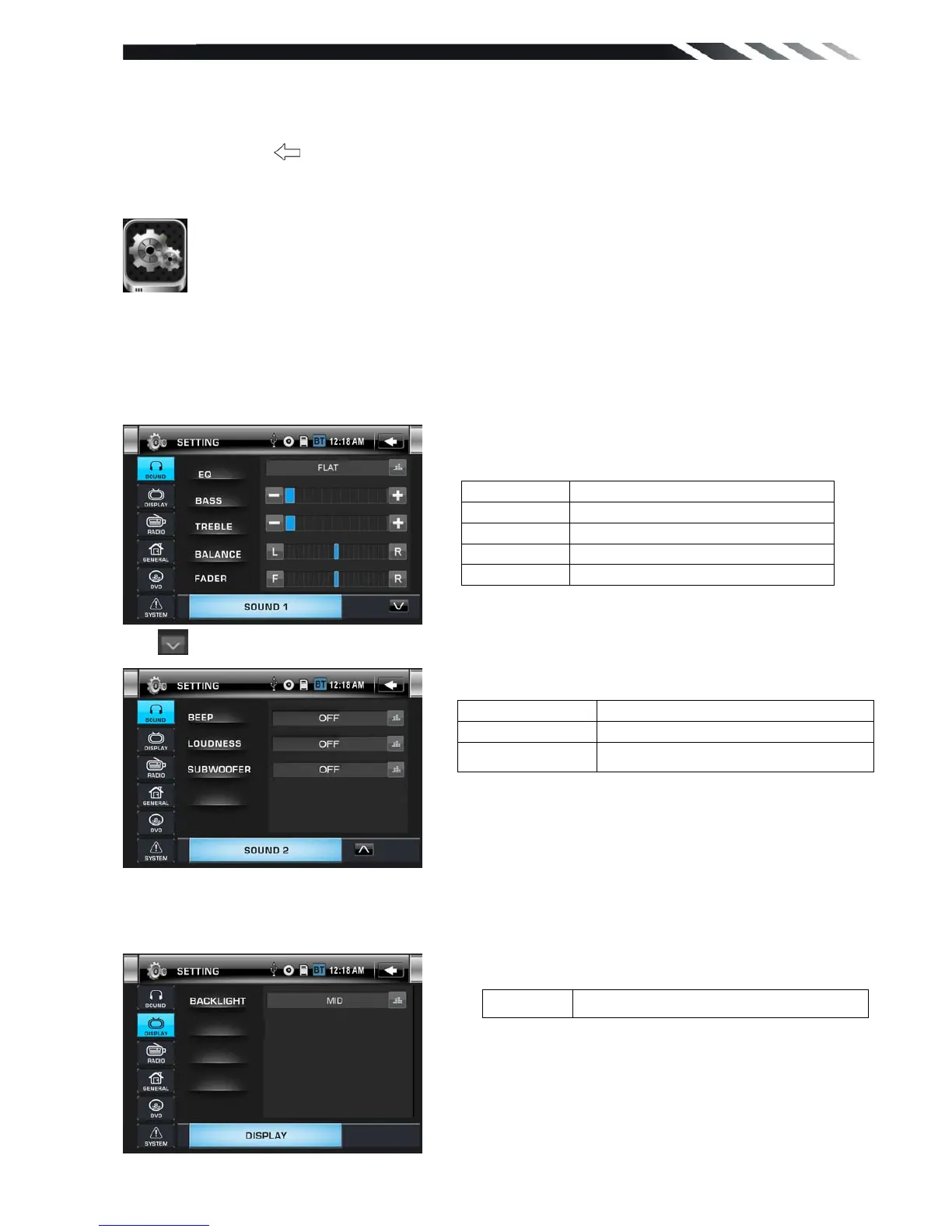
◆SETTING CONTROL
Your device has default system settings. You can customize the settings to suit your
personal needs. Once you change settings, your new settings will remain until you change it
again. To start SETTING, tap SETTING icon on the main menu.
SOUND CONTROL
Tap SOUND button to show SOUND1 menu.
Tap button to show SOUND 2 menu.
DISPLAY CONTROL
Tap DISPLAY button from setting menu screen.













 To Next Page