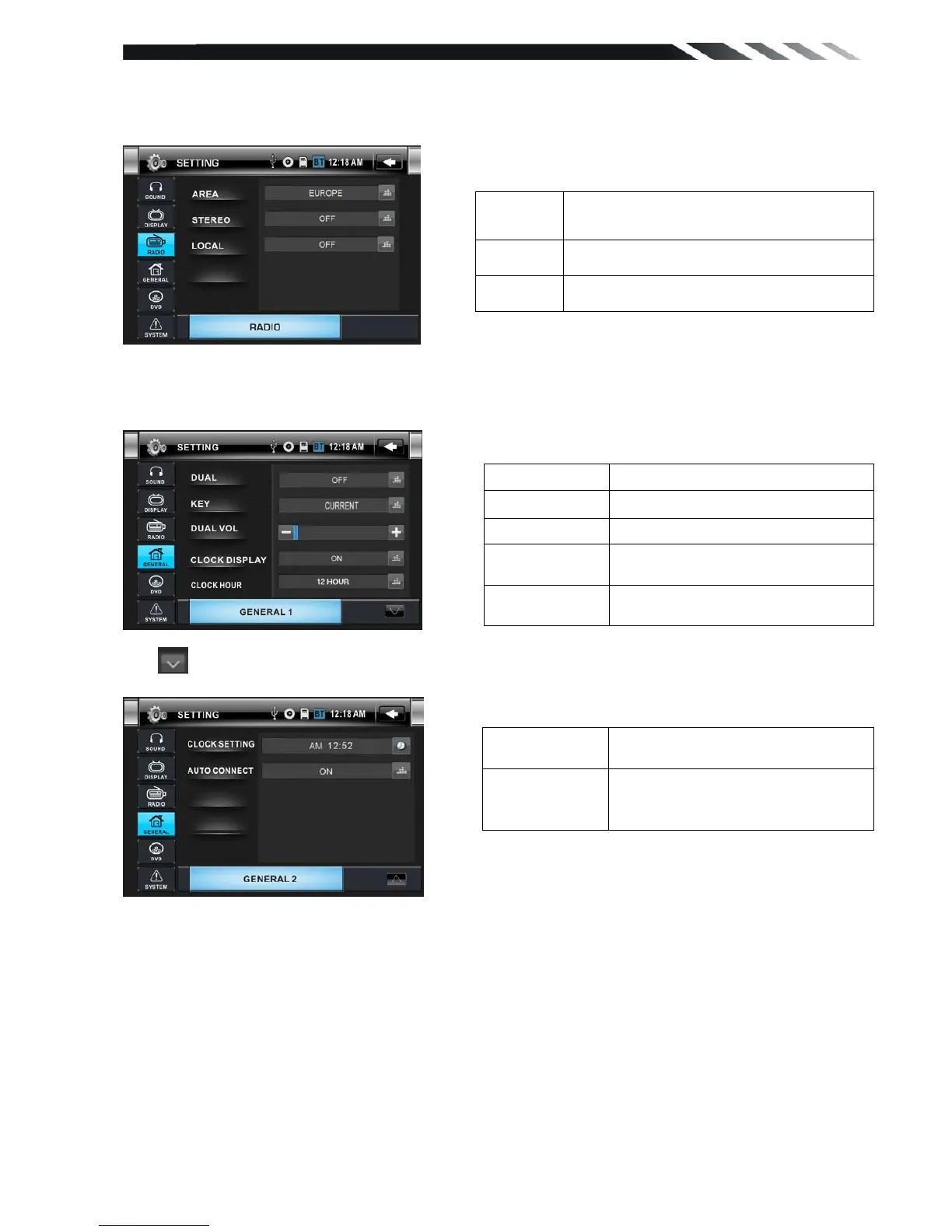
RADIO CONTROL
Tap RADIO button to show RADIO menu.
GENERAL CONTROL
Tap GENERAL Button to show GENERAL1 menu.
Tap button to show GENERAL 2 menu.
DVD SETUP MENU
During the DVD playback, press the SETUP button to enter into the system settings main
menu; press the up or down arrow buttons to move to the highlighted menu item and select one
of the Setup Pages:
AREA
Set AREA:EUROPE-U.S.A-SOUTH
AMERICA-RUSSIA
STEREO Set STEREO ON or OFF
LOCAL Set LOCAL ON or OFF













 To Next Page