16
Photo Mode
Browse for and play your photo les.
PHOTO BROWSER CONTROLS
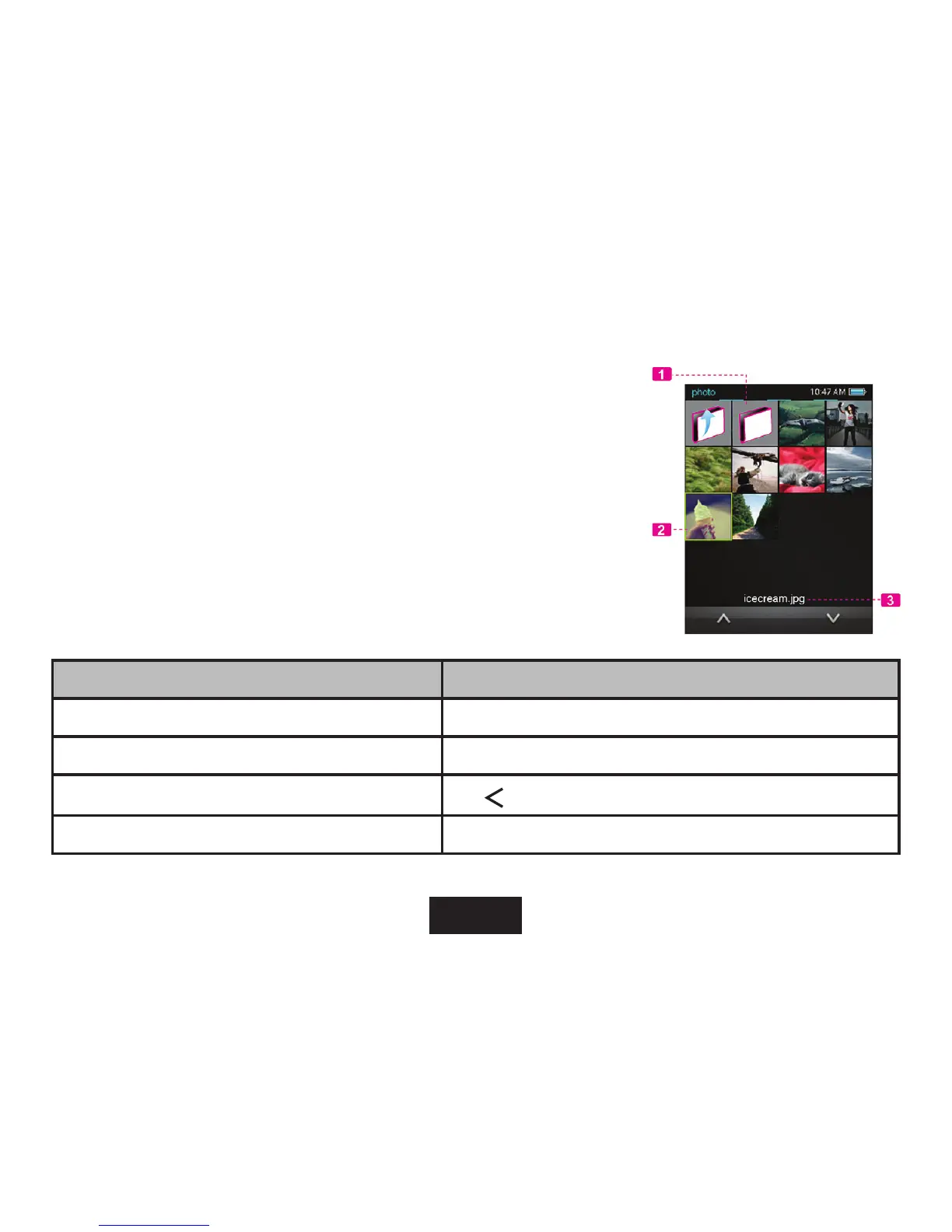
WhenyouchoosePhotomodefromtheMainmenu,youwillseethePhoto
Browser screen. Your Photo will be displayed as thumbnail images.
Use the Photo Browser to nd allphoto les loaded on your player.
1. Folder
2. Photo
3. Name of the selected folder or photo
FUNCTION KEY ACTION
To browse through the list of photo les and folders Press <UP> or <DOWN> button.
To select/view an item Press<ENTER>ortapthedesiredselectionontheLCDscreen
To return to the previous screen
Tap
on screen or press <MENU>
To return to the Main menu Hold <MENU>



 To Next Page