5
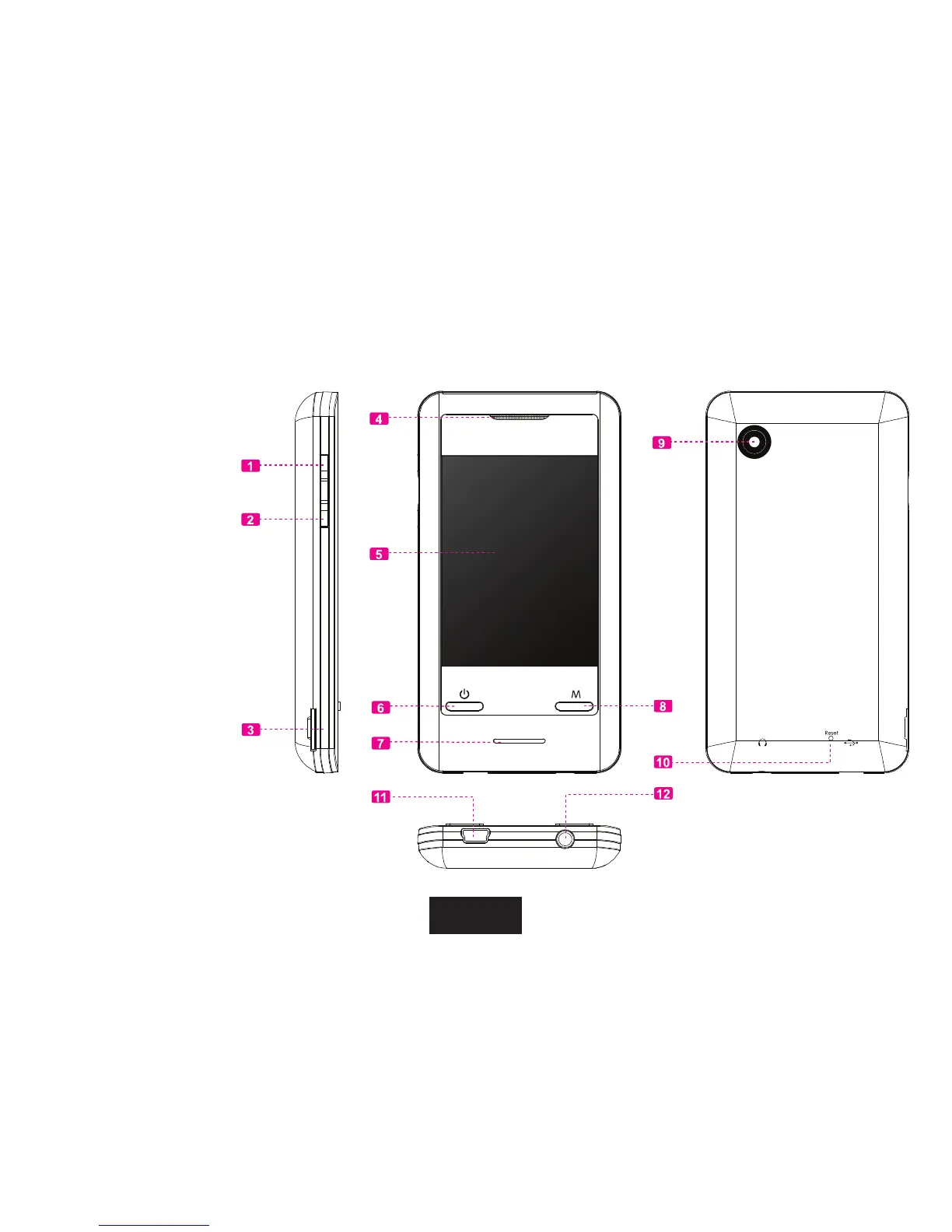
Controls at a Glance
LEFT VIEW
1. Volume Up button <UP>
2 . Volume Down button <DOWN>
3. MicroSD Card slot -
LoadamicroSDmemorycard
here to upgrade the memory
capacity of the player.
FRONT VIEW
4. Speaker
5. LCD touchscreen - Tap the
display with your nger to activate
the on-screen control.
6. Power/Enter button - Press
and hold the button to power the
player on or o. <ENTER>
7. LED indicator
8. Menu button <MENU>
REAR VIEW
9. Camera lens
10. Reset button <RESET>



 To Next Page